3 INSTALLATION
40
OPTISONIC 6300
www.krohne.com 09/2020 - 4006413102 - TD OPTISONIC 6300 V2 R02 en
Mounting the wall version (W)
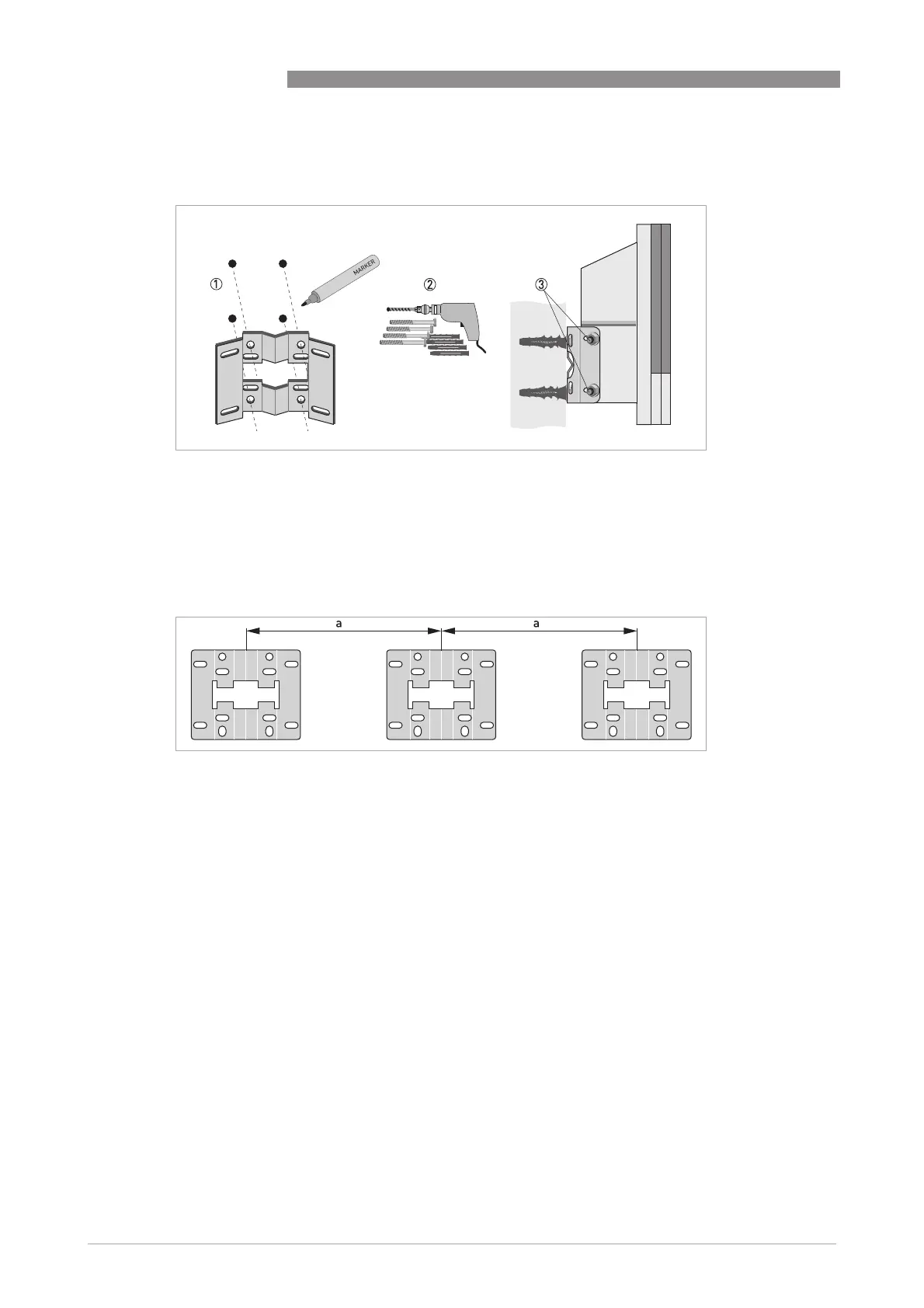
1 Prepare the holes with the aid of the mounting plate. For further information refer to
Mounting
plate of wall-mounted housing
on page 28.
2 Fasten the mounting plate securely to the wall.
3 Screw the signal converter to the mounting plate with the nuts and washers.
Figure 3-16: Wall mounting of the wall-mounted housing
Figure 3-17: Mounting multiple devices next to each other
a t 240 mm / 9.4"








 To Next Page