INSTALLATION 3
39
OPTISONIC 6300
www.krohne.com09/2020 - 4006413102 - TD OPTISONIC 6300 V2 R02 en
3.16.2 Wall mounting
Mounting the remote version (F) on the wall
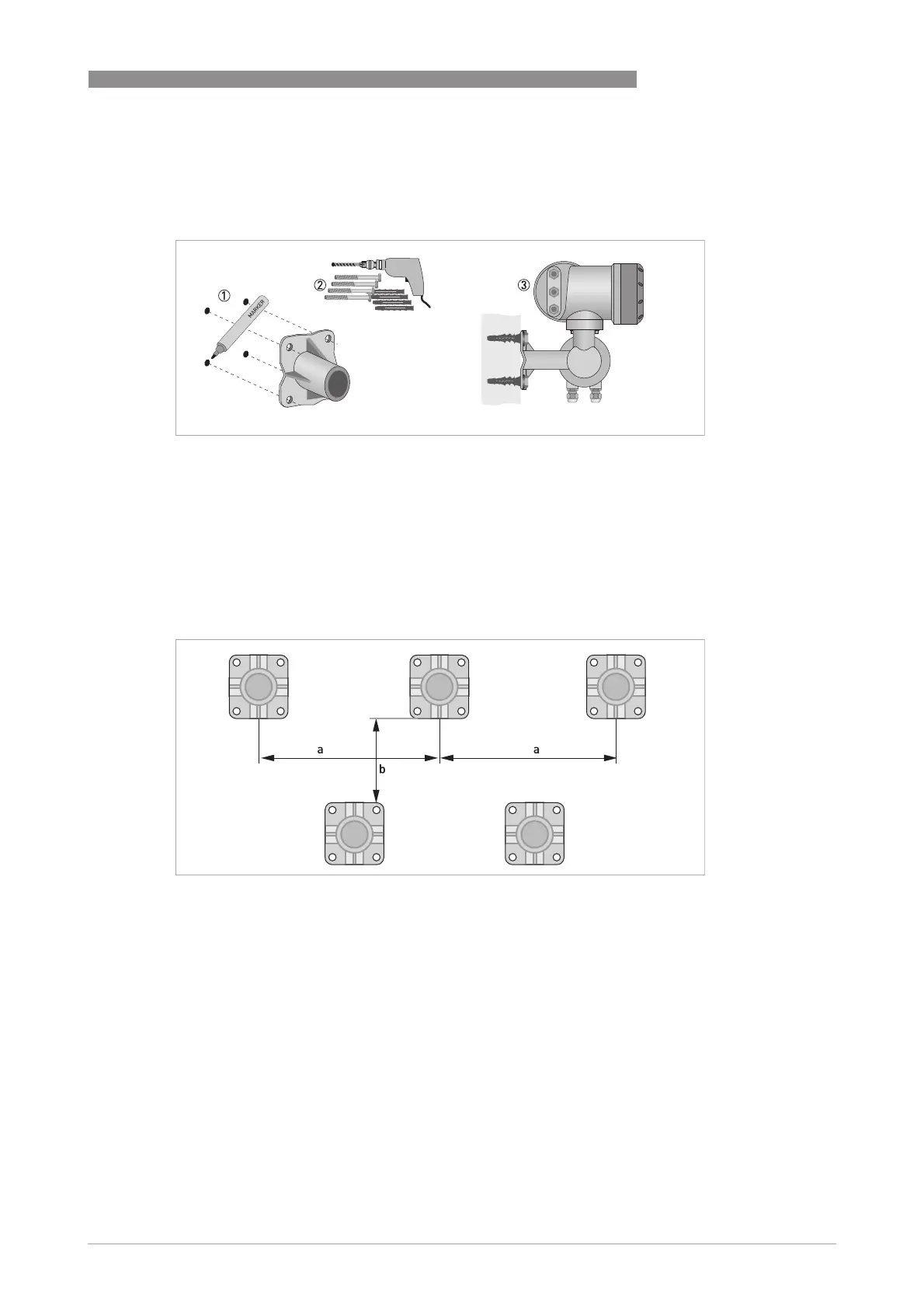
1 Prepare the holes with the aid of the mounting plate.
further information refer to
Mounting plate of field housing
on page 28.
2 Use the mounting material and tools in compliance with the applicable occupational health
and safety directives.
3 Fasten the housing securely to the wall.
4 Screw the signal converter to the mounting plate with the nuts and washers.
Figure 3-14: Wall mounting of the field housing
Figure 3-15: Mounting multiple devices next to each other
a t 600 mm / 23.6"
b t 250 mm / 9.8"








 To Next Page