2KA
1-5-21
1-5-4 Image formation section
(1) Detaching and refitting the image formation holder
Procedure
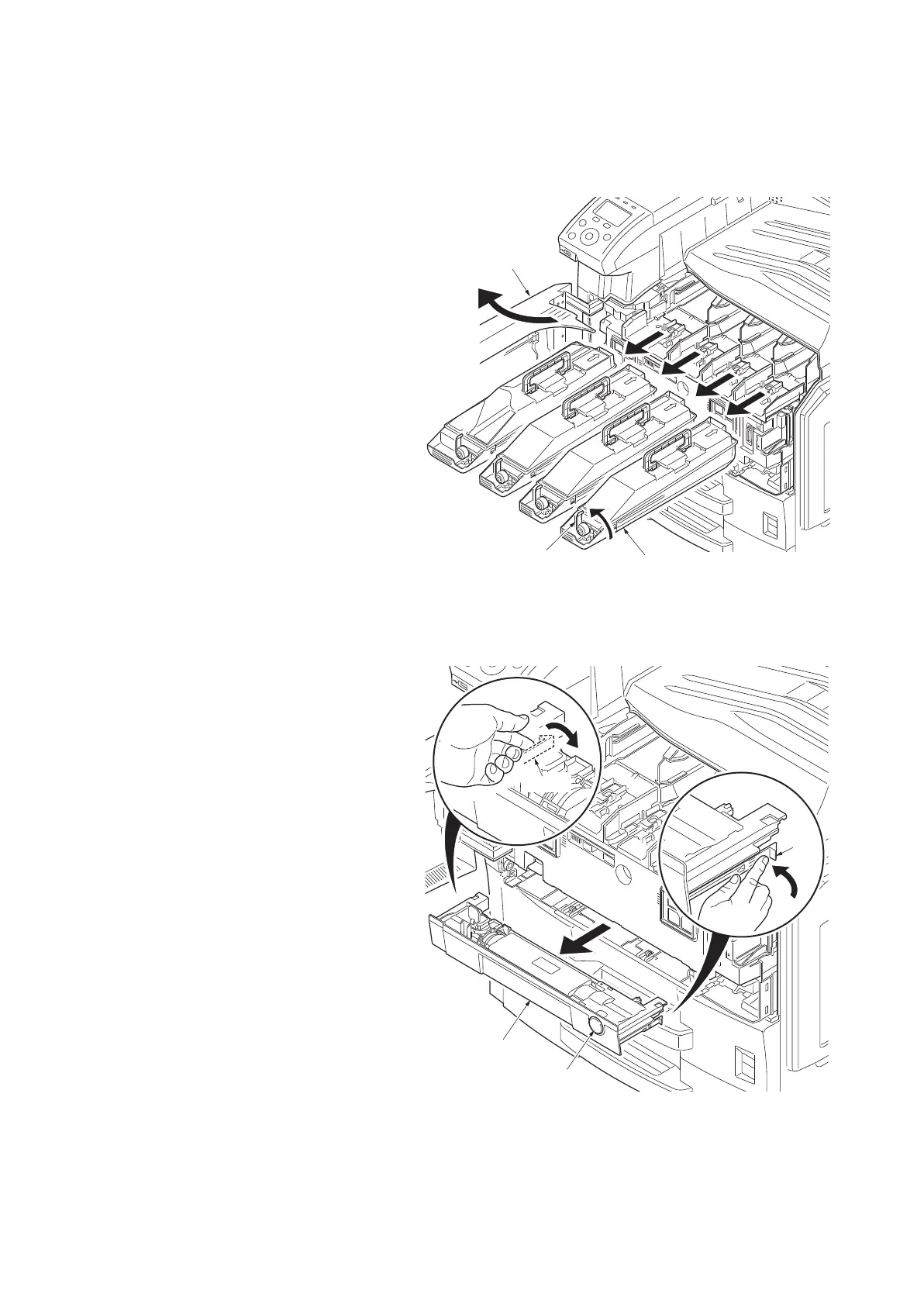
1. Open the front cover.
2. Turn the toner container lock lever for the
toner container counterclockwise to release
the lock.
3. Remove four toner containers.
Figure 1-5-36
4. Push the release button and pull out the waste
toner tray.
5. Release two hooks and then remove the
waste toner tray.
Figure 1-5-37
Front cover
Toner container
Lock lever
Waste toner tray
Hook
Release button
Hook



 To Next Page
 Loading...










