2KA
1-5-28
1-5-5 Transfer section
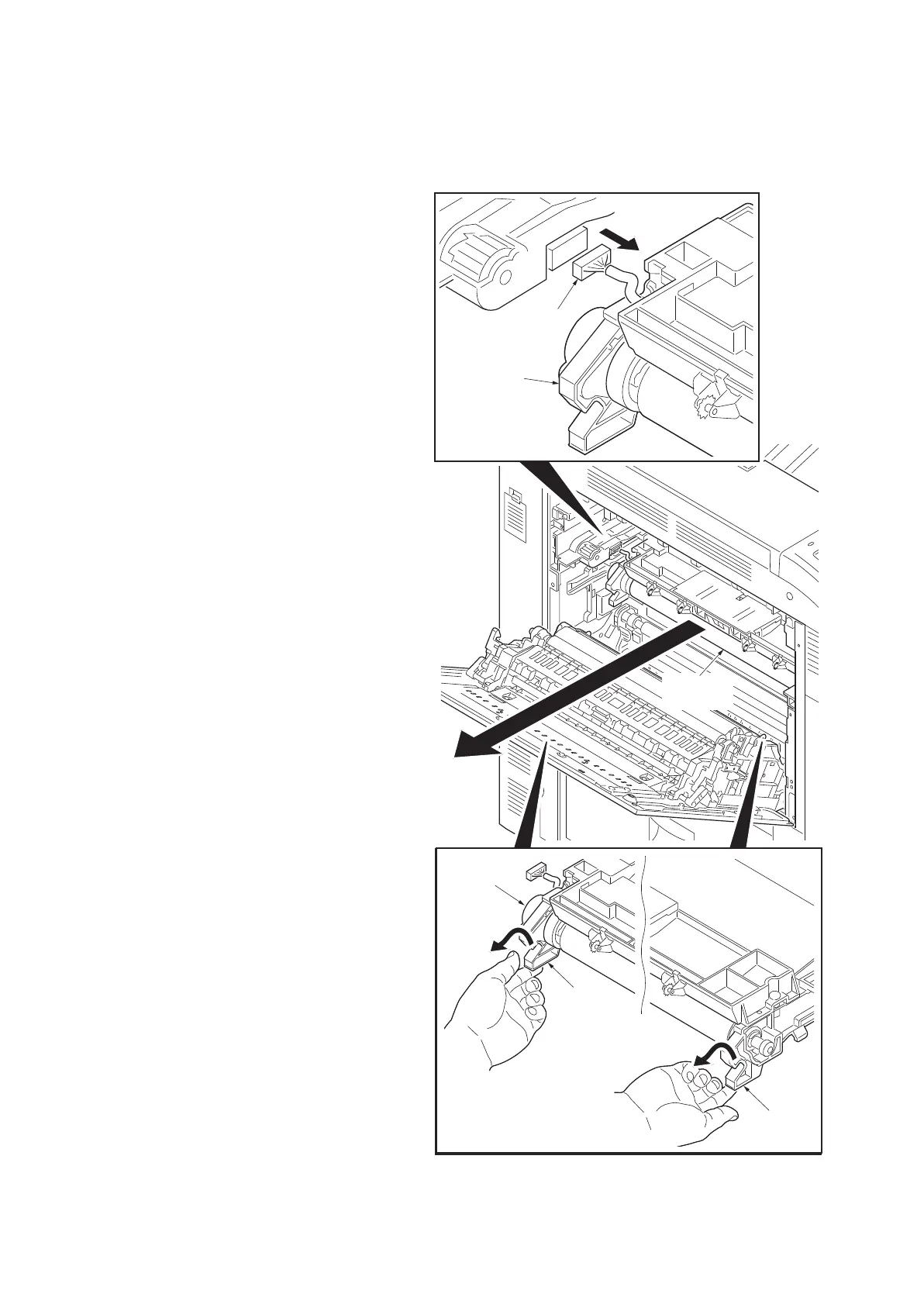
(1) Detaching and refitting the transfer belt unit
Follow the procedure below to replace the transfer belt unit.
Procedure
1. Remove the fuser unit (see page 1-5-31).
2. Remove the connector.
3. While lifting the “A” sections, remove the
transfer belt unit from the machine.
4. Replace the transfer belt unit and install it in
the machine in a horizontal manner.
5. Refit all the removed parts.
6. When the transfer belt unit is replaced with a
new one, carry out the following procedure.
7. Perform the following image adjustment.
1)Color Calibration
2)Color Registration
Figure 1-5-48
Transfer
belt unit
Connector
Transfer
belt unit
Transfer
belt unit
A
A



 To Next Page
 Loading...










