2KA
1-5-37
(3) Detaching and refitting the left cover 1 (paper conveying unit)
Follow the procedure below to replace the left cover 1 (paper conveying unit).
Procedure
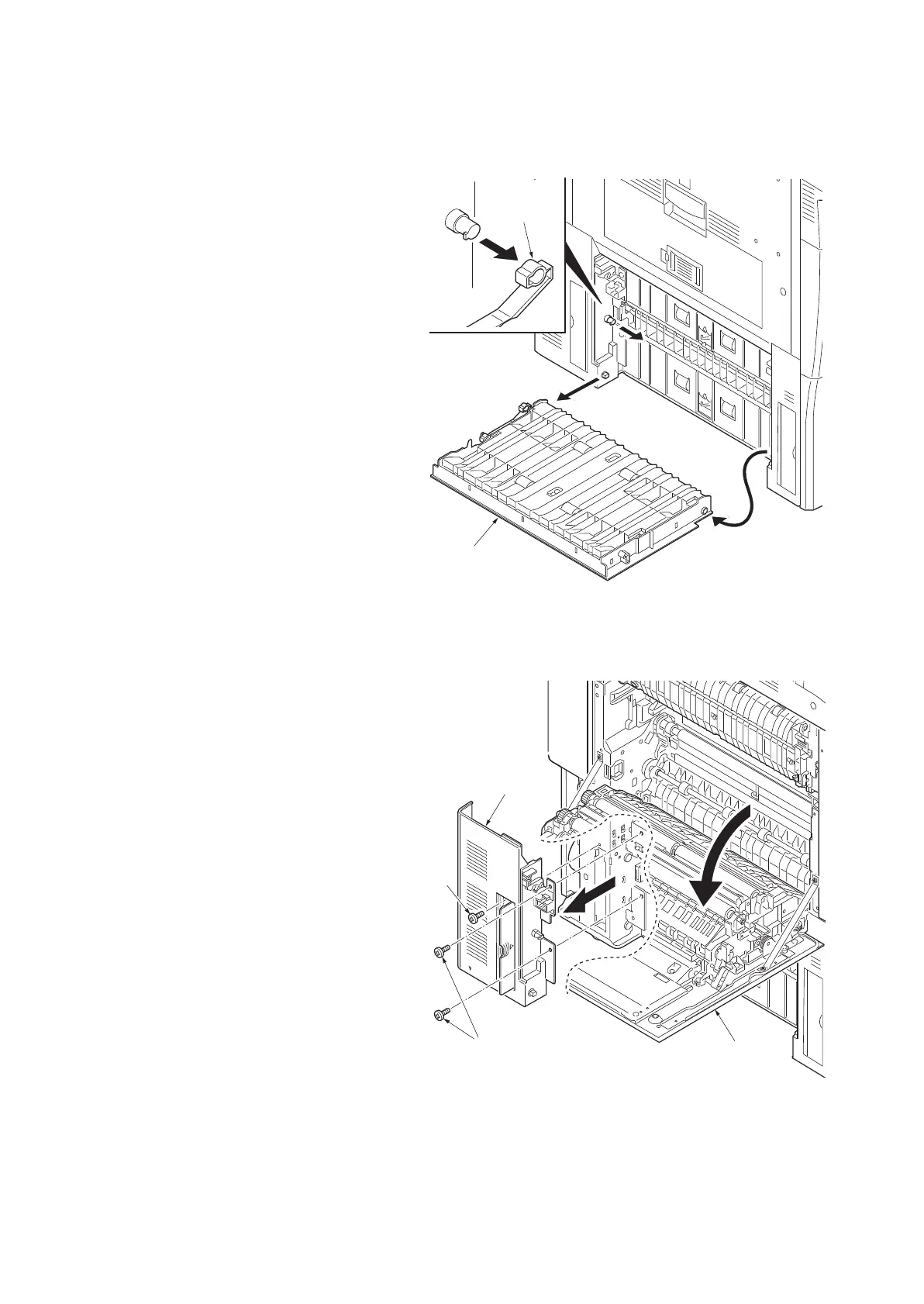
1. Open the left cover 3.
2. Remove two straps and then remove left
cover 3.
Figure 1-5-62
3. Open the left cover 1 (paper conveying unit).
4. Remove three screws and then remove the
left lower cover 2.
Figure 1-5-63
Left cover 3
Strap
Screws
Screw
Left lower cover 2
Left cover 1
(paper conveying unit)



 To Next Page
 Loading...










