2KA
1-5-3
1-5-2 Paper feed section
(1) Detaching and refitting the forwarding, paper feed and separation pulleys
Follow the procedure below to clean or replace the forwarding, paper feed and separation pulleys.
Procedure
Removing the primary paper feed unit
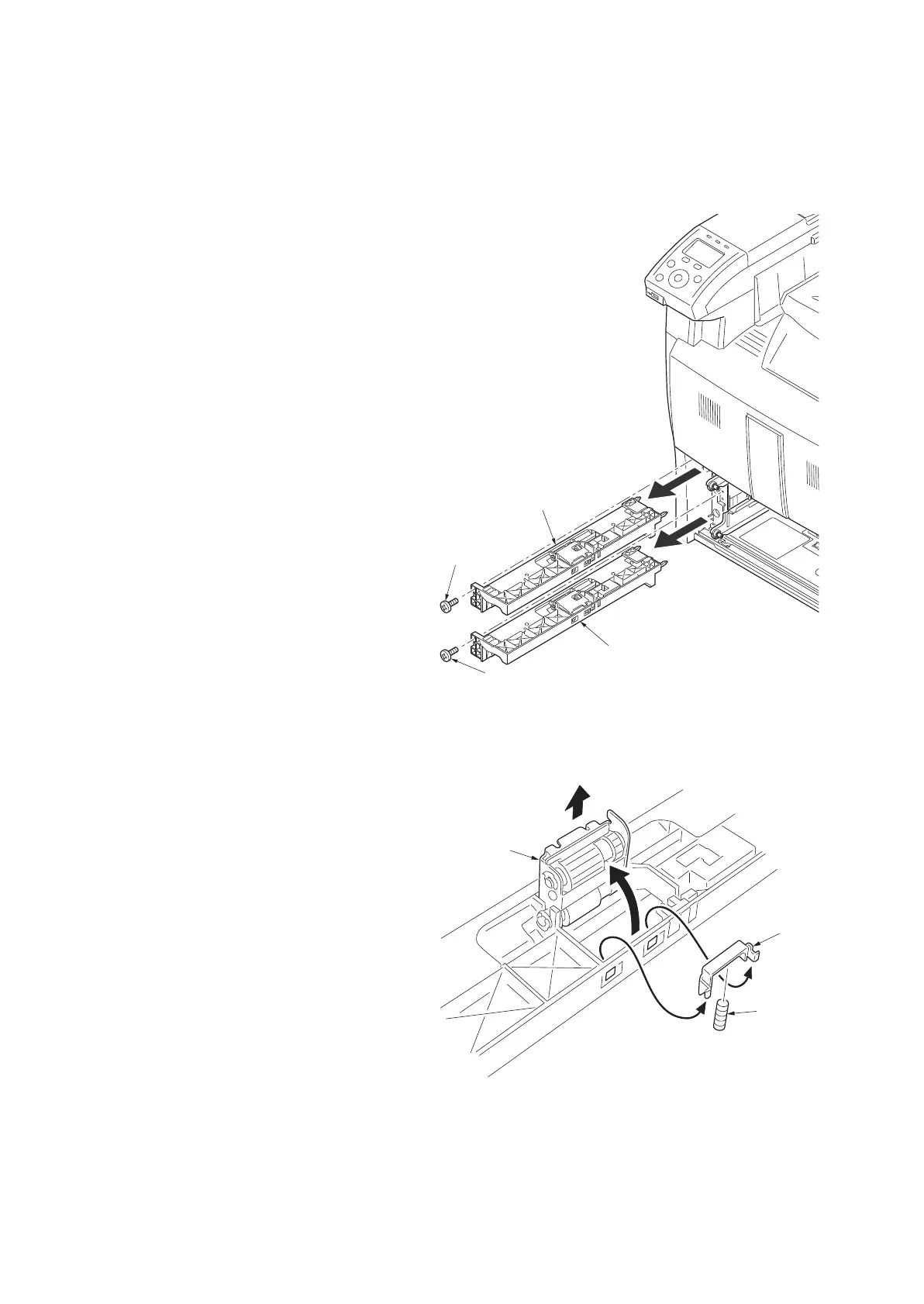
1. Remove cassette 1 and 2.
2. Remove the screw and remove the primary
paper feed unit.
Figure 1-5-3
Removing the forwarding pulley
3. Remove the stopper and spring from the pri-
mary paper feed unit.
4. Raise the forwarding pulley retainer in the
direction the arrow, and remove from the pri-
mary paper feed unit.
Figure 1-5-4
Screw
Screw
Primary paper feed unit
Primary paper feed unit
Forwarding
pulley retainer
Stoppe
Spring



 To Next Page
 Loading...










