2KA
1-5-29
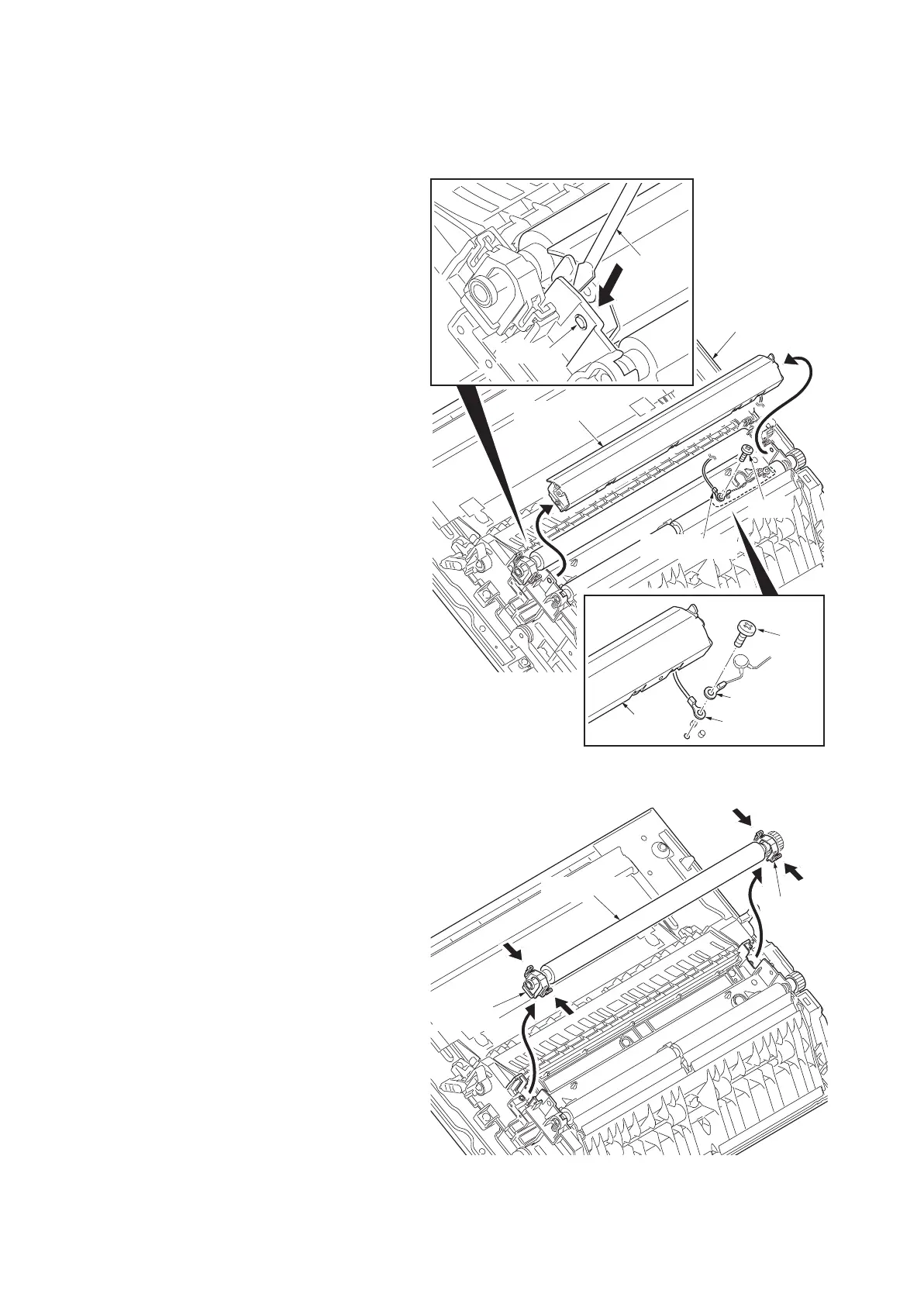
(2) Detaching and refitting the transfer roller
Follow the procedure below to replace the transfer roller.
Procedure
1. Open left cover 1.
2. Using a flat-blade screwdriver, remove the
left transfer guide by prying the protrusion
off the hole.
3. Remove the screw and then remove the
ground terminal and varistor terminal.
Figure 1-5-49
4. Remove the transfer roller while pressing
down the transfer stopper of both ends.
Figure 1-5-50
Screw
Ground terminal
Left transfer
guide
Ground terminal
Varistor terminal
Screw
flat-blade
screwdriver
Protrusion
Left transfer guide
Left cover 1
Transfer roller
Transfer
stopper
Transfer
stopper



 To Next Page
 Loading...










