2KA
1-2-12
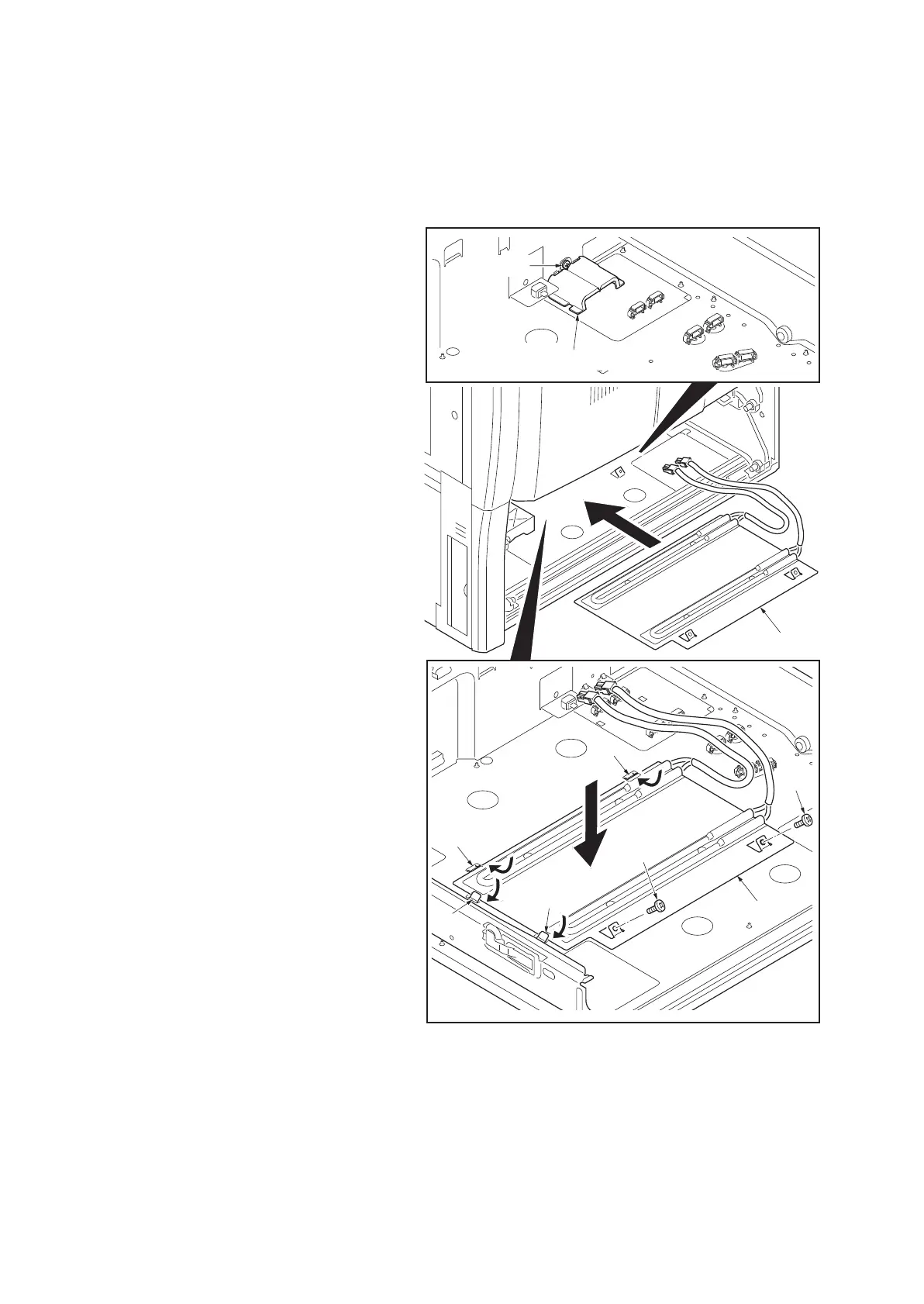
1-2-3 Installing the cassette heater (option) (inch specifications only)
Installing the cassette heater requires the following component:
Cassette heater (P/N 302H794760)
Two (2) M4 x 10 screws (P/N 7BB700410H)
Procedure
1. Turn the main power switch off. And then
unplug the power cable from the wall outlet.
2. Remove cassette 1 and 2.
3. Remove the screw and then remove the
connector cover.
4. Place the cassette heater by engaging it
with the four hooks.
5. Fit the cassette heater using two screws.
Figure 1-2-12
Cassette heater
Connector cover
Screw
Cassette heater
Screw
Screw
Hook
Hook
Hook
Hook



 To Next Page
 Loading...










