2KA
1-5-8
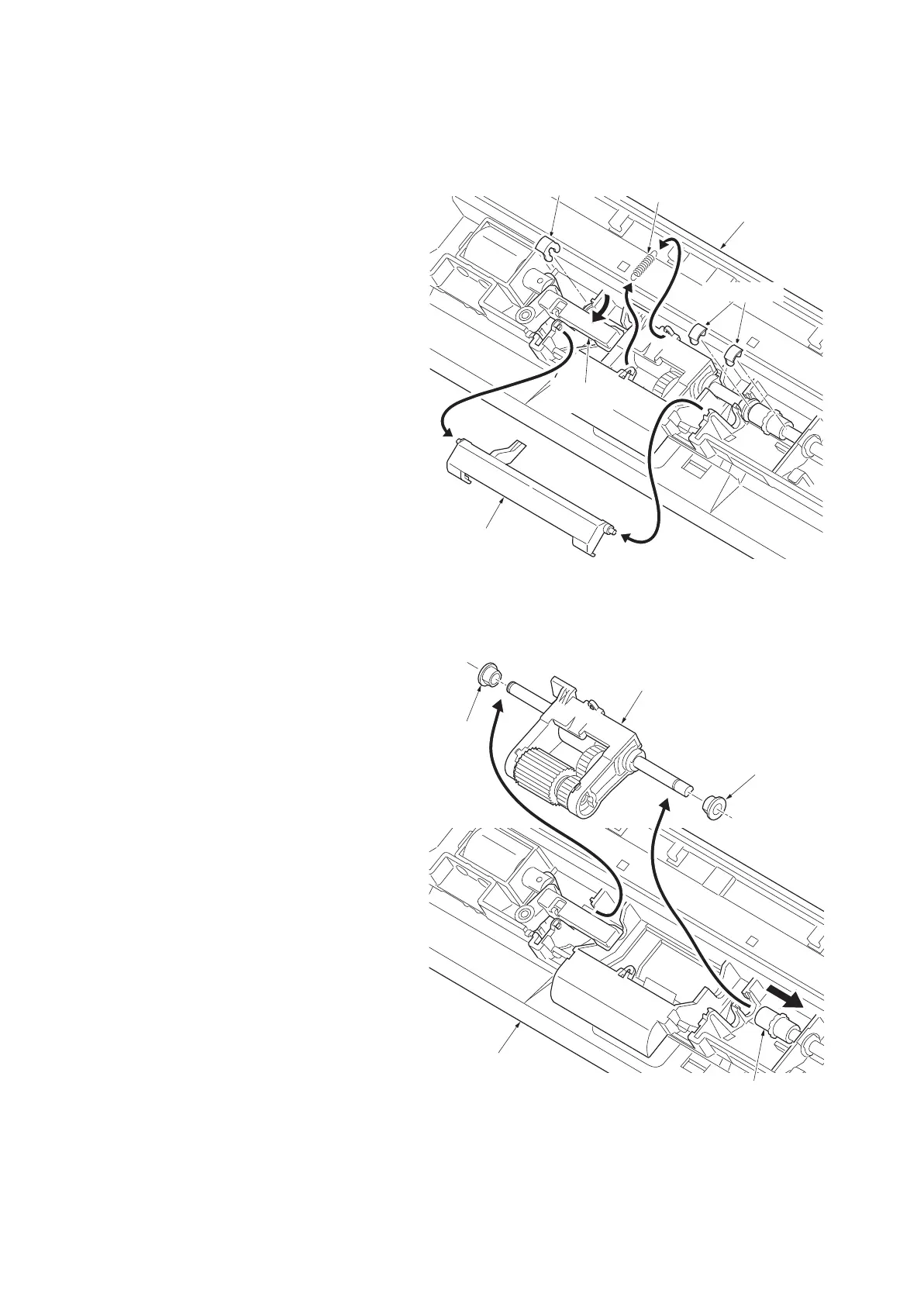
(3) Detaching and refitting the MP forwarding, MP paper feed and MP separation pulleys
Follow the procedure below to clean or replace the MP forwarding, MP paper feed and MP separation pulleys.
Procedure
Removing the MP forwarding and MP feed pulleys
1. Remove the MP unit (see page 1-5-6).
2. Remove the lever and spring from the MP
unit.
3. Release the MP solenoid lever in the direc-
tion of the arrow.
4. Remove three stop rings.
Figure 1-5-12
5. Slide the joint and remove two bushes.
Remove the pulley unit from the MP unit.
Figure 1-5-13
Lever
MP unit
MP solenoid
lever
Stop ring
Spring
Stop rings
MP unit
Bush
Bush
Pulley unit
Joint



 To Next Page
 Loading...










