2KA
1-5-34
(2) Detaching and refitting the hard disk unit
Follow the procedure below to replace the hard disk unit.
Procedure
1. Perform maintenance mode U917 (backup
data reading) (see page 1-3-99).
2. Remove the rear middle cover (see page 1-
5-11).
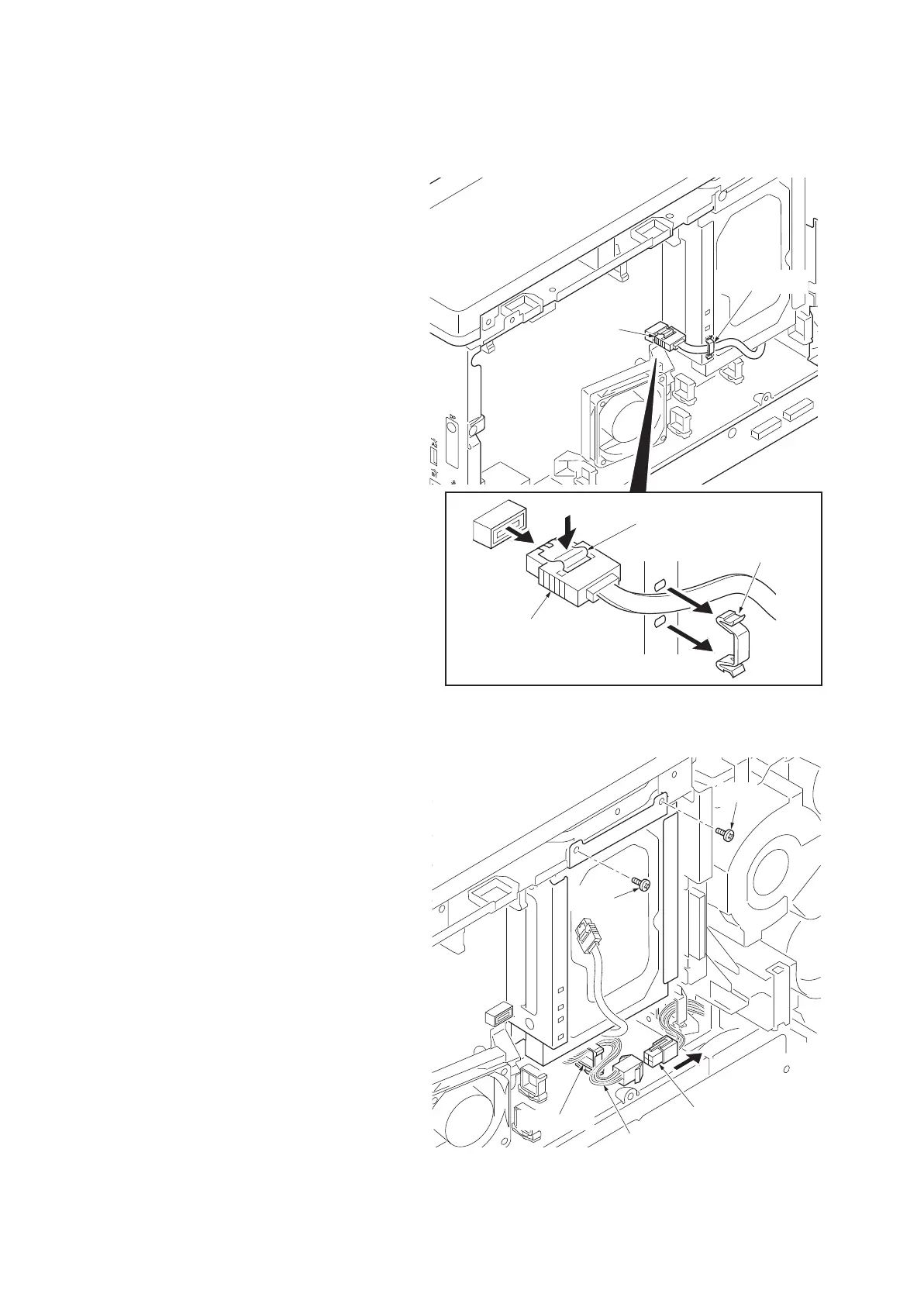
3. Remove the cable clamps.
4. Pressing the lock lever and remove the con-
nector.
Figure 1-5-58
5. Remove the connector.
6. Release the wire saddle and then remove
the wire.
7. Remove two screws.
Figure 1-5-59
Connector
Lock lever
Connector
Cable clamp
Cable clamp
Connector
Screw
Wire
Wire saddle
Screw



 To Next Page
 Loading...










