EasyManua.ls Logo

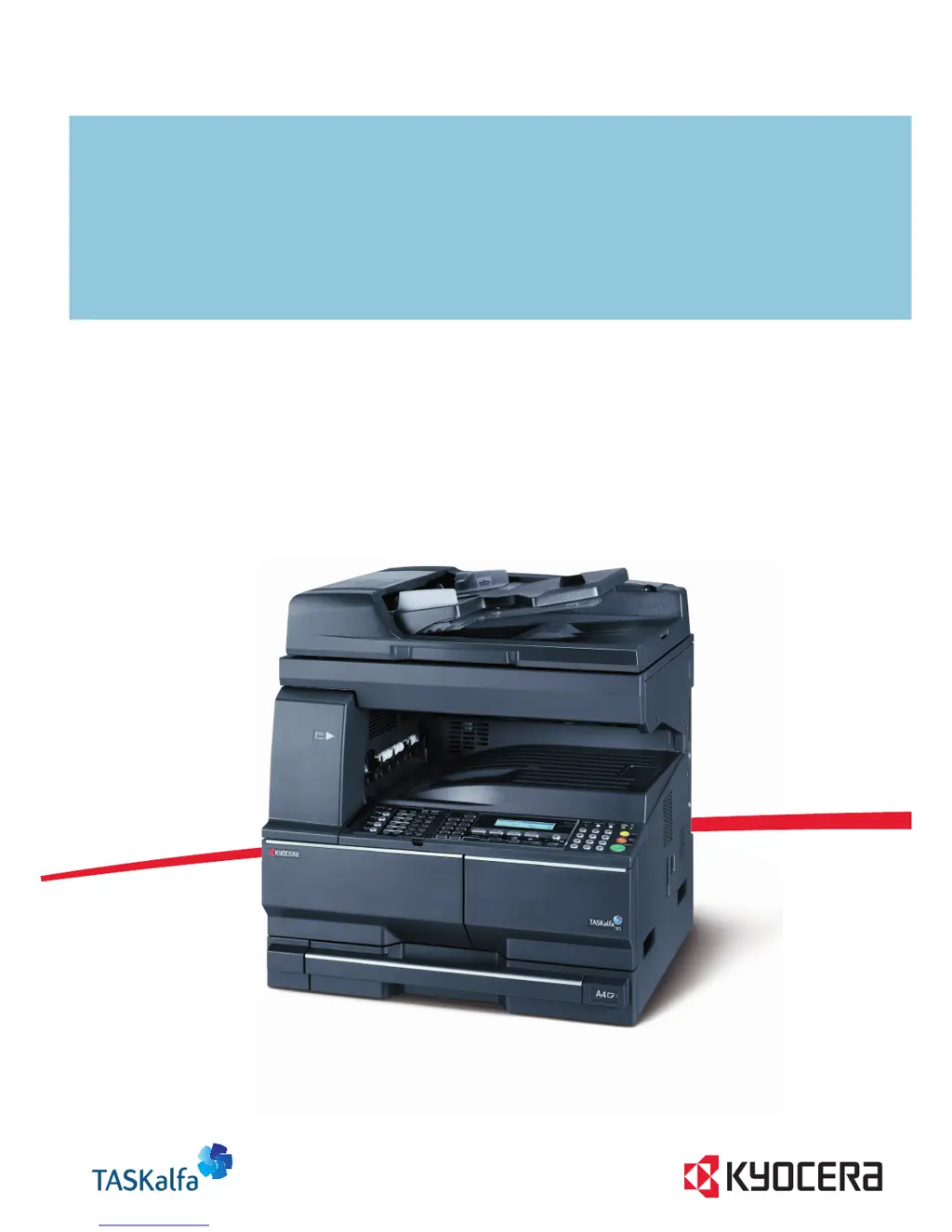
Kyocera TASKalfa 221 - User Manual

Kyocera TASKalfa 221
149 pages
Print Icon
To Next Page IconTo Next Page
Loading...
ADVANCED OPERATION GUIDE
TASKalfa 181/221

Table of Contents

Other manuals for Kyocera TASKalfa 221

Questions and Answers

  • C
    Christina VillarrealAug 29, 2025
    Why are the printouts from my Kyocera All in One Printer wrinkled?
    • B
      bmillerAug 30, 2025
      Wrinkled printouts from your Kyocera All in One Printer can be due to: * A dirty paper separator on the paper feed unit, so clean the paper separator. * Damp paper, so replace the paper with new paper. * Improper paper orientation, so change the orientation in which the paper is positioned.
  • E
    Elizabeth ThomasSep 5, 2025
    What to do if Kyocera TASKalfa 221 All in One Printer says 'Remove paper from Finisher. Press START key.'?
    • R
      Robert Sandoval MDSep 5, 2025
      If your Kyocera All in One Printer displays 'Remove paper from Finisher. Press START key.', there are already 250 sheets of paper stored in the optional finisher during copying. Remove the paper.
  • K
    Kayla BrownAug 29, 2025
    What to do if my Kyocera TASKalfa 221 All in One Printer says 'Add paper in cassette'?
    • W
      William PooleAug 29, 2025
      If your Kyocera All in One Printer displays 'Add paper in cassette', it means the print data does not match the size or type of paper in the cassette. To resolve this, press the Paper Selection key to select the desired paper source, and then press the Enter key.
  • T
    Tiffany HuynhSep 23, 2025
    What does 'Memory is full' mean on Kyocera TASKalfa 221?
    • D
      David AdamsSep 23, 2025
      If your Kyocera All in One Printer displays 'Memory is full': * The current copying cannot be processed because the memory for copying is full or the number of originals has reached the limit of 999 pages. Select Copy Scanned Image to output the pages that have been scanned or select Cancel to delete scanned data. Another copying job or scanning cannot be performed until either of them is selected. * The current printing cannot be processed because the memory for printing is full. Press the Print key to display the following messages. GO: Continues printing. Processed data will be output and remaining data will be printed on the next page.
  • D
    davisangelaSep 6, 2025
    What to do if Kyocera TASKalfa 221 All in One Printer says 'Remove paper from Top tray. Press START key.'?
    • M
      Melissa FoxSep 6, 2025
      If your Kyocera All in One Printer displays 'Remove paper from Top tray. Press START key.', the output tray capacity is exceeded during copying. Remove the paper.
  • T
    Traci SullivanSep 9, 2025
    What does 'Set Toner Container' mean on Kyocera All in One Printer?
    • F
      frankjenniferSep 9, 2025
      The 'Set Toner Container' message on your Kyocera All in One Printer means that the toner container is either not set or is not set properly.
  • R
    Ronald MillerSep 13, 2025
    What does 'System error. Main switch off / on.' mean on Kyocera TASKalfa 221 All in One Printer?
    • D
      Deborah ChapmanSep 13, 2025
      Follow the procedure below. 1 Turn the main power switch off. If printer output is being performed, cancel printing on the computer. 2 Wait more than five seconds and then turn the main power switch on ( | ). The error is cleared. If printing has been performed, perform output again.
  • K
    karenhayesSep 23, 2025
    What does 'Exceed copy limit' mean on Kyocera All in One Printer?
    • T
      Tammy GuerraSep 23, 2025
      If your Kyocera All in One Printer displays 'Exceed copy limit. Unable to copy', the number of copies made with your management code has reached the limit that was set in the department management mode and copying is no longer possible with that code. Use the department management mode to clear the copy count.
  • T
    Teresa ValenciaAug 26, 2025
    What to do if Kyocera All in One Printer says 'Memory Full'?
    • W
      watsonmarissaAug 26, 2025
      If your Kyocera All in One Printer displays 'Memory Full', you have several options: * Press the Enter key and select Yes to transmit the documents that have already been completely scanned. * Select No to completely cancel the transmission. If you do not press the Enter key, the Auto Clear function will erase all data from memory after a certain time. After canceling, you can try the transmission again once memory is available.
  • R
    Robert OlsonAug 26, 2025
    What does 'Load XX paper in cass.' mean on my Kyocera TASKalfa 221 All in One Printer?
    • D
      davidandradeAug 26, 2025
      The 'Load XX paper in cass.' message on your Kyocera All in One Printer means that you need to load paper of the size indicated in the message display. This can occur because the Fixed Size mode is selected in the Paper Feed Selection setting or because the sizes of the received documents and the paper in the selected drawer are not compatible for printing. Load paper of the same size as that of the received documents.

Kyocera TASKalfa 221 Specifications

General IconGeneral
Print technologyLaser
Maximum resolution2400 x 600 DPI
Economical printingYes
Time to first page (black, normal)5.7 s
Print speed (black, normal quality, A3)10 ppm
Print speed (black, normal quality, A4/US Letter)22 ppm
Grayscale levels256
FaxingMono faxing
Fax memory4 MB
Modem speed33.6 Kbit/s
Fax coding methodsJBIG, MH, MMR (Fax coding method), MR
Fax speed dialing (max numbers)3s
Total input capacity300 sheets
Total output capacity250 sheets
Maximum input capacity1300 sheets
Multi-Purpose tray input capacity100 sheets
SafetyTÜV/GS, CE
Font stylesPCL, KPDL 3
Media thickness0.11 mm
Power supply typeAC
Custom media sizes98 x 148mm - 297 x 732 mm
Dimensions (WxDxH)568 x 594 x 607 mm
Power requirements220 - 240V, 50/60 Hz
Networking featuresFast Ethernet 10/100 Base-TX
All-in-one functionsCopy, Fax, Scan
Standard input trays2
Maximum internal memory1 GB
Supported media weight(s)64/105 g/m²
Compatible operating systemsWin 95, 98, Me, NT4.0, 2000, XP, Server 2003 Mac OS X 10.2 + UNIX LINUX
Internal memory128 MB
Processor familyPowerPC
Compatible memory cardsCF
Sound power level (standby)40 dB
Sound pressure level (printing)66.7 dB
Non-ISO print media sizesFolio
ISO A-series sizes (A0...A9)A3, A4, A5, A6
Maximum ISO A-series paper sizeA3
Standard interfacesUSB 2.0
USB 2.0 ports quantity1
Power consumption (standby)63 W
Power consumption (PowerSave)6.2 W
Power consumption (average operating)450 W
Market positioningBusiness

Related product manuals