2NL/2P8
1-2-4
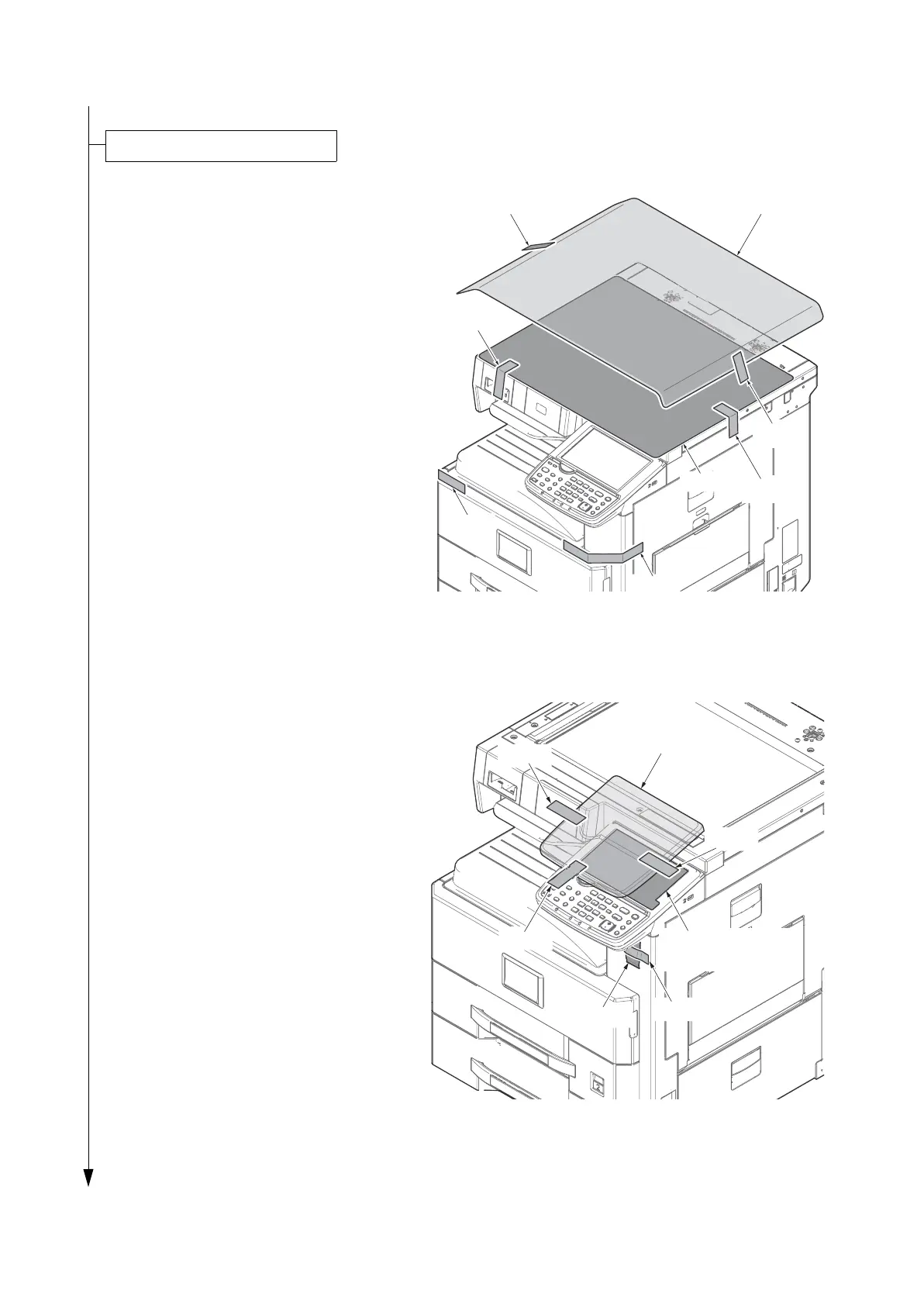
1. Remove two tapes and the protection
pad.
2. Remove two tapes and the paper.
3. Remove two tapes from the main unit.
Figure 1-2-3
4. Remove three tapes and the operation
unit protection cover.
5. Remove the operation panel protection
sheet.
6. Remove the tape and the desiccant.
Figure 1-2-4
Remove the tapes and spacer
Tape
Protection pad
Tape
Tape
Tape
Tape
Paper
Tape
Operation panel
prptection sheet
Tape
Desiccant
Operation unit
protection cover
Tape
Tape
Tape









 To Next Page