2NL/2P8
1-2-12
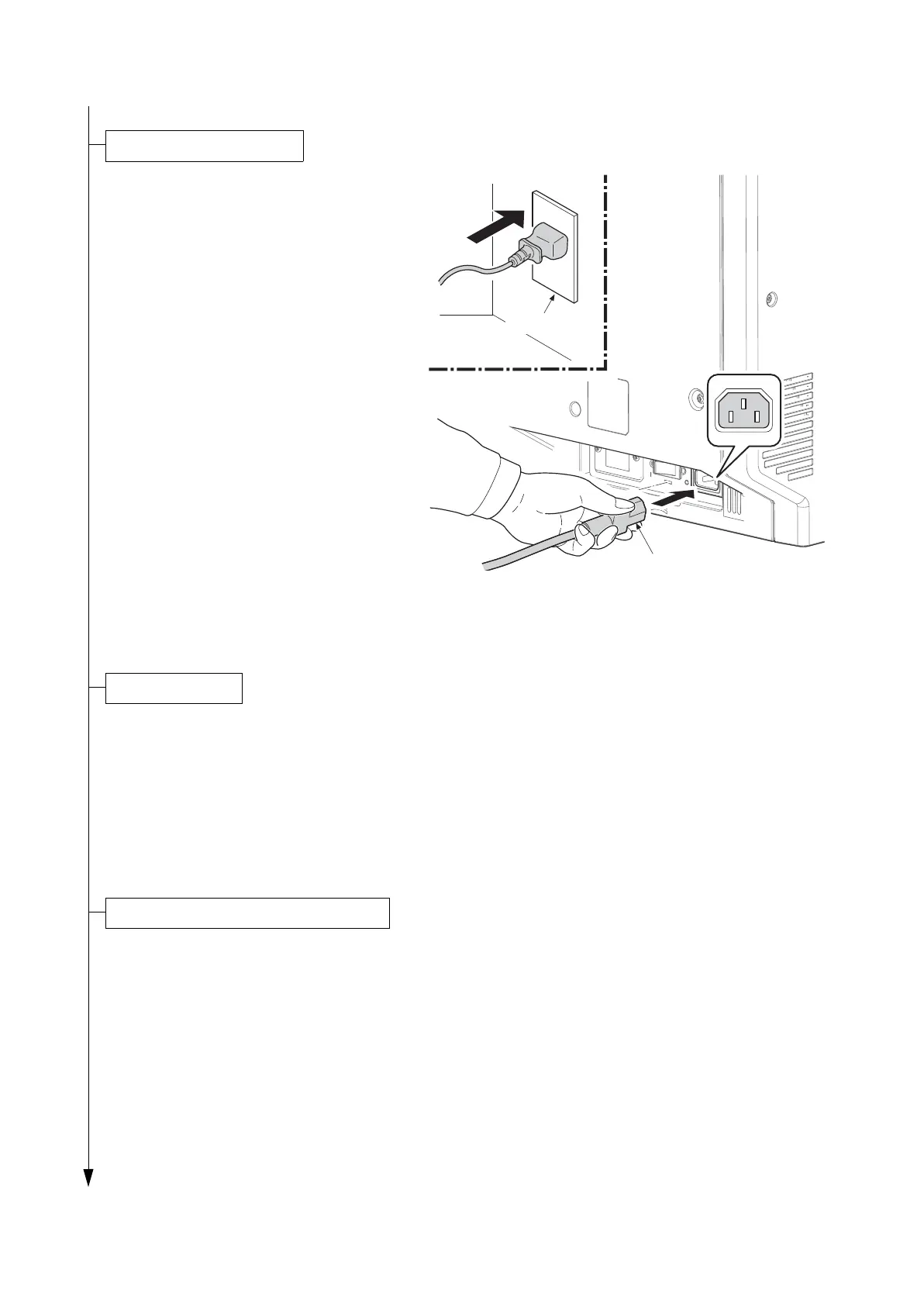
1. Connect the power cord to the connector
on the machine.
2. Insert the power plug into the wall outlet.
Figure 1-2-18
1. Turn the main power switch on.
The machine automatically starts to feed toner in the developer unit.
Note: When the main power switch is turned on for the first time, it takes about ten minutes until
entering the state that can be copied.
2. The drive chain is disengaged when toner installation is completed.
1. Enter the maintenance mode by entering 10871087 using the numeric keys.
2. Enter 952 using the numeric keys and press the start key.
3. Select [Execute].
4. Select [SETUP].
5. Press the start key.
* : Running the simulation allows execution histories to be logged.
* : The maintenance mode U952 [SETUP] includes the following:
If U952 is not used, follow the procedure below.
Power code
Wall outlet
Execution of mentenance item U952










 To Next Page