2NL/2P8
1-4-1
1-4 Troubleshooting
1-4-1 Paper misfeed detection
(1) Paper misfeed indication
When a paper misfeed occurs, the machine immediately stops printing and displays the paper misfeed mes-
sage on the operation panel. To remove paper misfed in the machine, pull out the cassette, open the paper
conveying unit or paper conveying cover.
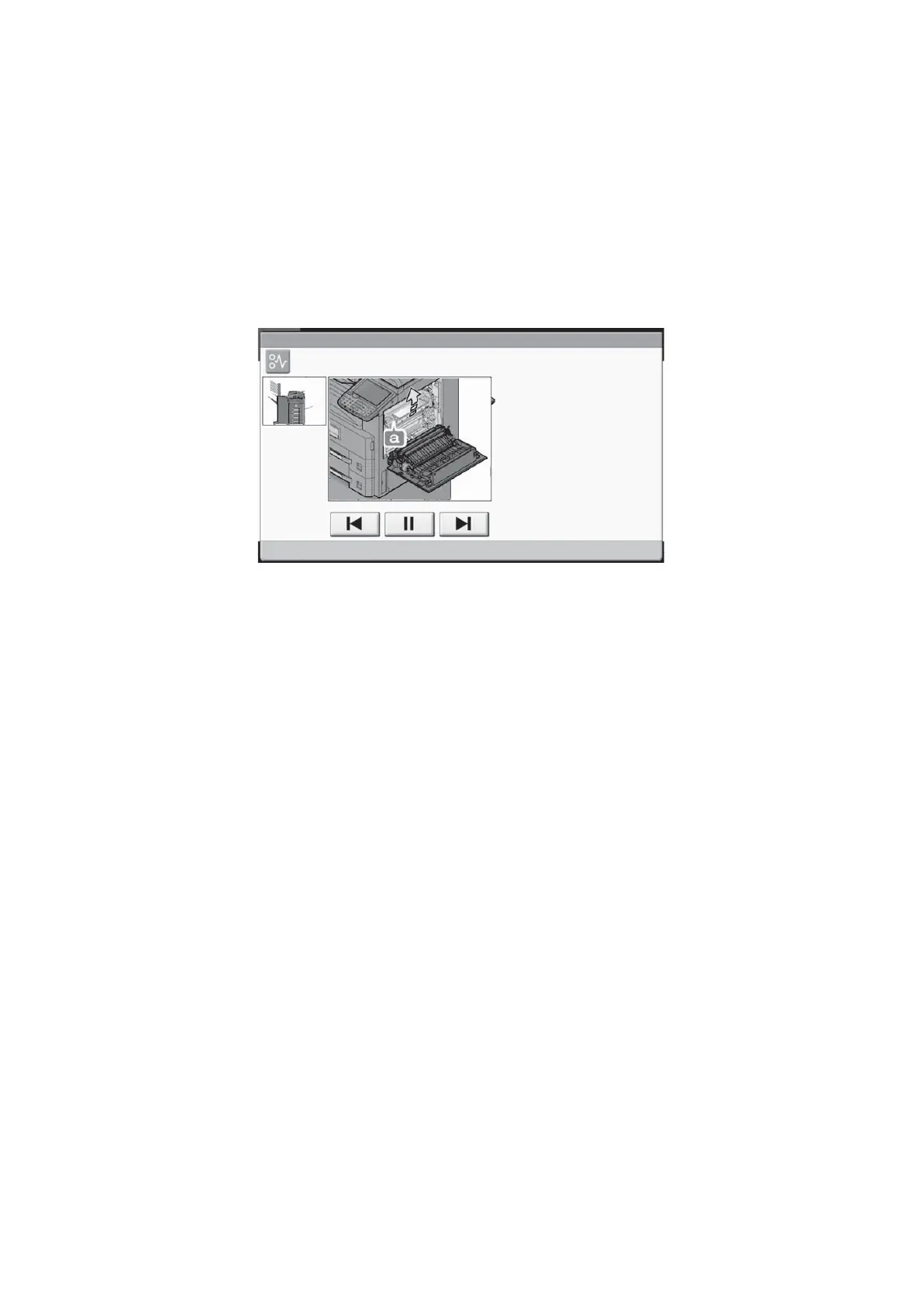
The positions and the corrective actions are displayed on the touch panel when a paper jam has occurred.
Figure 1-4-1
JAM
Paper jam.
02/04
1. Open right cover 1
and remove the paper.
2. Open the fuser cover (a)
and remove the paper.
3. Remove any paper from
the paper ejection.
4. Close the cover.










 To Next Page