2NL/2P8
1-5-25
(3) Detaching and refitting the LED unit
Procedures
1. Remove the sanner right cover and
contact glass.(See page 1-5-22)
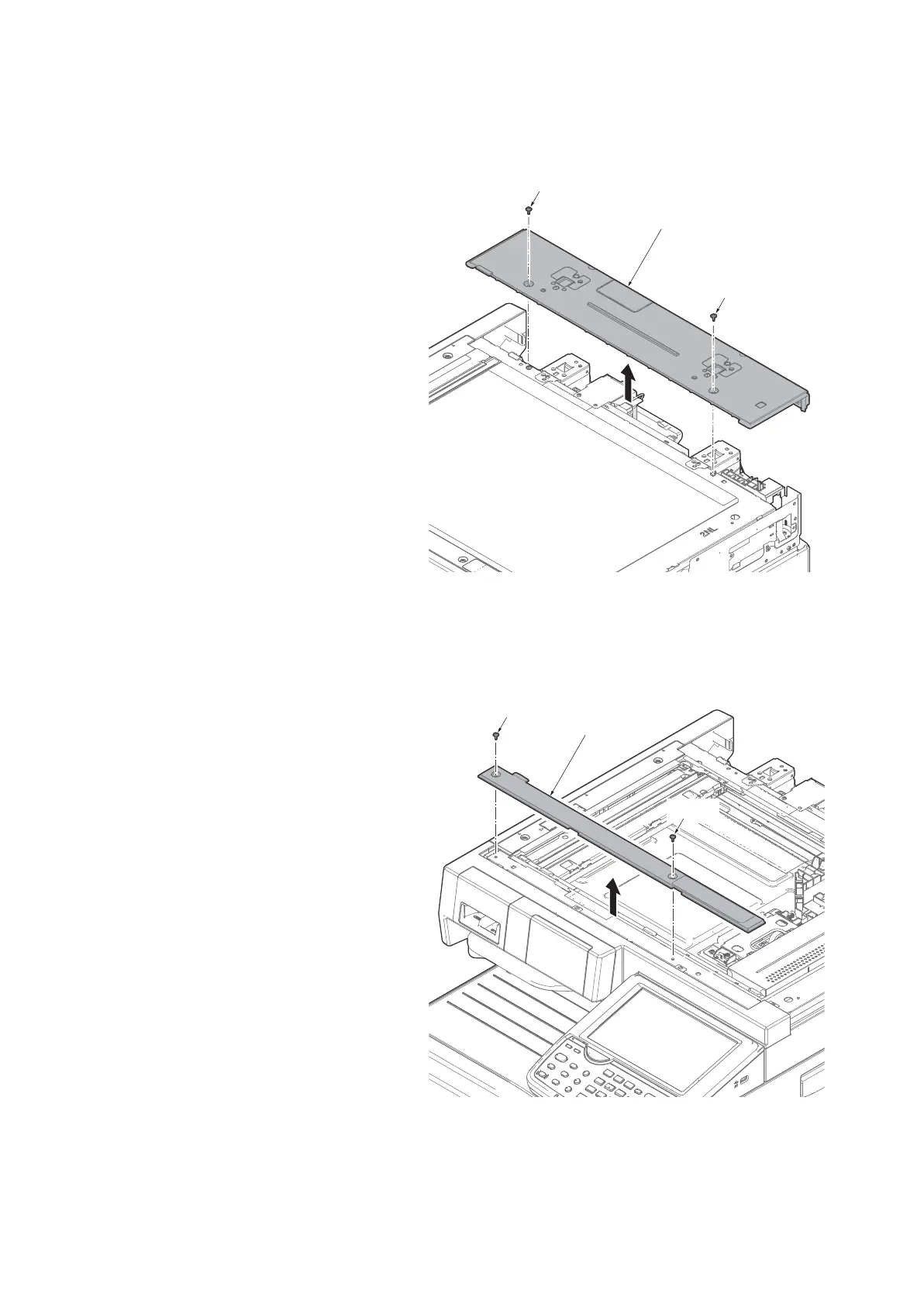
2. Remove two screws and then remove
the scanner rear cover.
3. Remove the rear cover.
Figure 1-5-40
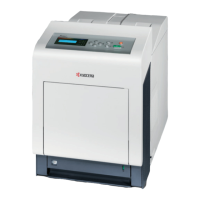
4. Remove two screws and remove the
scanner front upper cover.
Figure 1-5-41
Screw
Scanner rear cover
Screw
Screw
Scanner front
upper cover
Screw









 To Next Page