2NL/2P8-A
1-2-9
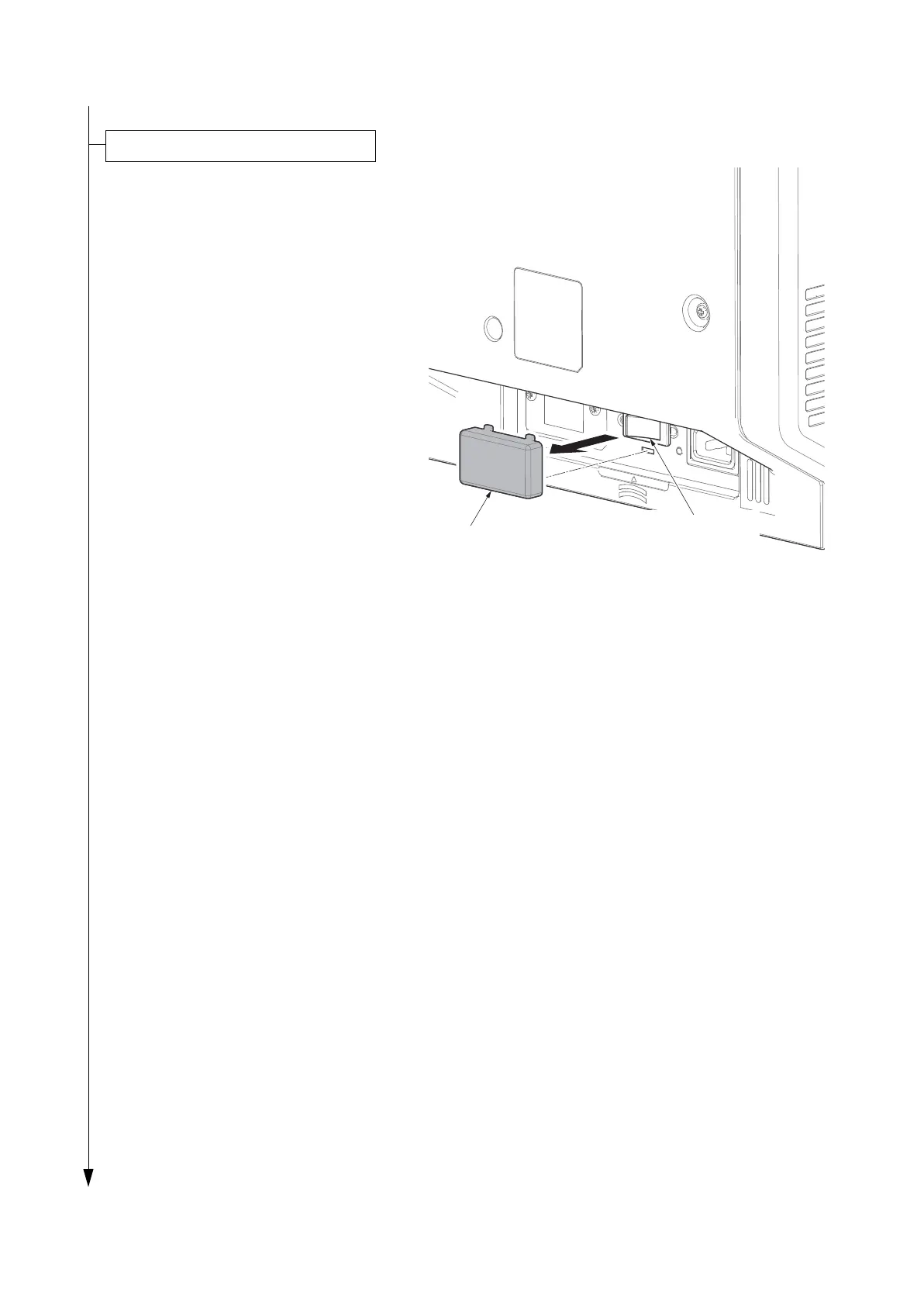
1. Release the hook and then remove the
switch cover.
2. Turn the cassette heater switch on.
Note: When the cassette heater is
used, it turns it on.
3. Refit the switch cover.
Figure 1-2-13
* : When a switch is changed, maintenance mode U327 is performed after power activation.
Enter the maintenance mode by entering 10871087 using the numeric keys.
Enter 324 using the numeric keys and press the start key.
Select [On] or [Off]. Press the start key.
Press the stop key to exit.
Precaution for Loading Paper
If paper is left in the cassette for a long period, heat from the cassette heater may discolor it.
Switch the cassette heater switch
Cassette heater
switch
Switch cover










 To Next Page