2NL/2P8
1-5-49
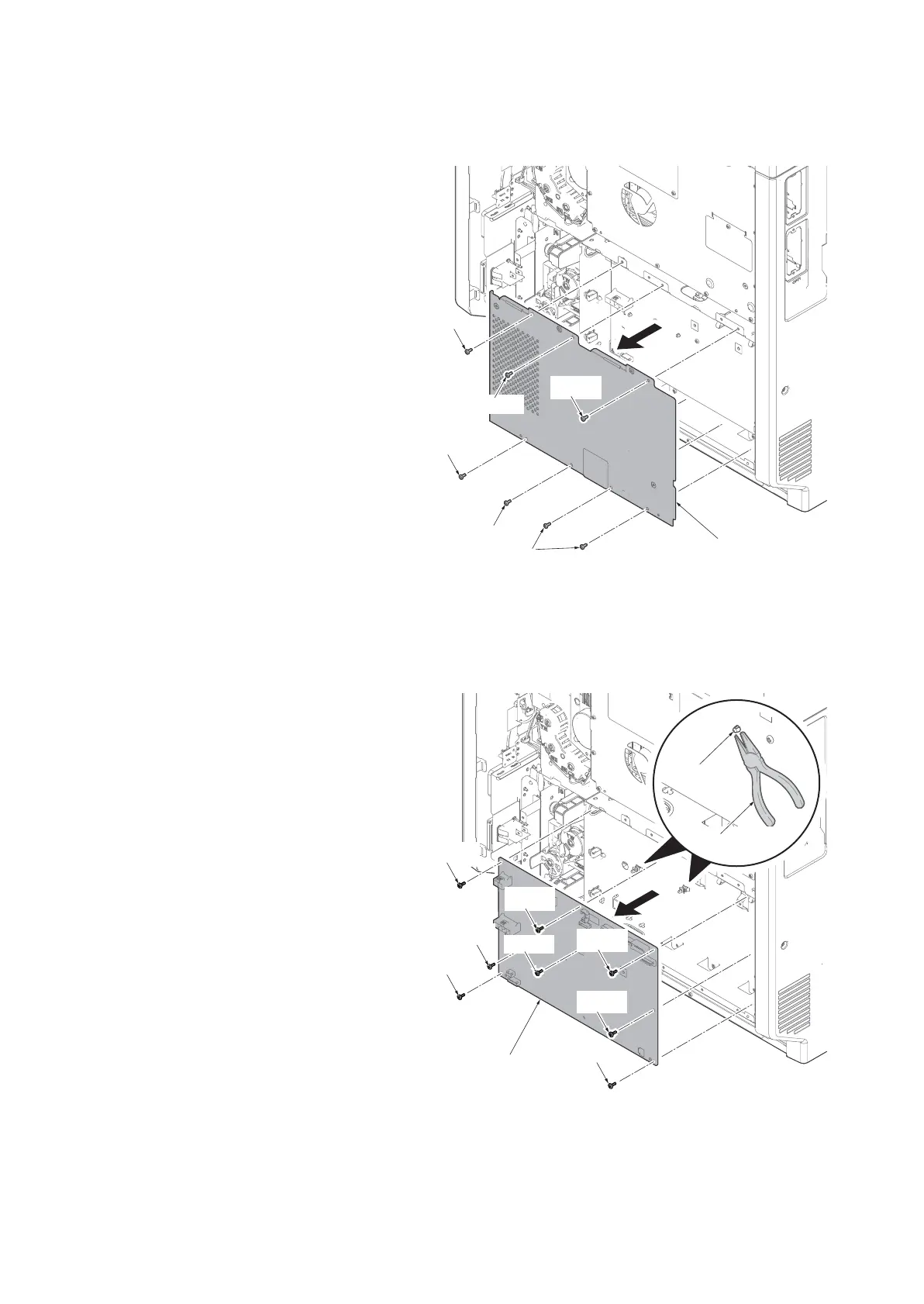
(3) Detaching and refitting the power source PWB
Procedures
1. Remove the rear cover.
(See page 1-5-5)
2. Remove seven screws and then
remove the power source box cover.
Figure 1-5-84
3. Remove all connecters from the power
source PWB.
4. Remove two spacer using the longnose
pliers.
5. Remove eight screws and then remove
the power source PWB.
6. Check or replace the power source
PWB and refit all the removed parts.
Figure 1-5-85
Screws
Screw
Screw
Screw
Screw
Screw
Power source
box cover
Power source PWB
Screw
Screw
Screw
Screw
Screw
Spacer
Longnose pliers
Screw
Screw
Screw











 To Next Page