2NL/2P8
1-5-20
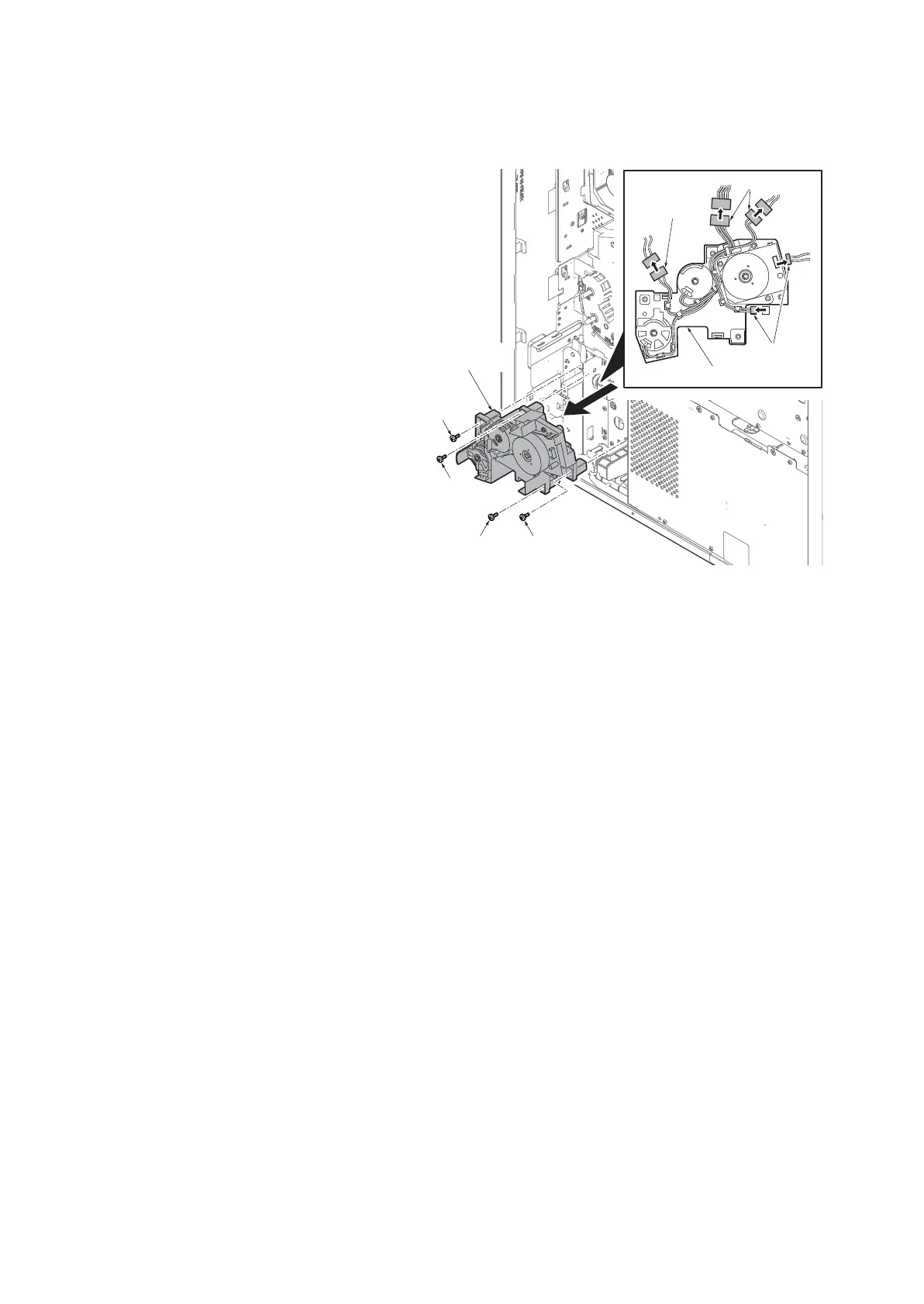
(2) Detaching and refitting the drive unit 2
Procedures
1. Remove the rear cover.
(See page 1-5-5)
2. Remove five connectors.
3. Remove four screws and then remove
the drive unit 2.
4. Check or replace the drive unit 2 and
refit all the removed parts.
Figure 1-5-32
Screw
Screw
Drive unit 2
Screw
Screw
Connectors
Connectors
Connector
Drive unit 2









 To Next Page