2NL/2P8
1-5-51
(5) Detaching and refitting the ISC PWB
Procedures
1. Remove the rear cover.
(See page 1-5-5)
2. Remove the scanner rear upper cover.
(See page 1-5-5)
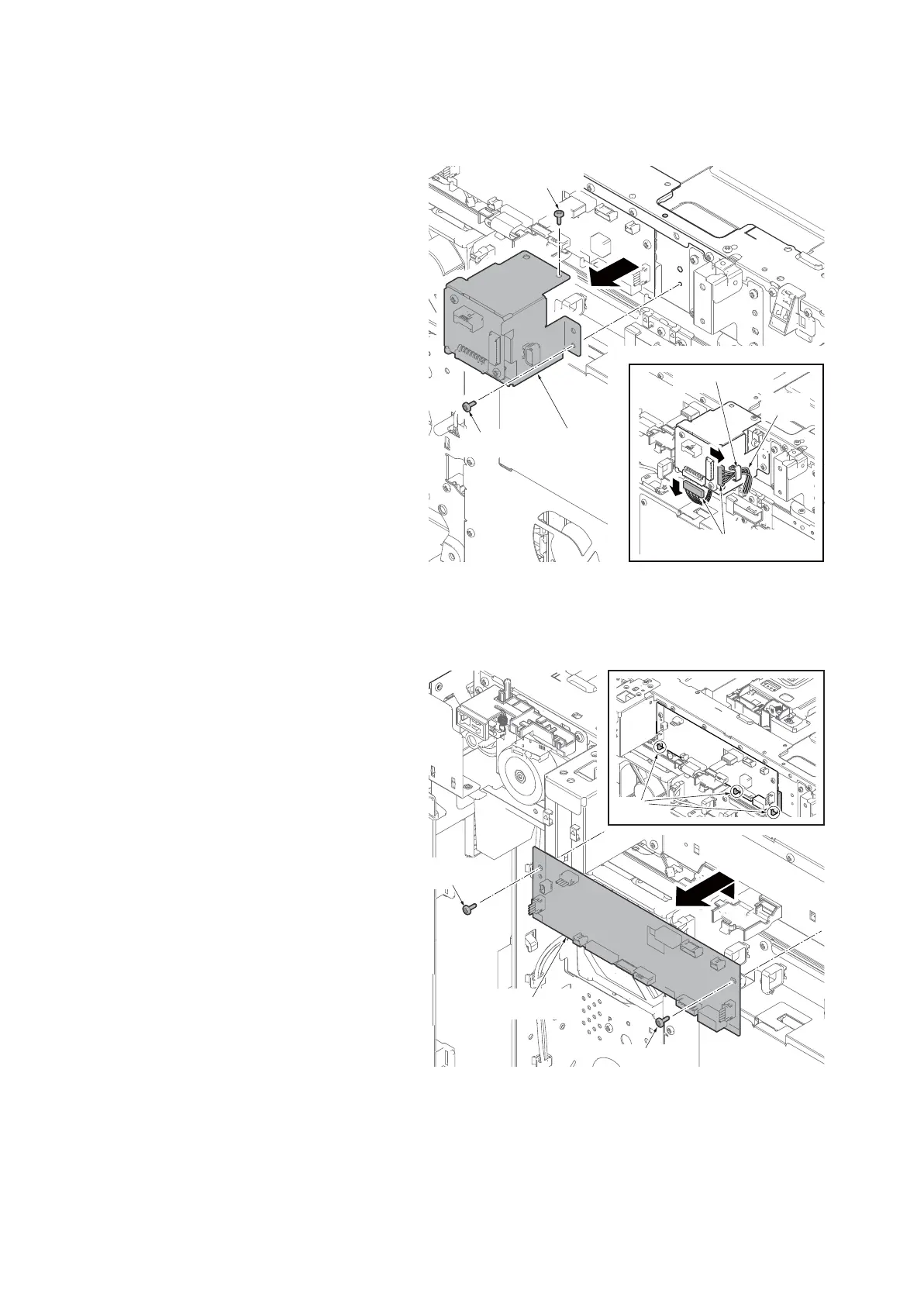
3. Remove two connectors and remove
the wires from the wire saddle.
4. Remove two screws and remove the
DP relay PWB mount plate.
Figure 1-5-87
5. Remove all connecters from the ISC
PWB.
6. Remove two screws.
7. Remove the hooks and remove the ISC
PWB.
8. Check or replace the ISC PWB and refit
all the removed parts.
Figure 1-5-88
Screw
Screw
Connectors
Wire saddle
DP relay PWB
mount plate
Wires
Screw
Screw
Hooks
ISC PWB









 To Next Page