2NL/2P8
1-2-73
1-2-10 Installing the coin vender (option for japan only)
Coin vender installation requires the following parts:
Procedure
1. Press the power key on the operation
panel to off. Make sure that the power
indicator and the memory indicator are
off before turning off the main power
switch. And then unplug the power
cable from the wall outlet.
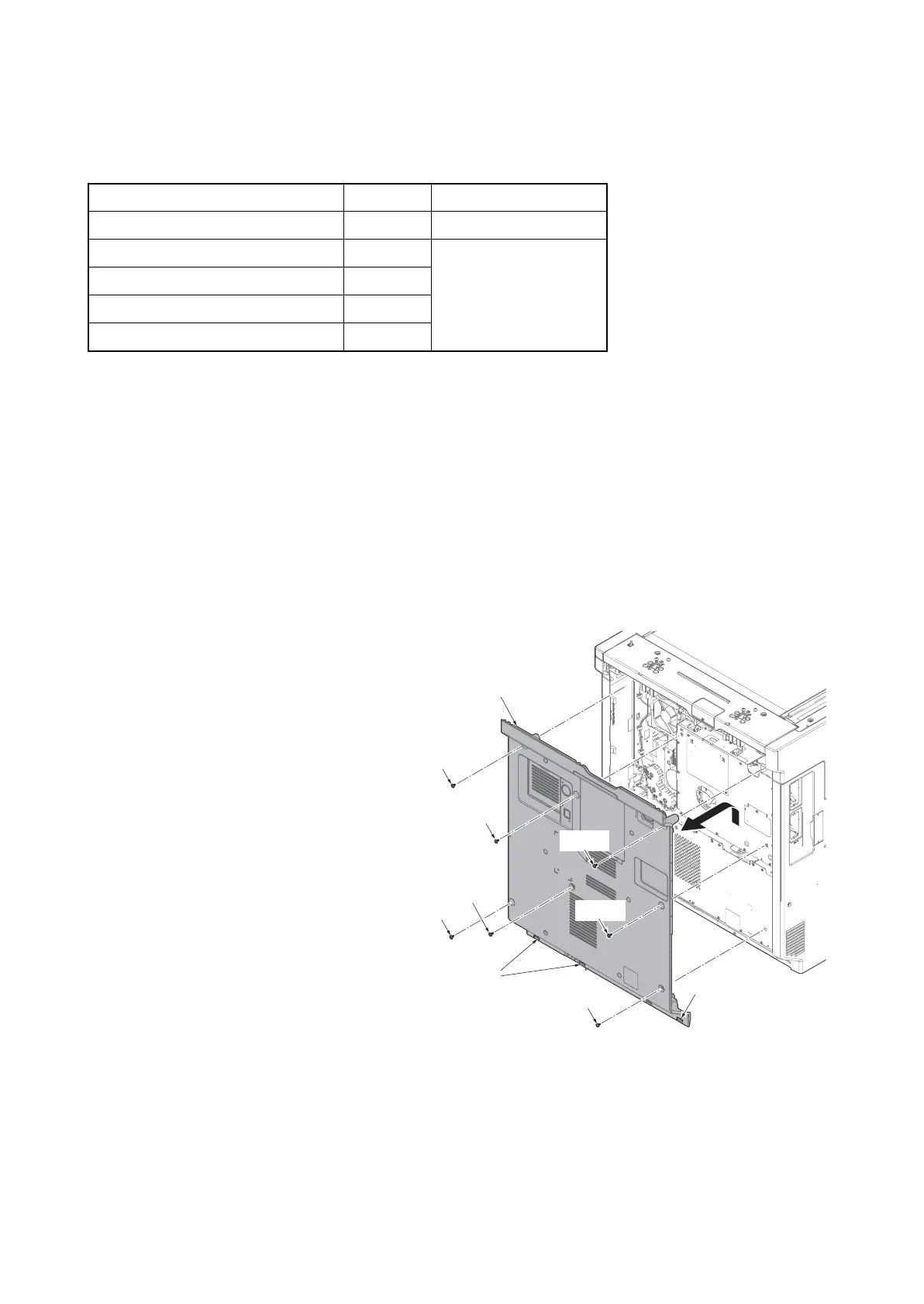
2. Remove seven screws.
3. Pull the rear cover upwards and then
release three hooks.
4. Remove the rear cover.
Figure 1-2-104
Parts Quantity Part.No.
Coin vender
1
ACV-1 (option)
Vender wire
1
Supplied with
coin vender
Vender base
1
M4 x 6 screw
4
M4×8 ground screw 1
Screw
Screw
Screw
Screw
Rear cover
Hooks
Hook
Screw
Screw
Screw











 To Next Page