2NL/2P8
1-2-72
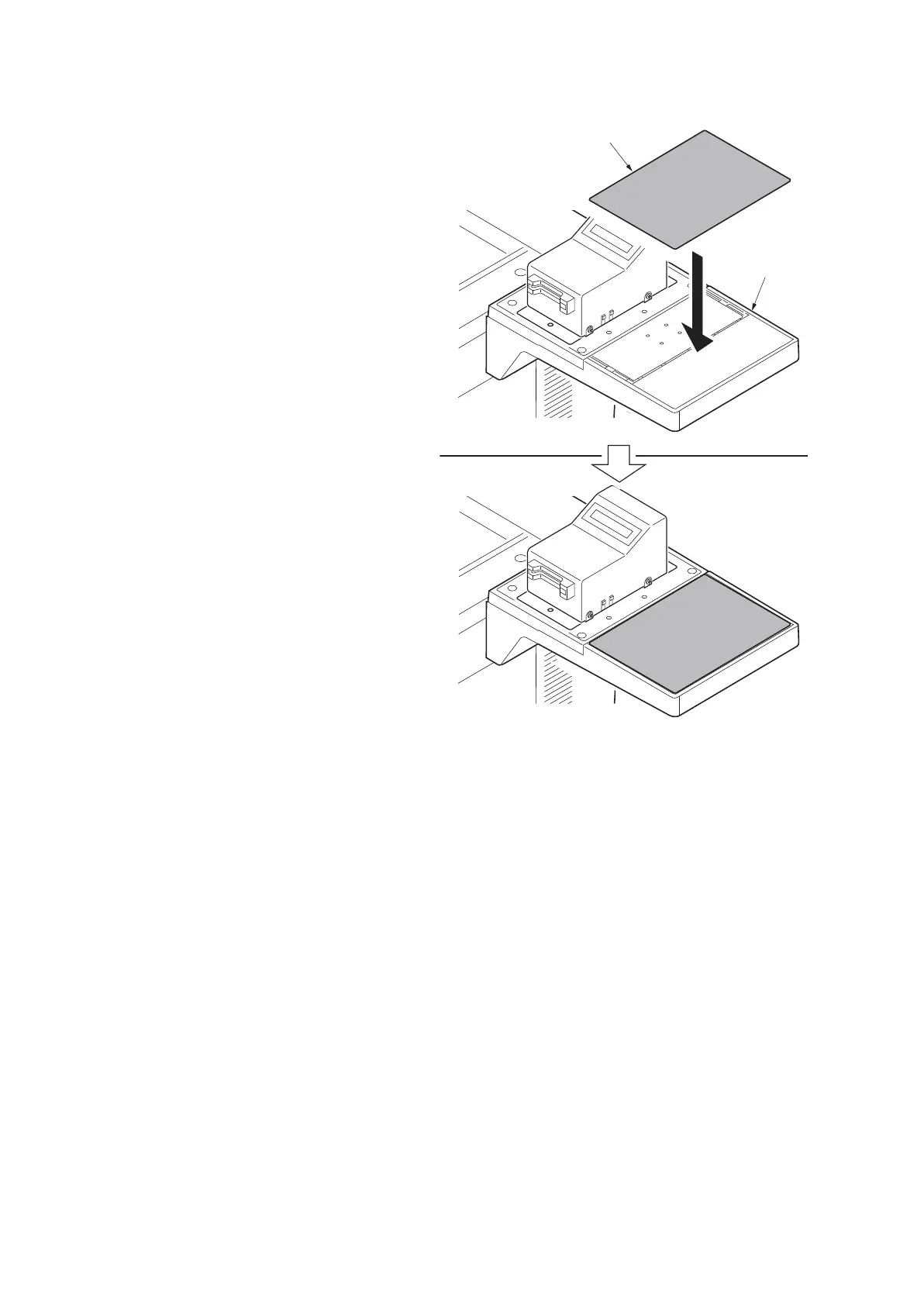
28. Adhere the sheet onto right side of the
document table.
29. Turn the main power switch on and
enter the maintenance mode.
30. Run maintenance item U204 and select
[Key-Card] (see page 1-3-80).
31. Exit the maintenance mode.
Figure 1-2-103
Sheet
Document
table






 To Next Page