2NL/2P8
1-2-10
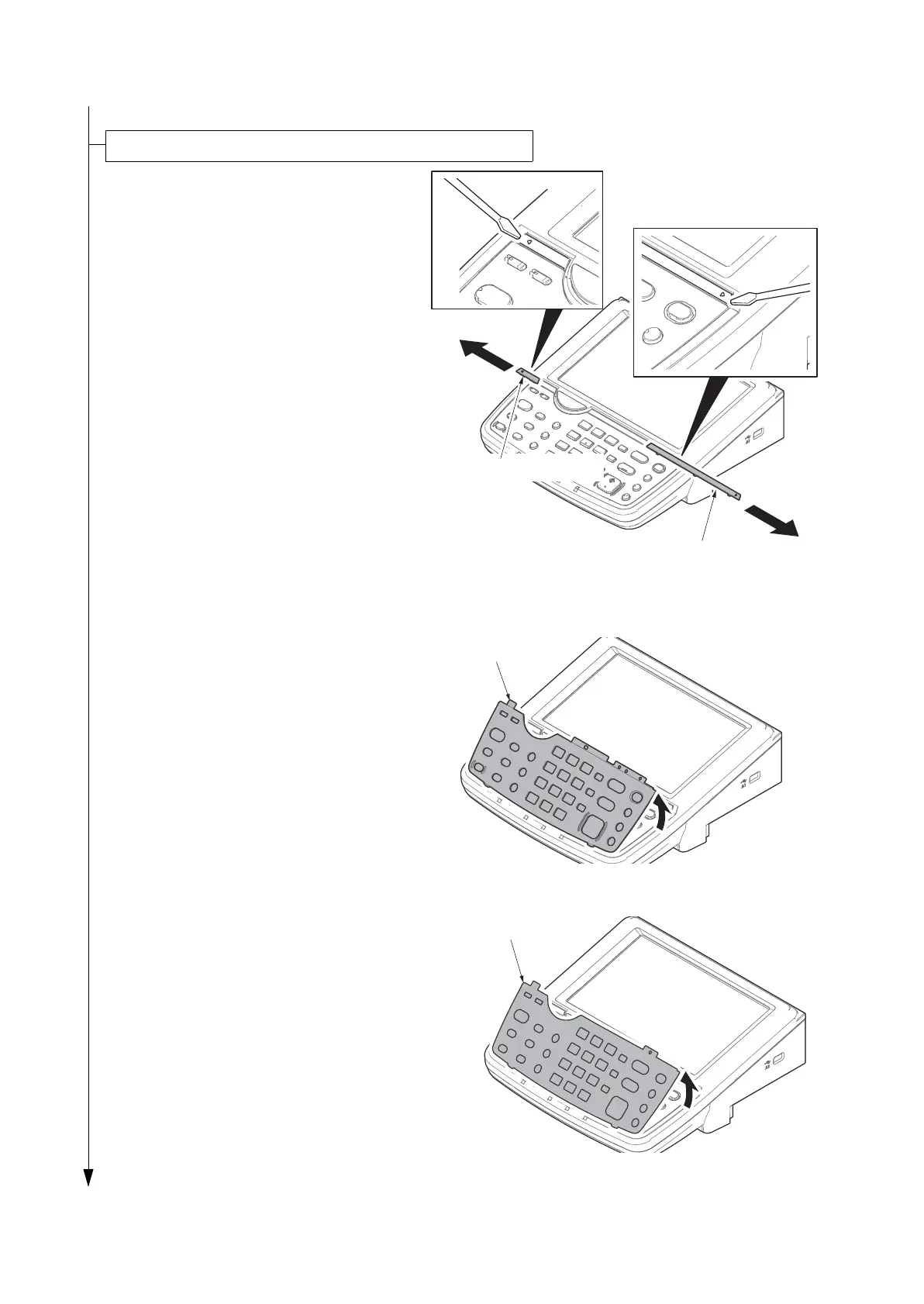
1. Insert a flat-head screwdriver and slide
the operation panel covers A and B to
remove them.
Figure 1-2-14
2. Remove the clear panel.
Figure 1-2-15
3. Remove the operation panel sheet.
4. Replace the operation panel sheet of
the corresponding language.
5. Refit the clear panel.
6. Refit the operation panel covers A and
B.
Figure 1-2-16
Attaching the language label (Excluding 240V AC model)
Operation panel cover A
Operation panel cover B










 To Next Page