2NL/2P8
1-2-61
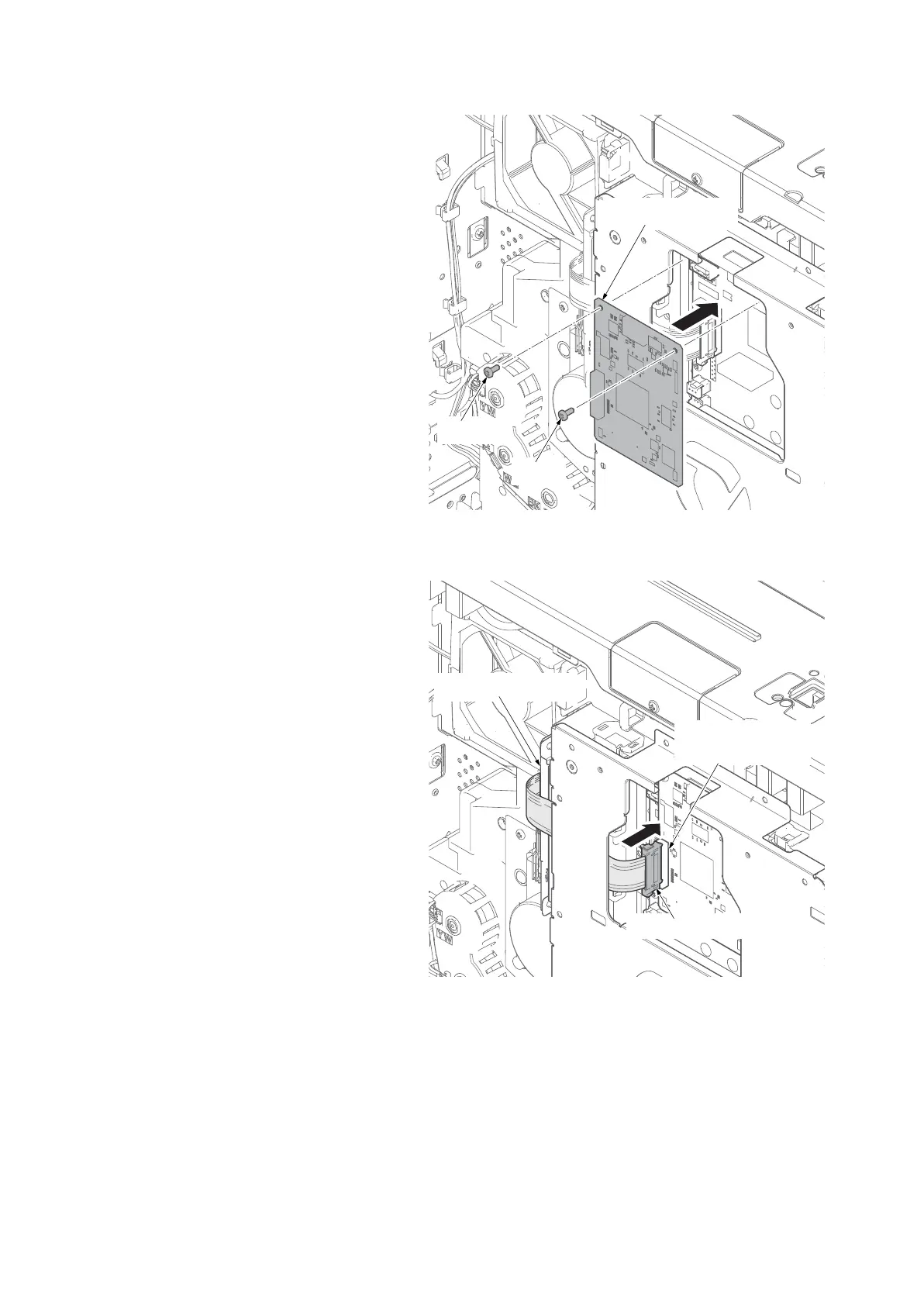
19. Fit the DP junction PWB using two
screws.
Figure 1-2-86
20. Connect the main PWB and the DP
junction PWB with the FFC.
DP junction PWB (YC35)
21. Refit the DP PWB cover and the rear
cover.
Figure 1-2-87
[Confirm the settings]
1) Turn the main power switch on.
2) Press the system menu key, then, System/Network.
3) The user authentication dialog is shown if user authentication is not enabled.
Enter the login user name and the login password, then, press Login.
Use an administrator privilege for login.
4) Confirm that the Confidential Guard is set to On.
Screw
DP junction PWB
Screw
FFC connector
Copy guard PWB
DP junction PWB
YC35











 To Next Page