46
7 O
2
Trim
7.8 CO/O
2
Control Operating and Display
7.8.1 Display and Interpretation of the Operating Modes
7.8.2 Calling CO/O
2
Control Text Messages
Switch display to O
2
trim
By programming unit
By customer interface
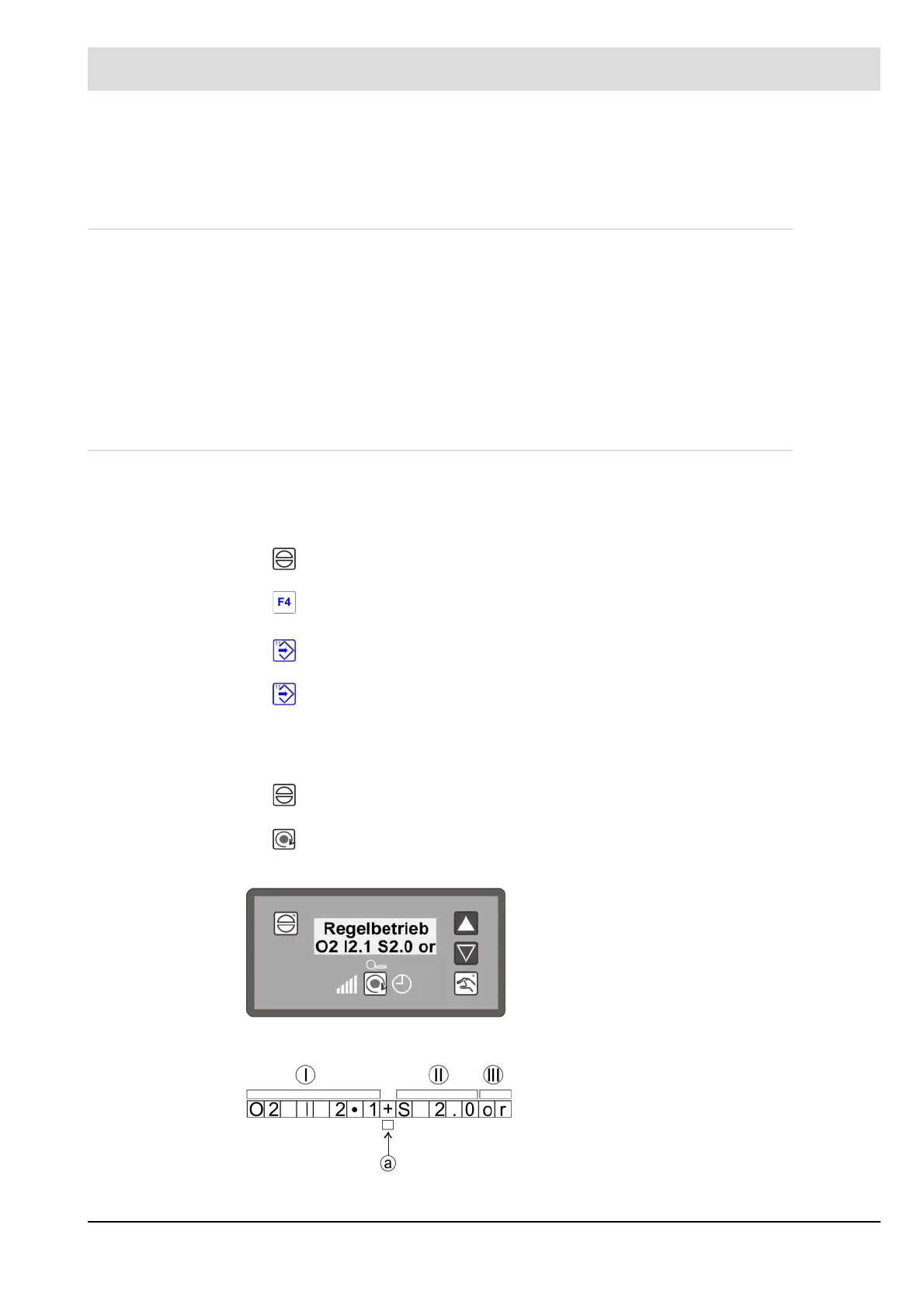
Customer Interface Display
Fig. 7-2 O
2
trim display
op O
2
trim in standby (during burner start-up), or O
2
trim temporarily switched off as a func-
tion firing rate via parameters 914 and 915.
or O
2
- trim active.
ot O
2
trim temporarily deactivated (air deficiency, probe dynamics etc).
od O
2
trim deactivated (fault), e.g. test routine failed during burner start-up, dynamic test
negative, O
2
trim temporarily deactivated for over 1 hour etc.
C Optimisation at increasing firing rate
c Optimisation at decreasing firing rate
Press key F1 RESET
Press key F4 M
Press key F11 ENTER to call up text messages
Re-press key 11 ENTER back
Press key F1 RESET
I - O
2
actual value
II - O
2
setpoint
III - Operating status
a Threshold position:
"-" Reduce air
"+" Raise air



 To Next Page