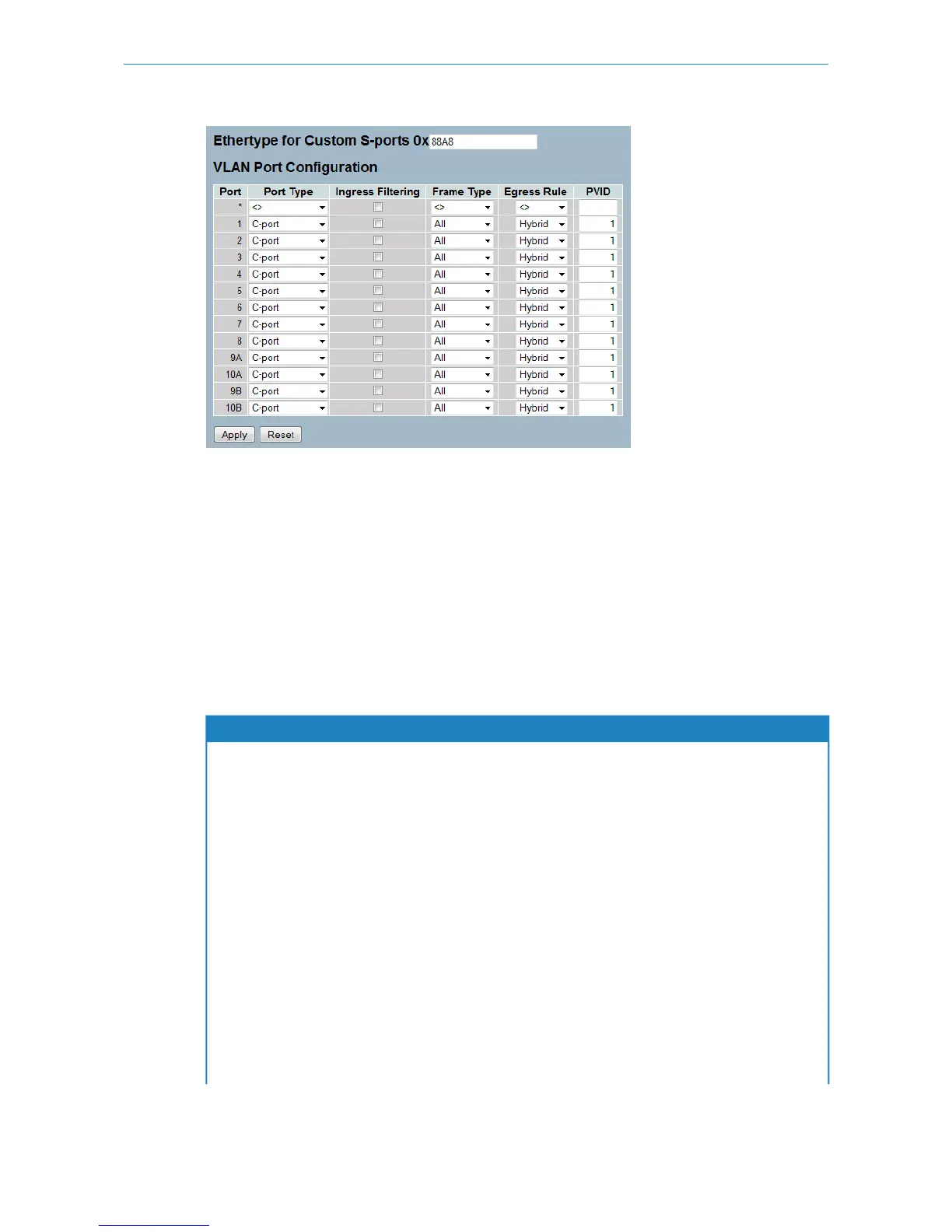
Parameter description:
Ethertype for Custom S-ports:
This field specifies the ether type used for Custom S-ports. This is a global setting for all the Custom S-ports. Custom
Ethertype enables the user to change the Ethertype value on a port to any value to support network devices that do not
use the standard 0x8100 Ethertype field value on 802.1Q-tagged or 802.1p-tagged frames.
Port:
This is the logical port number of this row.
Port Type:
Port can be one of the following types: Unaware, C-port, S-port, and S-custom-port.
Table 1: Explanation of possible port types
Egress actionIngress action
The TPID (Tag Protocol Identifier) of a frame
transmitted by an unaware port will be set to
When the port receives an untagged frame, a tag - based on the
defined PVID - is added and the frame is forwarded.
When the port receives a tagged frame, an additional outer tag
- based on the defined PVID - is added and the frame is
forwarded.
Unaware
0x8100. The final status of the frame after
egressing is also effected by the egress rule.
The TPID of a frame transmitted by a C-port will
be set to 0x8100.
When the port receives an untagged frame, a tag - based on the
defined PVID - is added and the frame is forwarded.
When the port receives a tagged frame and the TPID
C-port
1. is 0x8100, the frame is forwarded (no additional tag added).
2. is not 0x8100, not Ox88a8 and not Ethertype, an additional
outer tag - based on the defined PVID - is added and the
frame is forwarded.
3. is 0x88A8 or Ethertype, the frame is discarded.
The TPID of a frame transmitted by an S-port
will be set to 0x88A8.
When the port receives an untagged frame, a tag - based on the
defined PVID - is added and the frame is forwarded.
When the port receives a tagged frame and the TPID
S-port
1. is 0x8100, the frame is discarded.
82
LANCOM GS-2310P/GS-2326(P) User Manual
3 Configuration



 To Next Page