Programs
131
7
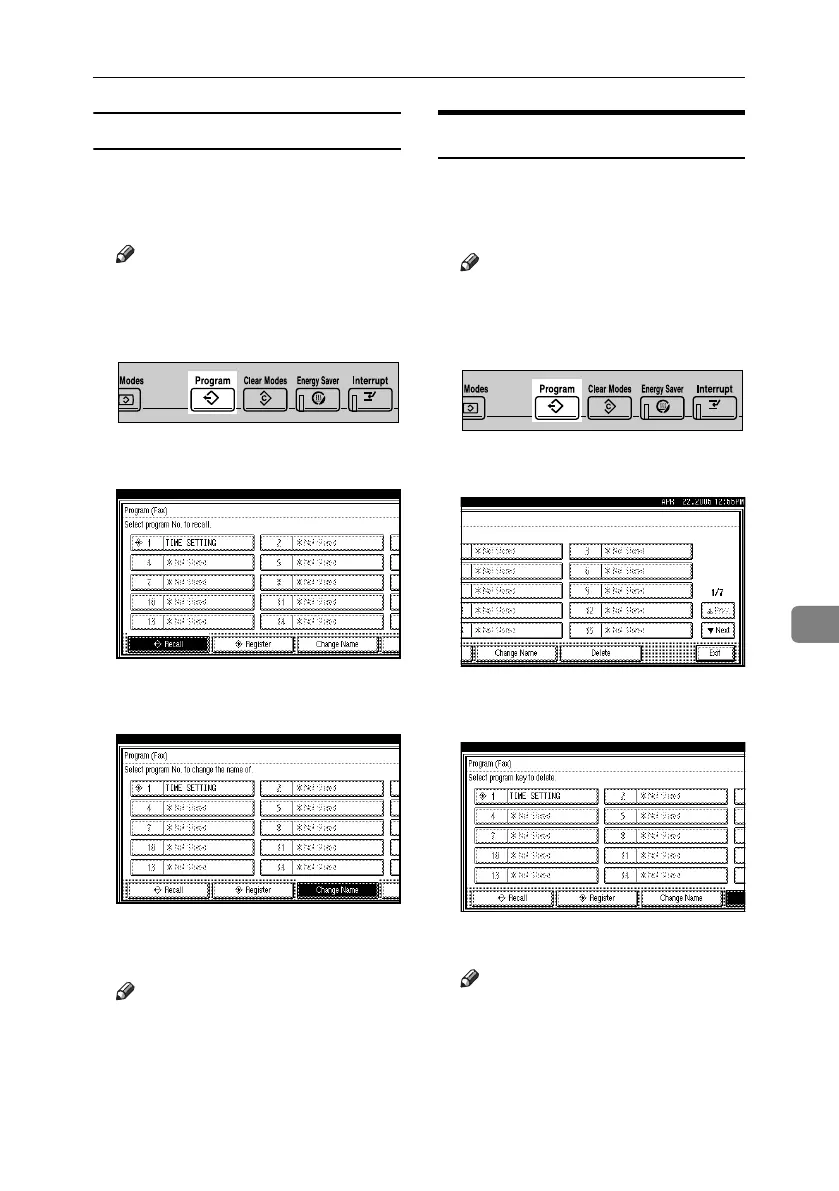
Changing a program name
A Make sure that the machine is in fac-
simile mode and the standby display
is shown.
Note
❒ If the standby display is not shown,
press the {Facsimile} key.
B Press the {Program} key.
C Press [Change Name].
D Select the program number of the
name you want to change.
E Enter a new program name, and
then press [OK].
Note
❒ Press [Cancel] to cancel the change,
and proceed to step
F
.
F Press [Exit].
The standby display appears.
Deleting a Program
A Make sure that the machine is in fac-
simile mode and the standby display
is shown.
Note
❒ If the standby display is not shown,
press the {Facsimile} key.
B Press the {Program} key.
C Press [Delete].
D Select the program number you want
to delete.
E Press [Yes].
Note
❒ Press [No] not to delete the pro-
gram. The display returns to
that of step
D
.
F Press [Exit].
The standby display appears.
ZLFS310N
ZLFS310N
RussianC4-EN_Combine-F_FM.book Page 131 Tuesday, April 5, 2005 8:22 PM



 To Next Page