Manual Dial
59
4
Manual Dial
The optional handset or an external telephone is required.
Pick up the optional handset or the
handset of the external telephone and
dial. When the line is connected and
you hear a high-pitched tone, press
the {Start} key to send your fax docu-
ment. If, on the other hand, you hear
a voice at the other end, continue con-
versation as normal.
Limitation
❒ This function is not available for
the optional extra G3 interface
unit, Internet Fax and IP-Fax.
❒ If Immediate TX Result Report (Im-
mediate Transmission) is printed,
the result of a transmission with
Manual Dial is not mentioned in
the report.
A Place the original, and then select
the scan settings you require.
Reference
p.15 “Placing Originals”, Fac-
simile Reference <Basic Features>
p.34 “Scan Settings”, Facsimile
Reference <Basic Features>
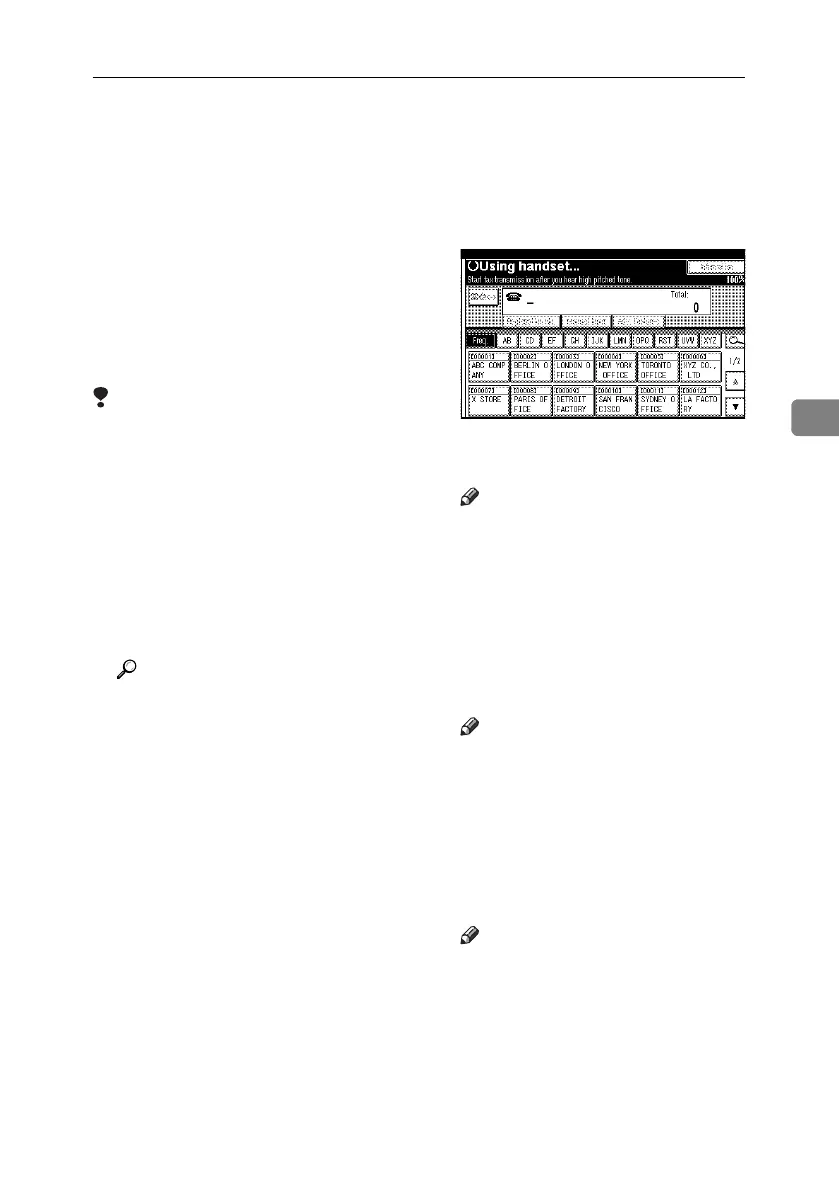
B Pick up the handset.
You will hear a dial tone.
C Dial.
The machine immediately dials the
destination.
Note
❒ If you make a mistake, replace
the external telephone, and then
try again from step
B
.
D When the line is connected and you
hear a high-pitched tone, press
the {Start} key to send your fax
document.
The transmission starts.
Note
❒ If you hear a voice, tell the receiver
that you want to send them a fax
document (ask them to switch
to facsimile mode).
E Replace the handset.
After transmission, the standby
display appears.
Note
❒ If you want to cancel a transmis-
sion, press the {Clear/Stop} key,
and then remove the originals.
RussianC4-EN_Combine-F_FM.book Page 59 Tuesday, April 5, 2005 8:22 PM



 To Next Page