Administrator Setting
164
9
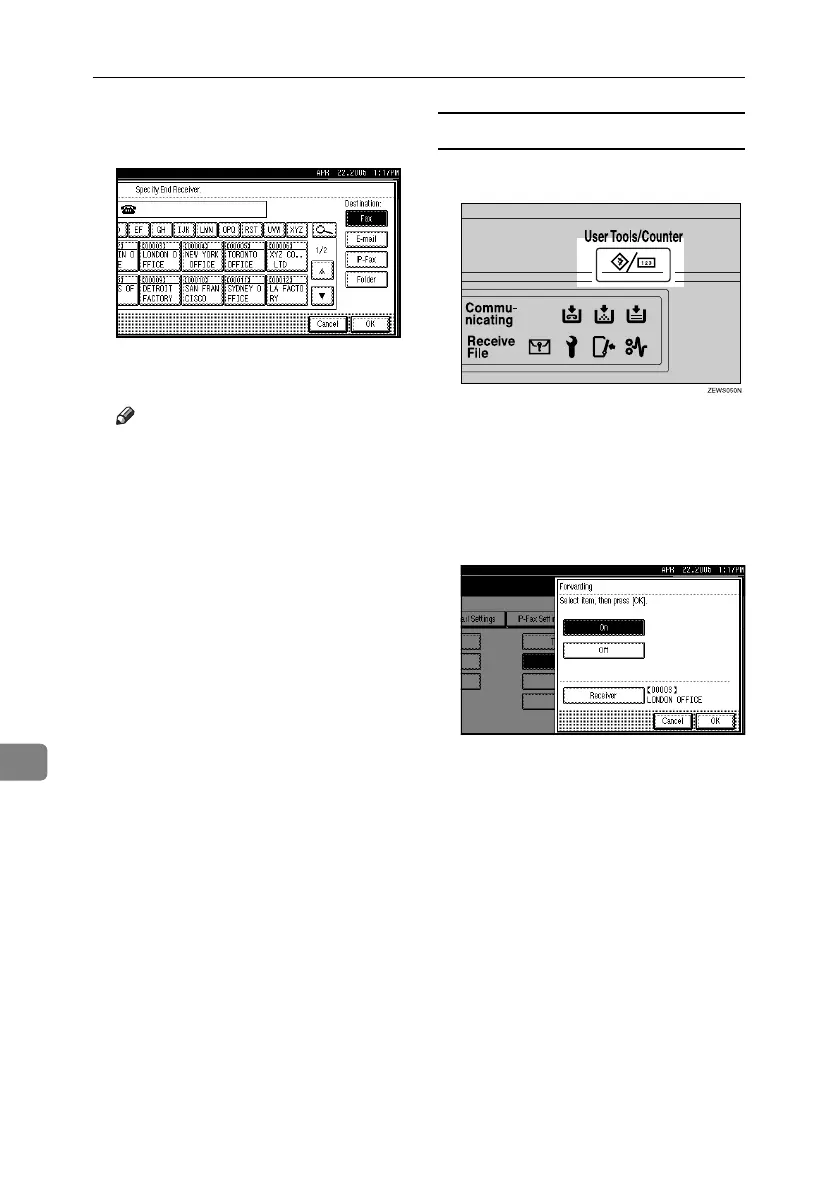
F Specify an End Receiver using the
destination list, and then press [OK].
The receiver name is shown to the
right of [Receiver].
Note
❒ Press the button on the right of
the display to switch the desti-
nation between fax number, e-
mail address, IP-Fax destina-
tion, and folder.
❒ Set a folder destination in Address
Book Management under Ad-
ministrator Tools in the System
Settings menu. See “Registering
Folders”, General Settings Guide.
❒ If you have specified a folder for
forwarding, you can specify the
file format used for forwarding.
See p.167 “User Parameters”
(switch 21, bit 3).
❒ If you make a mistake, press
[Clear] before pressing [OK], and
then try again.
G Press [OK].
H Press the {User Tools/Counter} key.
The standby display appears.
Quitting the forwarding function
A Press the {User Tools/Counter} key.
B Press [Facsimile Features].
C Press [Administrator Tools].
D Press [Forwarding].
E Press [Off], and then press [OK].
F Press the {User Tools/Counter} key.
The standby display appears.
RussianC4-EN_Combine-F_FM.book Page 164 Tuesday, April 5, 2005 8:22 PM



 To Next Page