Transmission Mode
8
1
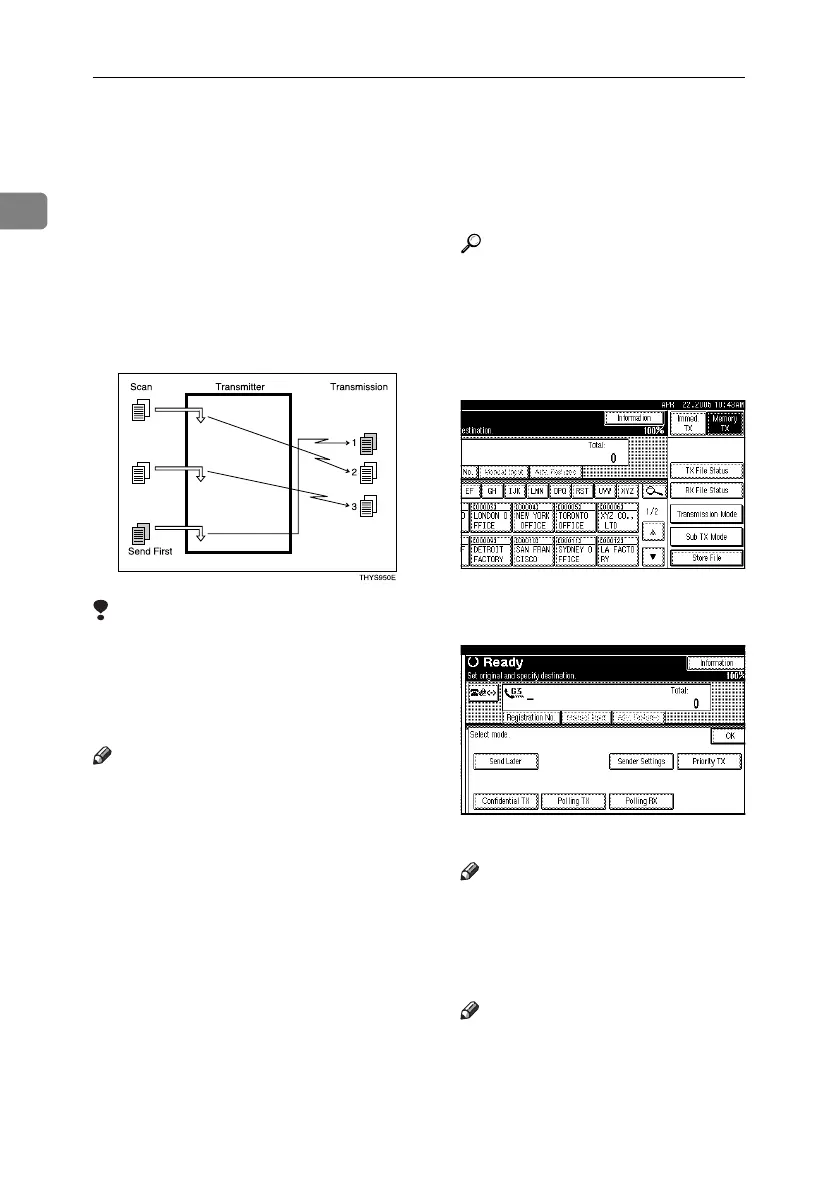
Priority Transmission
Documents you send with Memory
Transmission are sent in the order
they are scanned. Therefore, if several
documents are queued in memory,
the next document will not be sent
immediately. However, by using this
function you can have your docu-
ment sent before other queued docu-
ments.
Limitation
❒ This function is not available with
Immediate Transmission. If this
function is selected, the machine
automatically switches to Memory
Transmission.
Note
❒ If there is already a document stored
with this function or a transmission
in progress, your document is sent
after that document is transmitted.
A Place the original, and then select
the scan settings you require.
Reference
p.15 “Placing Originals”, Fac-
simile Reference <Basic Features>
p.34 “Scan Settings”, Facsimile
Reference <Basic Features>
B Press [Transmission Mode].
C Press [Priority TX], and then press
[OK].
The standby display appears.
Note
❒ To check the settings, press [Trans-
mission Mode].
D Specify the destination, and then
press the {Start} key.
Note
❒ Press [Change / Stop TX File] to
cancel the transmission. See p.19
“Canceling a Transmission”.
RussianC4-EN_Combine-F_FM.book Page 8 Tuesday, April 5, 2005 8:22 PM



 To Next Page