Administrator Setting
160
9
E Press [Delete], and then select the file
you want to delete.
F Press [Delete].
Note
❒ To cancel deleting, press [Do not
Delete]. The display returns to
that of step
E
.
G Press [Exit].
H Press the {User Tools/Counter} key.
The standby display appears.
Programming, Changing and
Deleting a Scan Size
When you select a scan size to scan a
custom size original, two custom siz-
es are available (Program Size 1 and
Program Size 2). Use these functions
to program a custom size in advance.
To change an existing scan size, just
use the same procedure.
Important
❒ When programming or changing a
scan size, it is recommended that
you make a record of the new size.
Note
❒ You can program up to two sizes.
❒ You can edit boxes in the same
way you program them.
❒ You can specify a horizontal length
from 128 to 1200 mm, or from 5.5 to
47 inches.
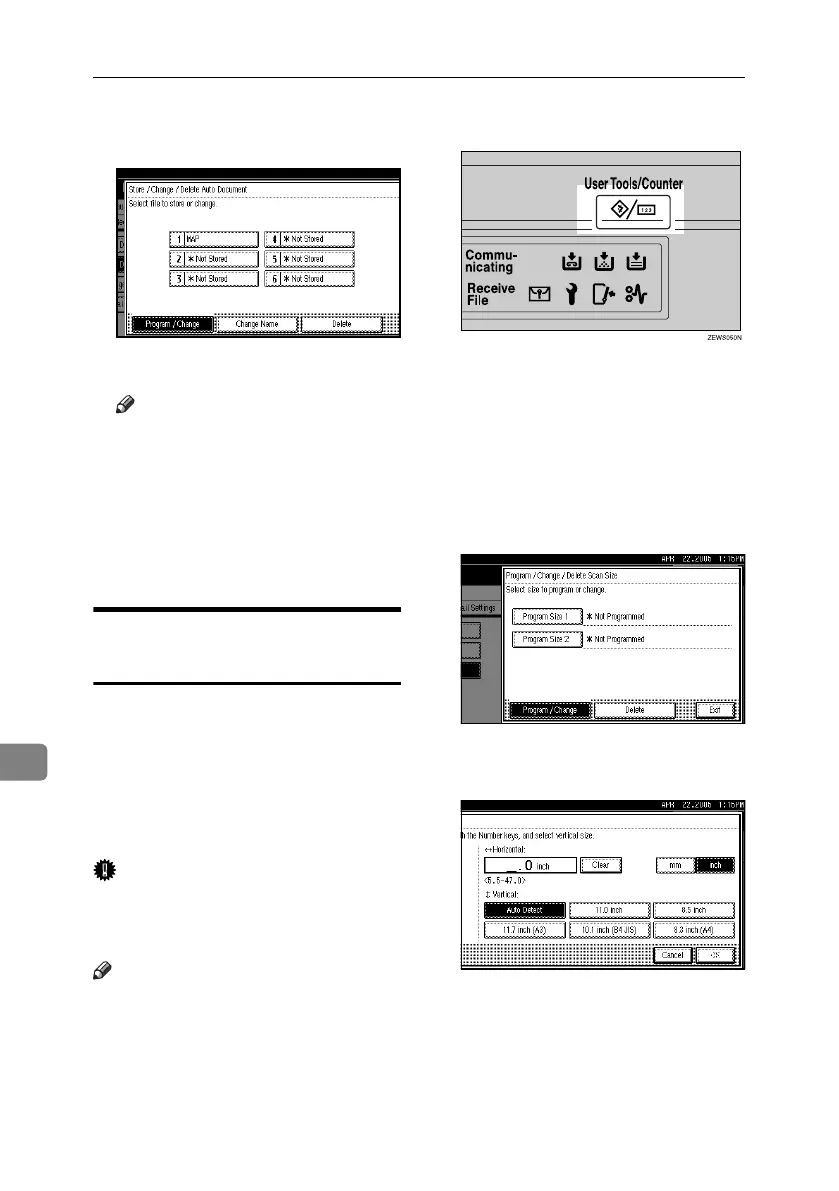
A Press the {User Tools/Counter} key.
B Press [Facsimile Features].
C Press [Administrator Tools].
D Press [Program / Change / Delete Scan
Size].
E Select [Program Size 1] or [Program
Size 2].
F Enter a horizontal size using the
number keys.
RussianC4-EN_Combine-F_FM.book Page 160 Tuesday, April 5, 2005 8:22 PM



 To Next Page