Accessing User Tools (Facsimile Features)
147
8
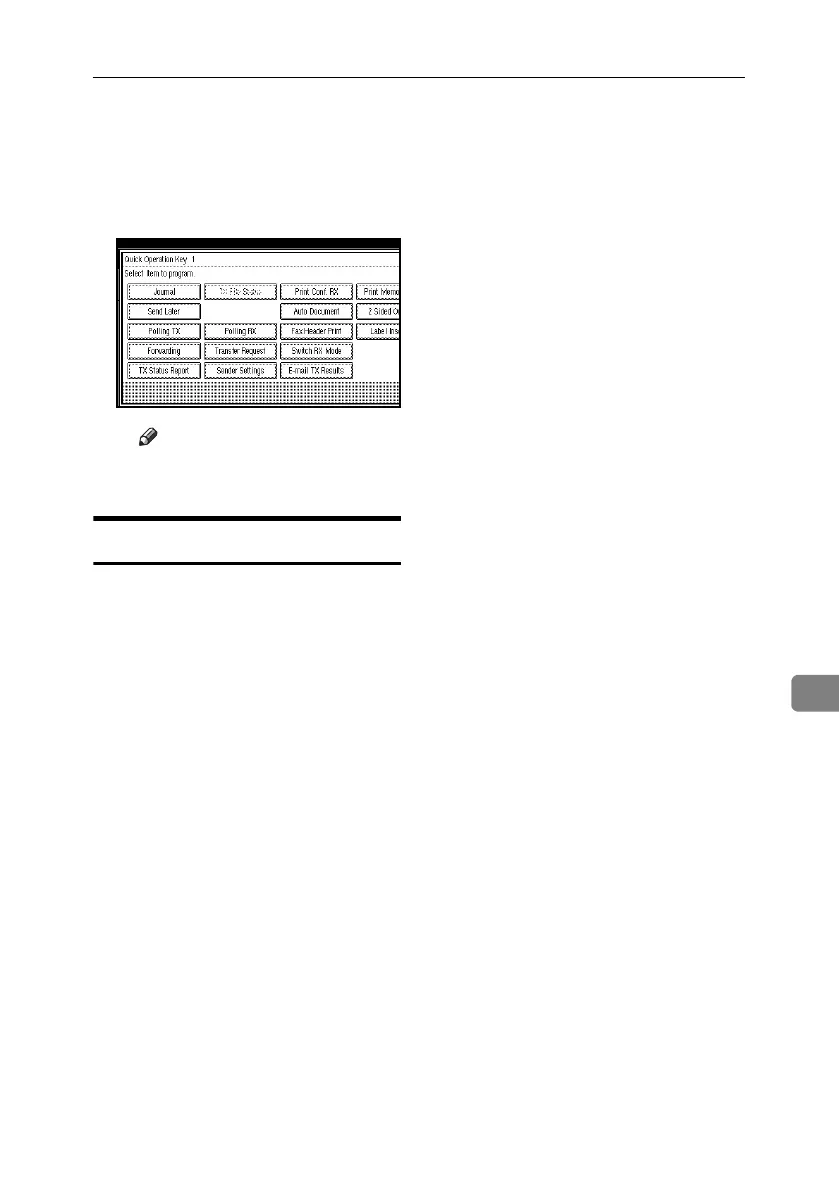
A Select the Quick Operation Key
you want to program.
B Select the function you want to
program to the Quick Opera-
tion Key .
Note
❒ Functions that appear dimmed
have already been set.
Reception Settings
❖ Switch Reception Mode
Specify the method for receiving
fax documents.
•Manual Reception
•Auto Reception
❖ Authorized RX (Authorized Reception)
Specify whether or not unwanted
fax documents are to be screened
out.
•On
•Off
❖ Forwarding
Specify whether or not received
fax documents are to be forwarded
to a programmed receiver.
•On
•Off
❖ RX File Print Qty (Reception File Print
Quantity)
Specify the number of copies to be
printed for each fax document re-
ceived.
• 1 to 10 set(s)
❖ 2 Sided Print (Available only with the
optional duplex unit and HDD)
Specify whether or not received
fax documents are to be printed on
both sides of the paper.
•On
•Off
❖ RX Reverse Printing (Reception Re-
verse Printing)
Specify whether or not received
fax documents are to be printed
from the last page received.
•On
•Off
❖ Paper Tray
Use this function to print fax docu-
ments received from programmed
senders and fax documents from
other senders, using different pa-
per trays. See p.175 “Paper Tray”.
Display of tray names may differ
depending on the options in-
stalled.
•Tray 1
•Tray 2
•Tray 3 (option)
•Tray 4 (option)
•Auto Select
RussianC4-EN_Combine-F_FM.book Page 147 Tuesday, April 5, 2005 8:22 PM



 To Next Page