Changing Other Options
23
2
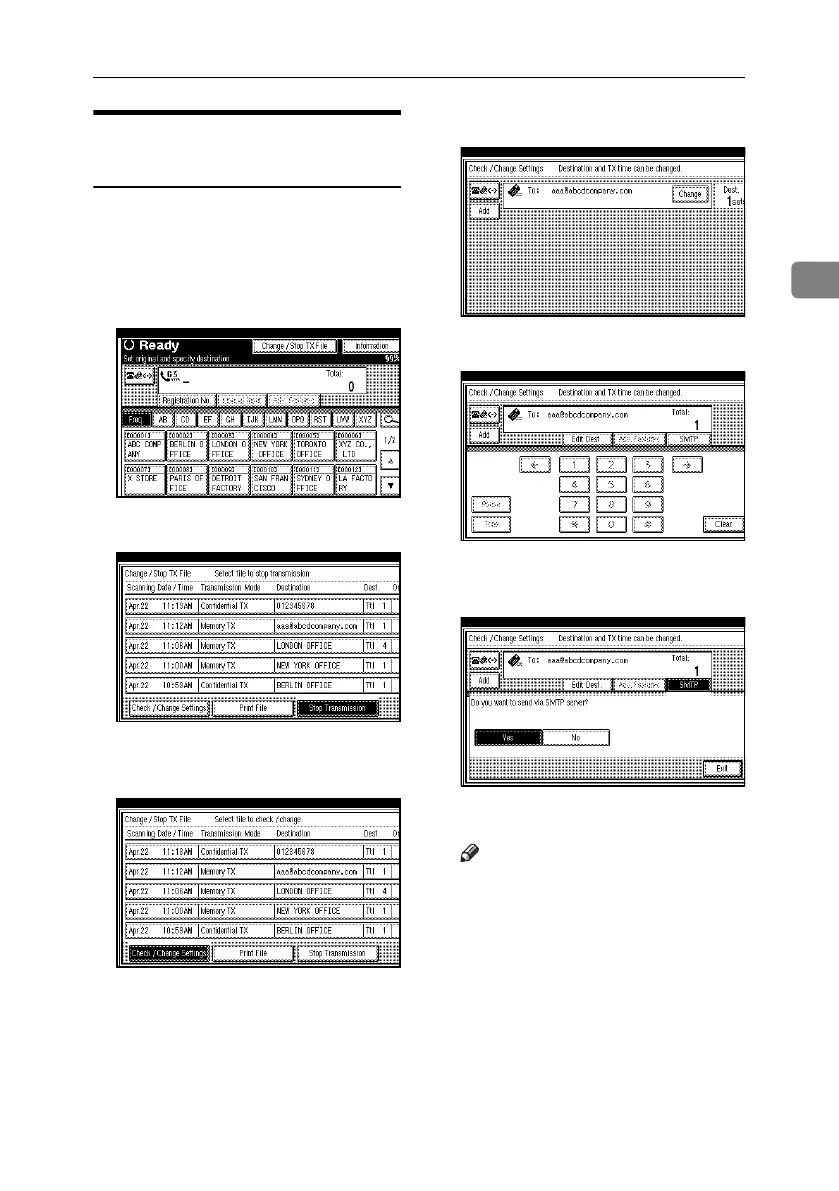
Changing the SMTP Server
Setting
You can change the settings for whether
or not to bypass the SMTP server. See
p.70 “Bypassing the SMTP Server”,
Facsimile Reference <Basic Features>.
A Press [Change / Stop TX File].
B Press [Check / Change Settings].
C Select a file whose SMTP server set-
ting you want to change.
D Press [Change].
E Press [SMTP].
F Select [Yes] or [No], and then press
[Exit].
G Press [Exit].
Note
❒ Repeat from step
C
to change the
SMTP server settings of other
recipients.
H Press [Exit].
The standby display appears.
RussianC4-EN_Combine-F_FM.book Page 23 Tuesday, April 5, 2005 8:22 PM



 To Next Page