Using Administrator Settings
191
9
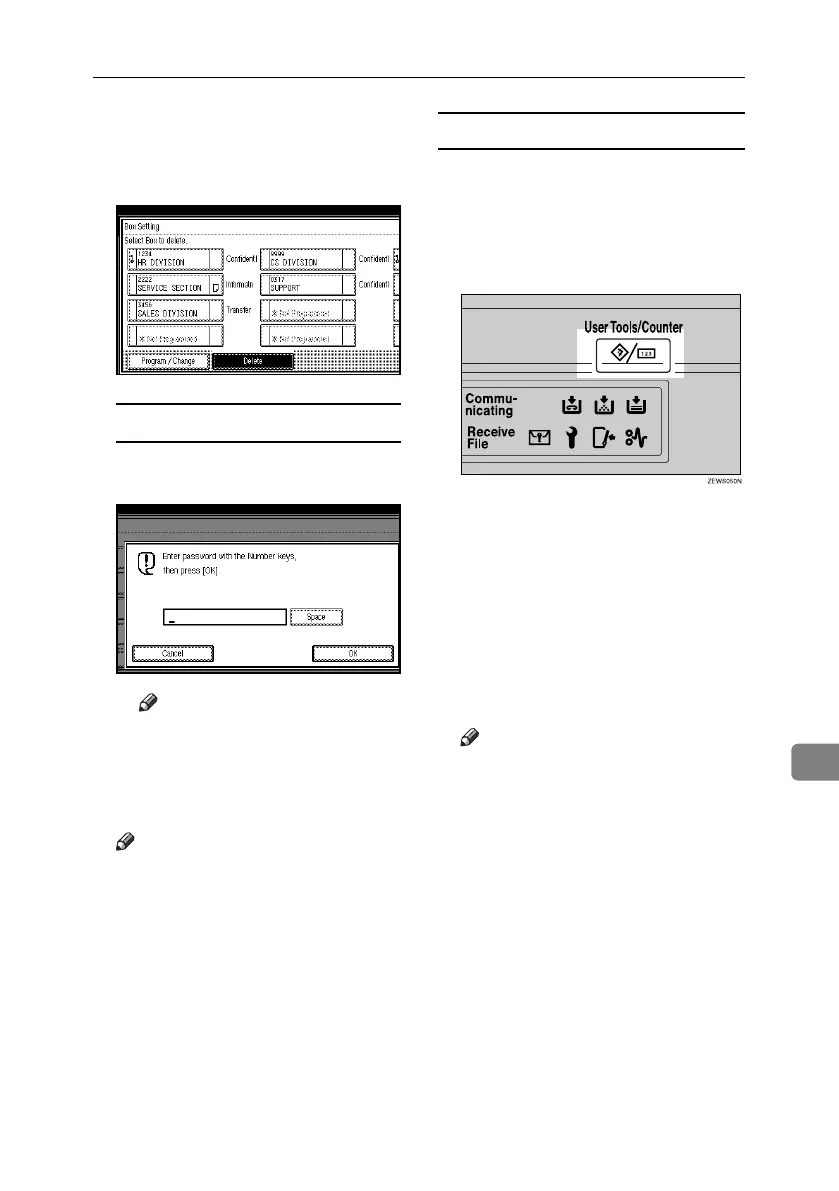
D Press [Box Setting].
E Press [Delete], and then select the
box you want to delete.
With a programmed password
A Enter a password using the number
keys, and then press [OK].
Note
❒ If you make a mistake, press
[Clear] or the {Clear/Stop} key,
and then try again.
F Press [Delete].
Note
❒ To cancel deleting a special sender,
press [Do not Delete]. The display
returns to that of step
E
.
G Press [Exit].
H Press the {User Tools/Counter} key.
The standby display appears.
Printing the Box List
Use the following procedure to print
a list showing the currently programmed
Personal Boxes, Information Boxes,
and Transfer Boxes.
A Press the {User Tools/Counter} key.
B Press [Facsimile Features].
C Press [Administrator Tools].
D Press [Print List] next to “Box Set-
ting”.
E Press the {Start} key.
After printing the list, you can then
start from step
D
.
Note
❒ To cancel printing a list before
pressing the {Start} key, press
[Cancel] or the {Clear/Stop} key.
The display returns to that of
step
D
.
❒ To cancel printing a list after
pressing the {Start} key, press
[Stop Printing]. The display re-
turns to that of step
D
.
F Press the {User Tools/Counter} key.
The standby display appears.
RussianC4-EN_Combine-F_FM.book Page 191 Tuesday, April 5, 2005 8:22 PM



 To Next Page