Accessing User Tools (Facsimile Features)
153
8
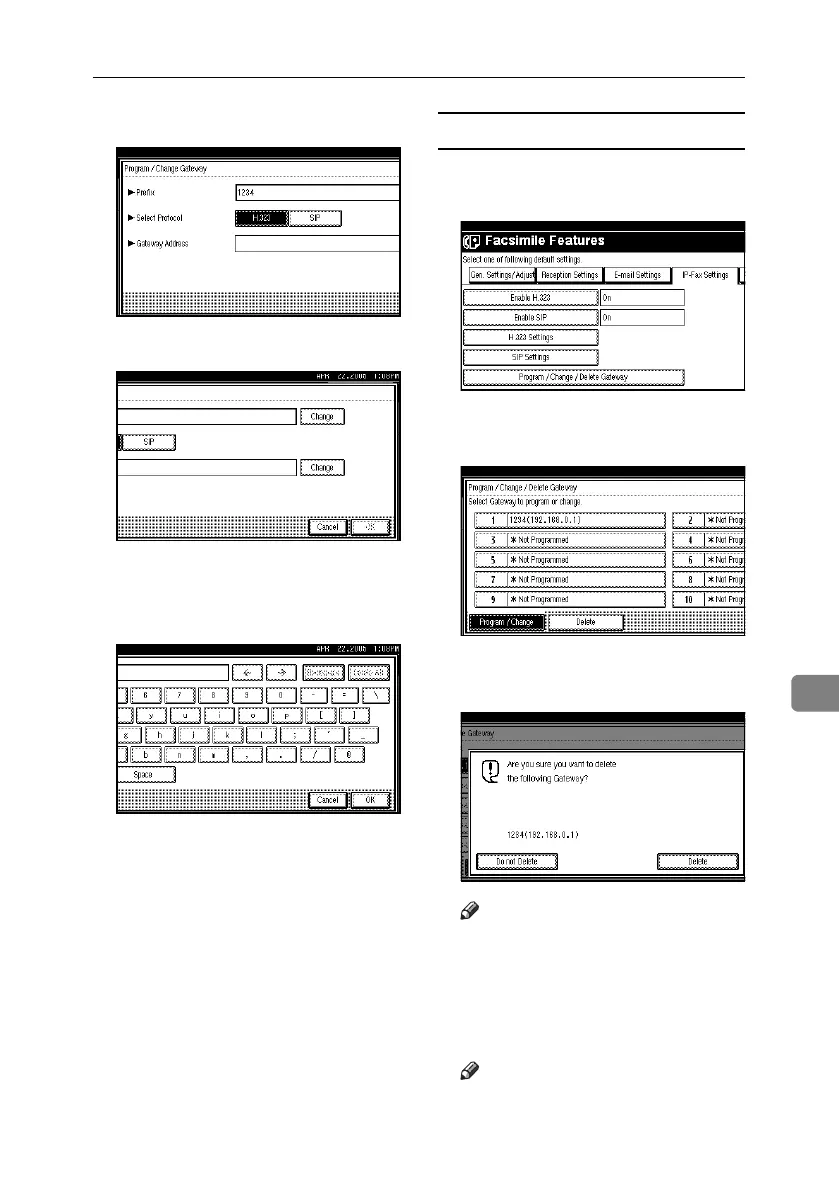
F Select a protocol.
G Press [Change] for Gateway Address.
H Enter the gateway address, and then
press [OK].
The screen returns to that of step
G
.
I Press [OK].
Deleting a gateway
A Press [Program / Change / Delete Gate-
way].
B
Press [Delete], and then select a
gateway to delete.
C Press [Delete] on the confirmation
message.
Note
❒ If you do not want to delete the
gateway you have selected, press
[Do not Delete]. The screen returns
to that of step
B
.
D Press [Exit].
Note
❒ To delete another gateway, repeat
steps
B
and
C
.
RussianC4-EN_Combine-F_FM.book Page 153 Tuesday, April 5, 2005 8:22 PM



 To Next Page