Printing/Deleting Received and Stored Documents (Print/Delete Stored RX File)
35
3
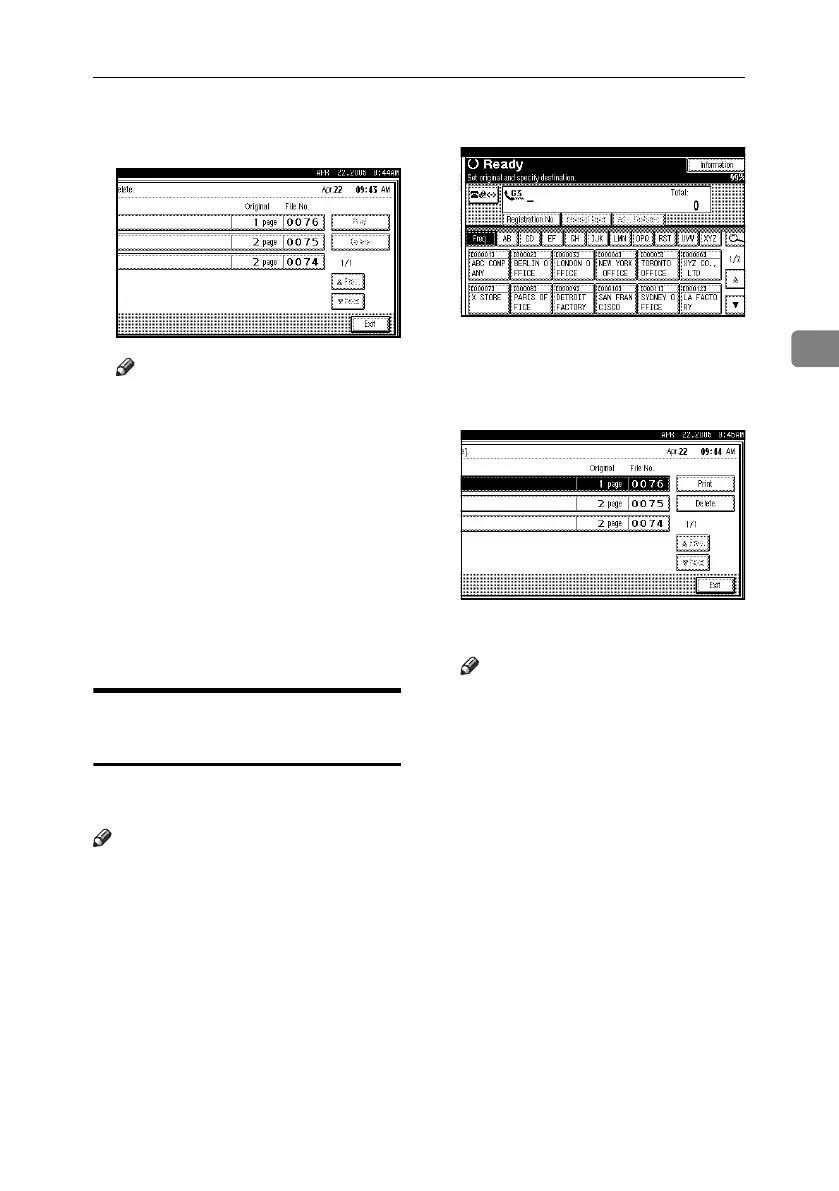
C Select a file to be printed, and then
press [Print].
Note
❒ To cancel printing, press [Cancel].
❒ To delete the document after print-
ing, press [Delete File after Print-
ing].
❒ To perform two-sided printing
(optional), press [Print on 2 Sides]
before pressing the {Start} key.
D Select the printing mode, and then
press the {Start} key.
E Press [Exit] twice.
The standby display appears.
Deleting Received and Stored
Documents
Use the following procedure to delete
documents stored on the hard disk.
Note
❒ You cannot delete a document while
another person is previewing or
printing it using a Web Image
Monitor or DeskTopBinder.
❒ You can specify and delete multi-
ple documents. You can specify a
maximum of 30 documents at one
time.
A Press [Information].
B Press [Print / Delete Stored RX File].
C Select a file to be deleted, and then
press [Delete].
D Press [Yes].
Note
❒ To cancel a deletion, press [No].
The display returns to that of
step
C
.
E Press [Exit] twice.
The standby display appears.
RussianC4-EN_Combine-F_FM.book Page 35 Tuesday, April 5, 2005 8:22 PM



 To Next Page