Advanced Features
51
4
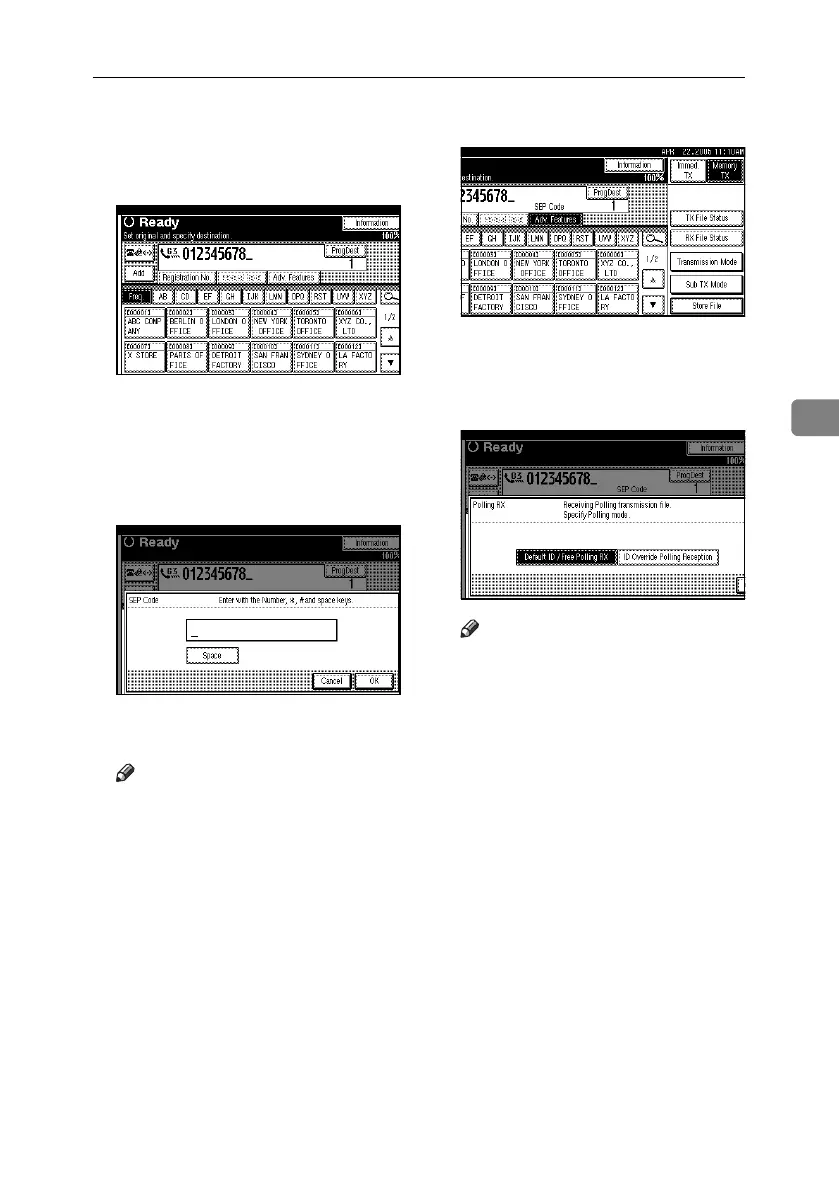
A Enter the fax number of a destina-
tion or an IP-Fax destination.
B Press [Adv. Features].
C Press [SEP Code].
D Press [RX SEP Code].
E Enter a SEP Code, and then press
[OK].
“SEP Code” appears one line above
[Adv. Features] on the display.
Note
❒ If you make a mistake, press [Can-
cel] or the {Clear/Stop} key be-
fore pressing [OK], and then try
again.
F To enter a password, press [Pass-
word (PWD)].
G Enter the password using the number
keys, and then press [OK].
H Press [Exit].
I Press [Transmission Mode].
J Press [Polling RX].
K Press [Default ID / Free Polling RX],
and then press [OK].
Note
❒ To cancel Polling RX, press [Can-
cel]. The display returns to that
of step
J
.
L Press [OK].
The standby display appears.
M Press the {Start} key.
RussianC4-EN_Combine-F_FM.book Page 51 Tuesday, April 5, 2005 8:22 PM



 To Next Page