EasyManua.ls Logo

Laser 128 - Page 86

Laser 128
255 pages
Print Icon
To Next Page IconTo Next Page
To Previous Page IconTo Previous Page
Loading...
6.1.7.1
I
NPUT/OUTPUT
PORTS
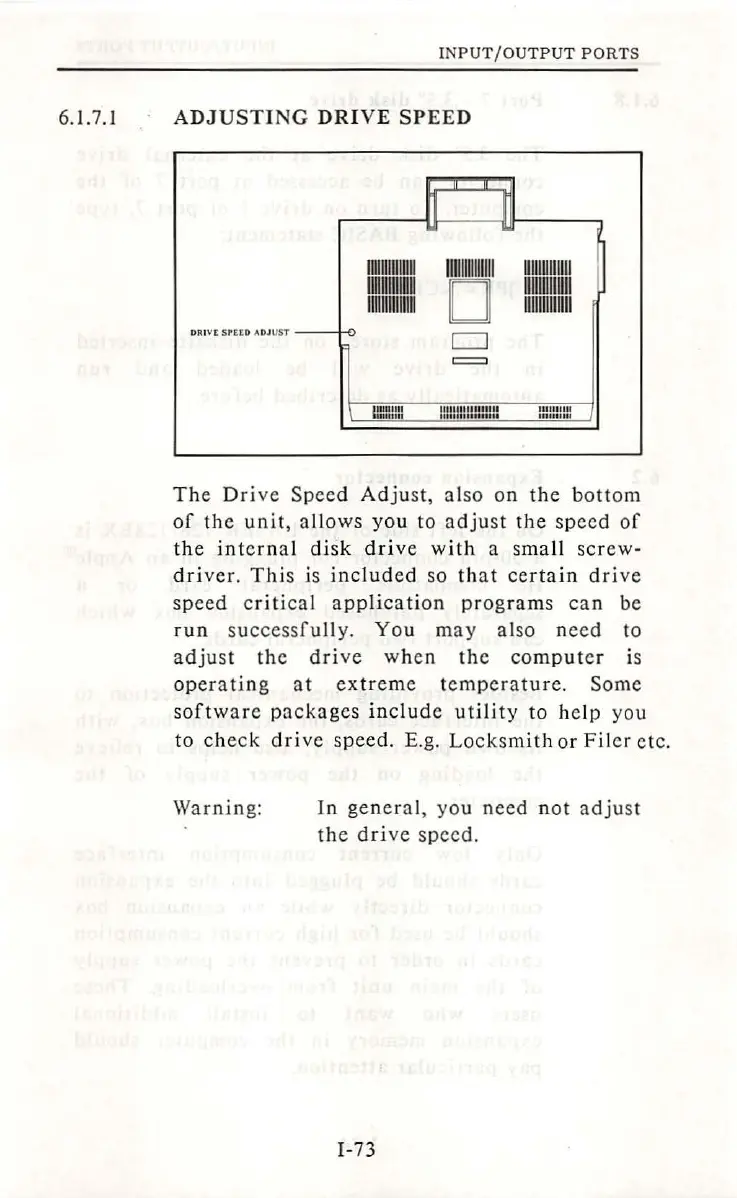
ADJUSTING
DRIVE
SPEED
11111111111111
llllllllllllll
UIJIUllllll
llllllllllRU
D
UlllllllUll
1111ummn
1111111111111
DRIVC
S'ttO
ADJUST
D
=
ll""'"'
1111111
mim::~:mm
mm
:m
Th
e
Driv
e
Speed
Adjust,
a lso on
the
bottom
of
the
unit,
all
ows
you
to
adjust
the
speed
of
the
internal
disk
driv
e w
ith
a small
sc
rew-
dri
ver.
T
hi
s is
inc
lude
d so
that
certain
driv
e
speed
critical
application
programs
can
be
run
successfully.
You
may
also
need
to
ad
j
ust
the
drive
when
the
compute
r is
opera
tin
g
at
extr
e
me
temp
e
ra
tu re.
Some
software
packages
in
c
lud
e
utilit
y to
help
you
to
check
drive
speed.
E.
g.
Locksm
ith
or
Fil
er
etc
.
Warnin
g:
In
general
, you
need
n
ot
adjust
the
drive
speed.
I-
73

Table of Contents