PLMNL0232 REV. H Effective Date: 01/14/19 26 FiberCUT
®
2D Operation Manual
4 FiberCUT
®
Monitor
FiberCUT
®
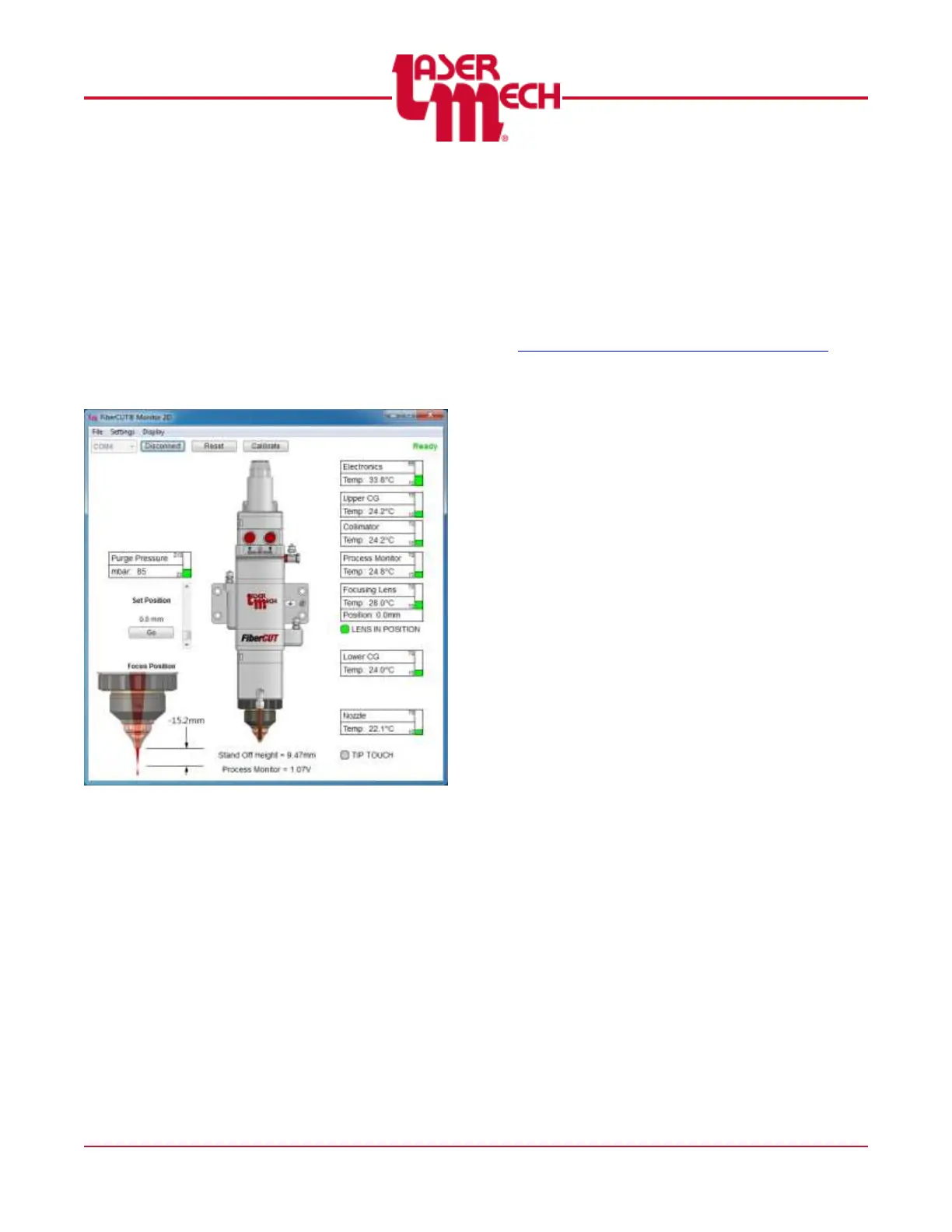
Monitor is a very useful tool for use
with your FiberCUT
®
2D head. FiberCUT
®
Monitor runs on a standard PC and connects to
the control box with a USB cable. It provides real
time monitoring of the tip standoff, lens position,
and head temperatures of your FiberCUT
®
2D
on a single, easy-to-read screen. See Figure
27.
Figure 27
4.1 Installation
4.1.1 Downloading FiberCUT
®
Monitor
Software
Download the latest copy of
FiberCUT
®
Monitor 2D from the
FiberCUT
®
Updates web page:
http://www.lasermech.com/fibercut2dupdates
Once the compressed folder is
downloaded from the web site it only
needs to be decompressed.
1. Right-click on the compressed
folder and select Extract All....
2. Follow the on-screen
instructions to complete the
decompression (extraction) of
the compressed files.
The resulting folder will
have a single
FiberCutMonitor2D.exe file,
a driver folder, and a folder
named FiberCutMonitor2D
Libs.
It is important that the Libs
folder remain at the same
location as FiberCUT
®
Monitor.
The parent folder for these
files can be moved and
copied as needed. No
license key is needed.



 To Next Page