PLMNL0232 REV. H Effective Date: 01/14/19 31 FiberCUT
®
2D Operation Manual
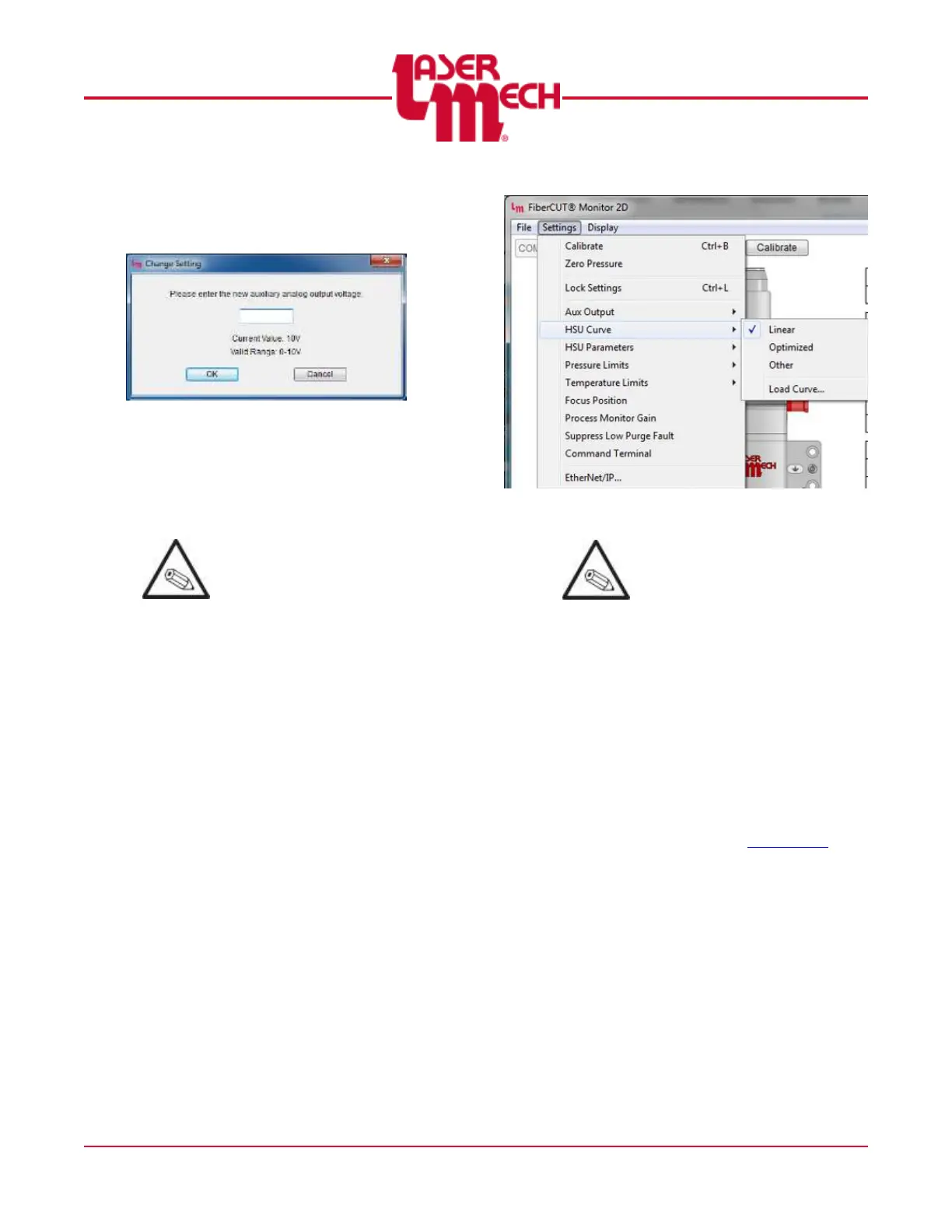
If Fixed Voltage is selected,
the screen shown in Figure
34 will appear.
Figure 34
3. Enter the desired value within
the stated range in the provided
field.
4. Click OK to apply the settings.
The current Aux Out fixed
voltage is displayed, if
applicable.
The Aux Out voltage must be
between 0 V and 10 V.
4.4.3 HSU Curve
See Figure 35.
1. Click the Settings menu in the
upper left corner of the Main
screen and hover over HSU
Curve.
2. Click Linear, Optimized, or
Other as desired.
Figure 35
Load Curve and HSU
Parameters are advanced
functions that should only be
accessed under direction of
Laser Mechanisms support.
4.4.4 Pressure
FiberCUT
®
2D contains a sensor to
detect changes in pressure within
the head relative to ambient
pressure.
To compensate for variations in
atmospheric pressure, calibrate
the pressure sensor daily
according to the following (see
Figure 36 and Appendix H):
1. Turn off and vent all gasses.
2. Click the Settings menu in the
upper left corner of the Main
screen, then click Zero
Pressure.
3. Click OK to confirm.



 To Next Page