PLMNL0232 REV. H Effective Date: 01/14/19 50 FiberCUT
®
2D Operation Manual
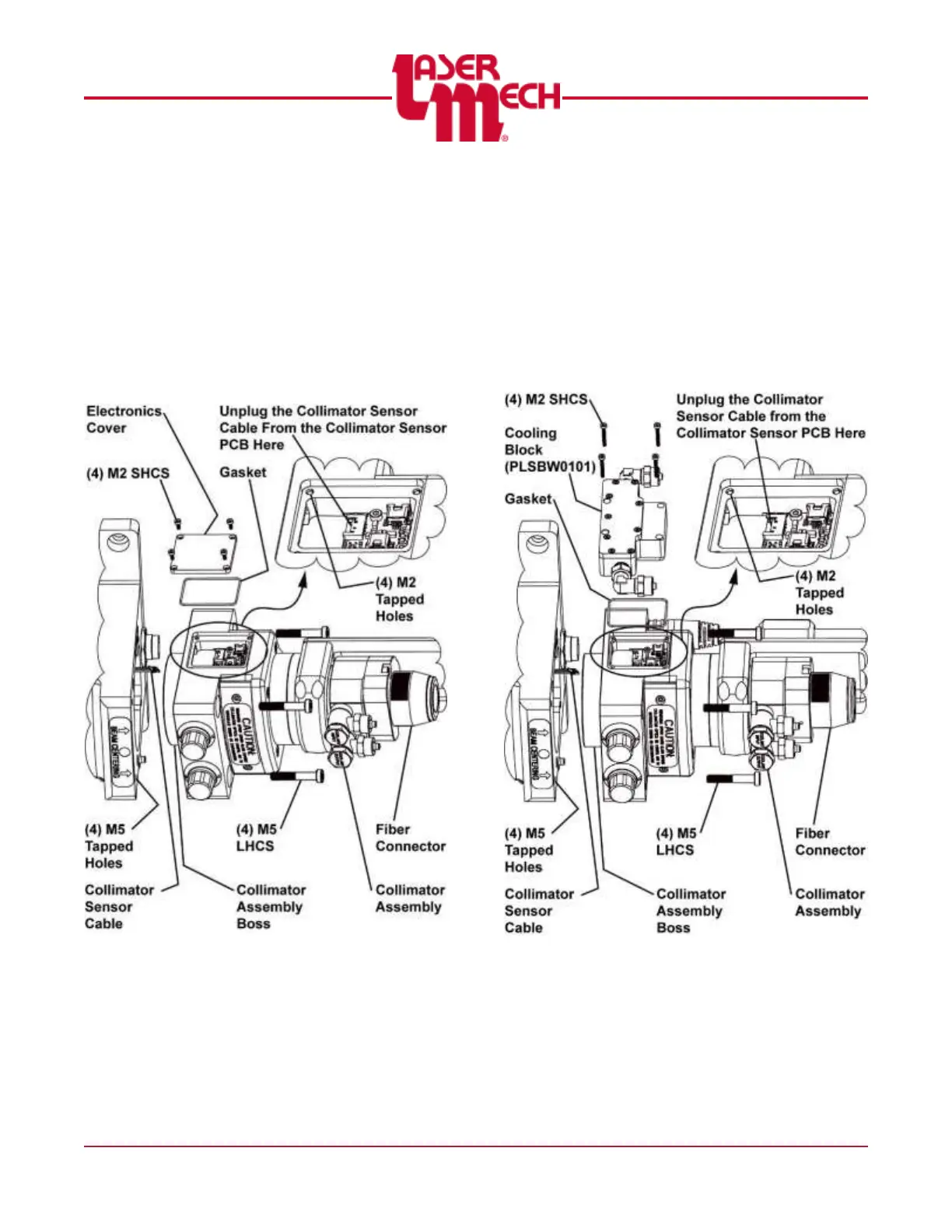
2. Remove the (4) M2 SHCS and the
electronics cover or cooling block from
the collimator.
Verify the gasket is in the groove
on the back of the electronics cover
or collimator cooling block. Replace
the gasket if necessary.
3. Unplug the collimator sensor cable
from the collimator sensor board.
Figure 68
4. Remove the (4) M5 LHCS that secure
the collimator and remove it from the
head.
5. Cover the collimator assembly boss
and the opening in the head with blue
painter’s tape, or equivalent, to prevent
contamination.
Figure 69



 To Next Page