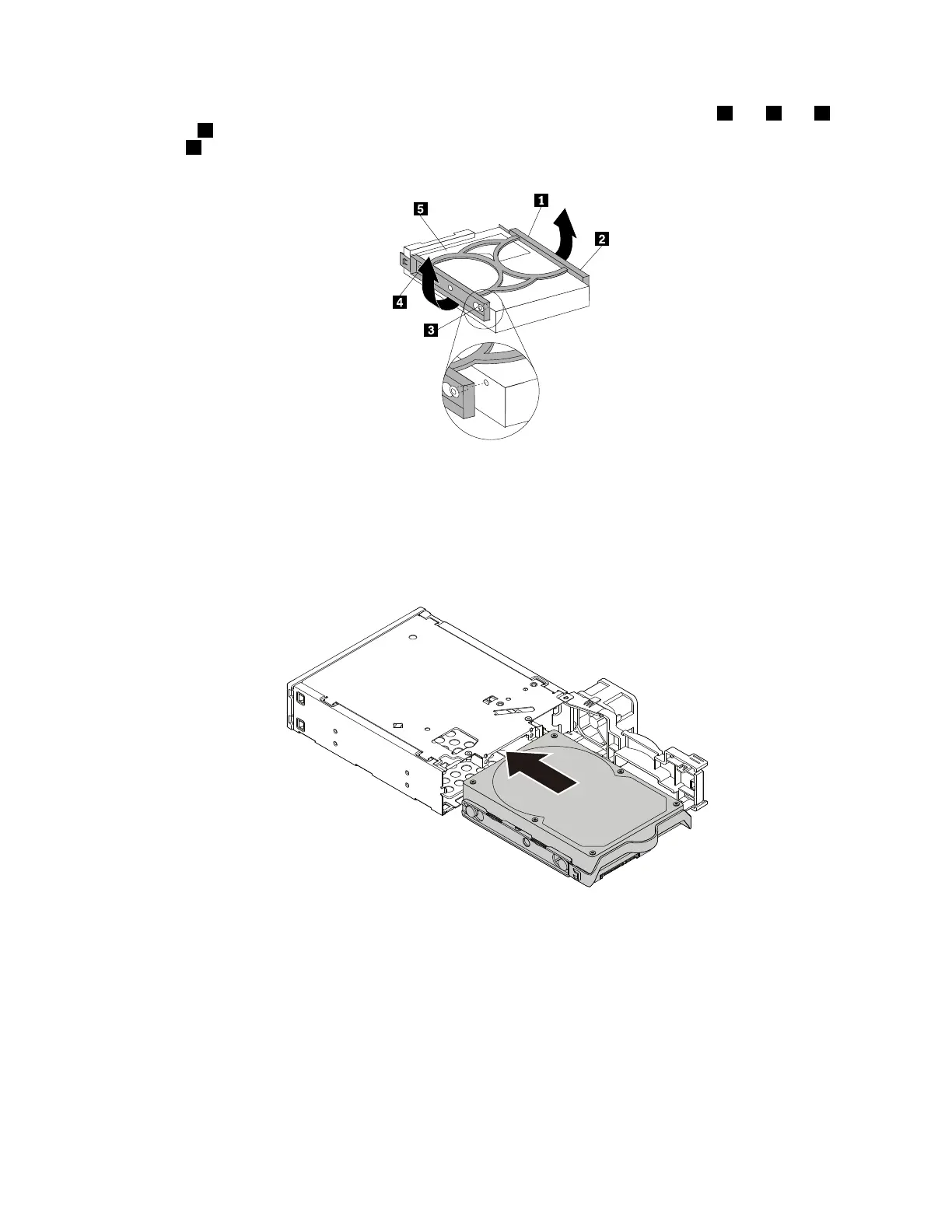
4.Toinstallanewharddiskdriveintothebluebracket,flexthebracketandalignpin1,pin2,pin3,
andpin4onthebracketwiththecorrespondingholesintheharddiskdrive.Donottouchthecircuit
board5onthebottomoftheharddiskdrive.
Figure70.Installingtheharddiskdriveintothebracket
5.Slidethenewharddiskdriveintotheenclosurefromtherearuntilitsnapsintoposition.
Note:Ensurethatthecircuitboardfacesdownwardandtheconnectorsfacetowardtherearofthe
bracket.
Figure71.Installingtheharddiskdriveintotheenclosure
Chapter9.Installingorreplacinghardware125













 To Next Page