1.Removeallmediafromthedrivesandturnoffallattacheddevicesandthecomputer.Then,disconnect
allpowercordsfromelectricaloutletsanddisconnectallcablesthatareconnectedtothecomputer.
2.Removethecomputercover.See“Removingthecomputercover”onpage90.
3.Laythecomputeronitssideforeasieraccesstothesystemboard.
4.Locatetheheatsinkandfanassembly.See“Partsonthesystemboard”onpage34.
5.Disconnecttheheatsinkandfanassemblycablefromthemicroprocessorfanconnectoronthesystem
board.See“Partsonthesystemboard”onpage34.
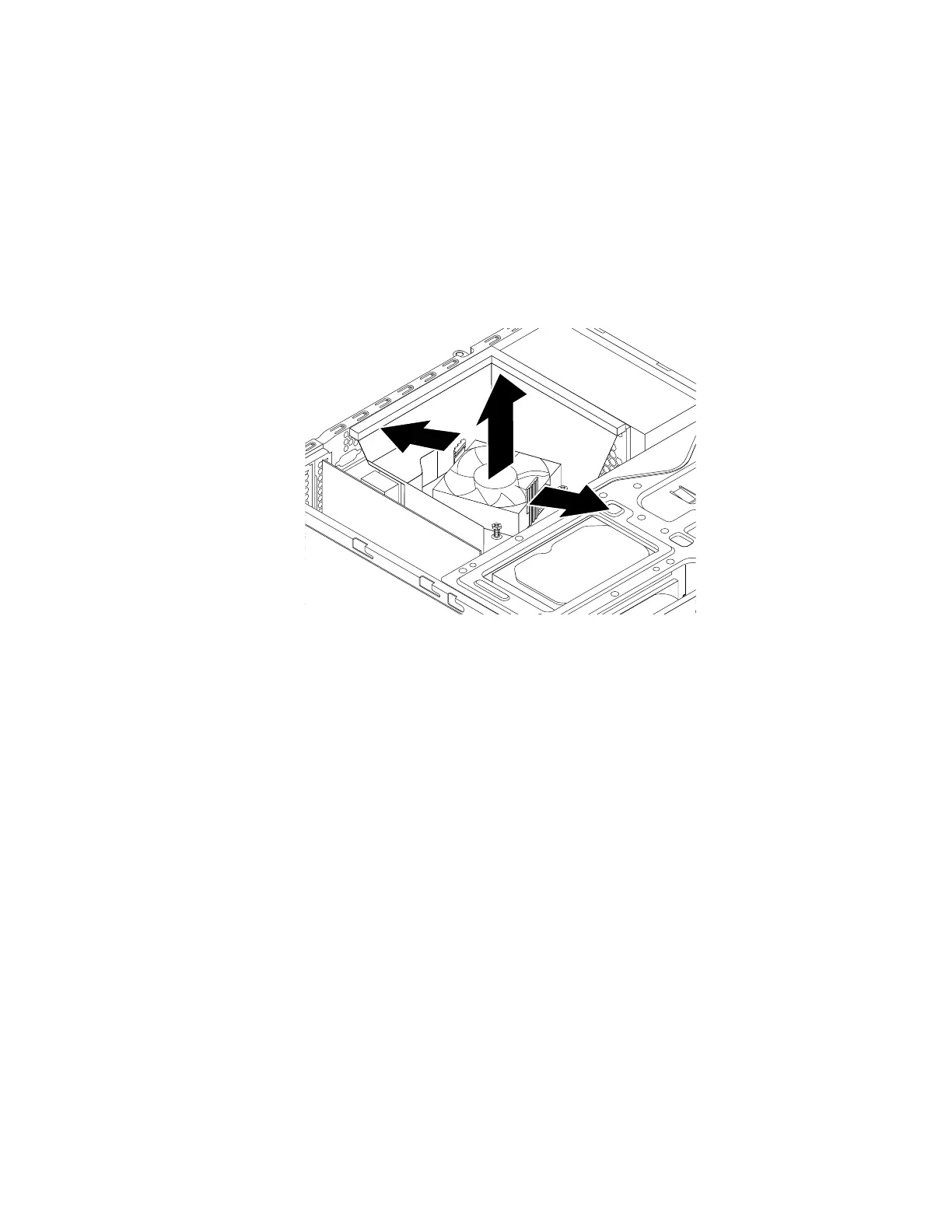
6.Pivotthetwoplasticretainingclipsthatsecuretheheatsinkfanductoutward.Thenremovetheheat
sinkfanductfromthefailingheatsinkandfanassembly.
Figure88.Removingtheheatsinkfanduct
Chapter9.Installingorreplacinghardware137













 To Next Page