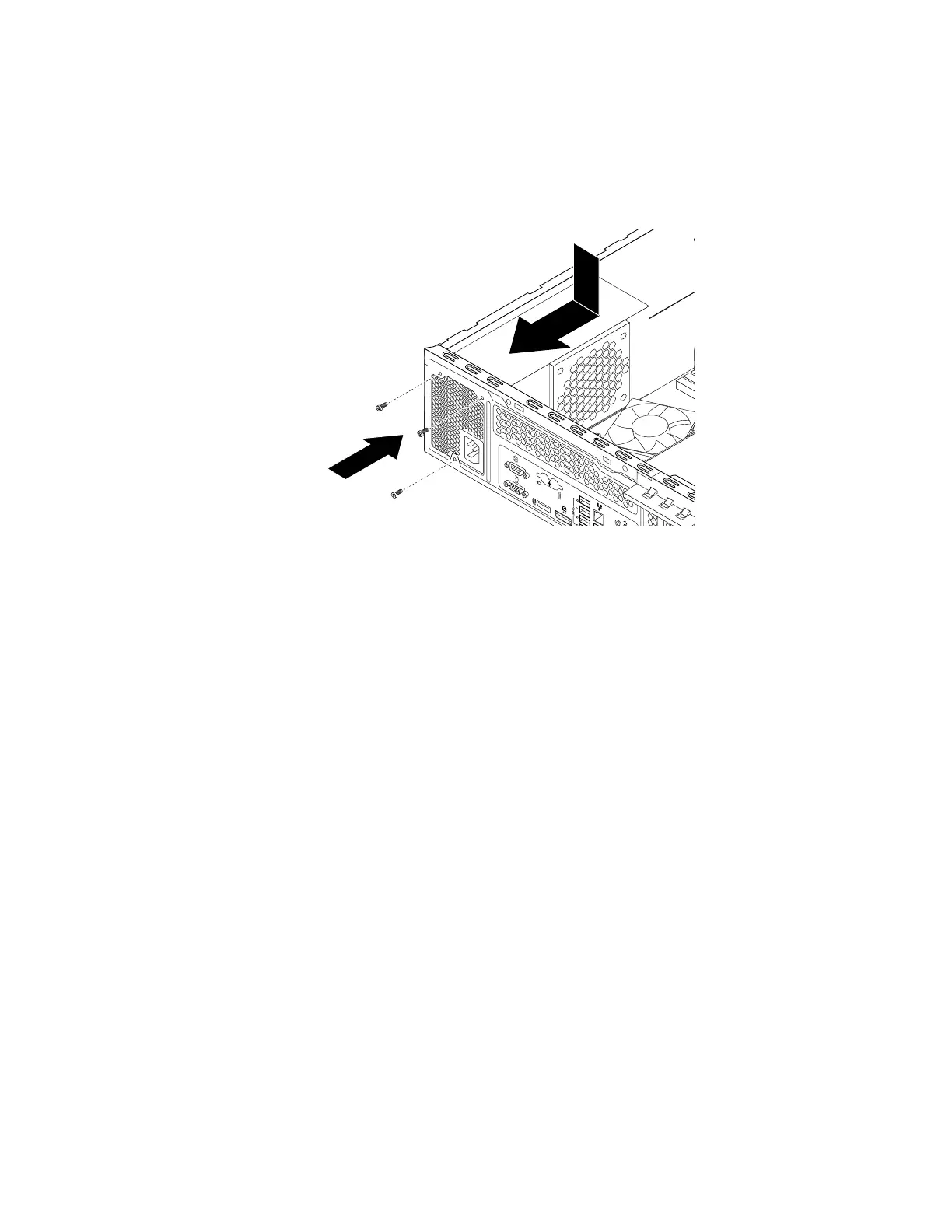
10.Installthenewpowersupplyassemblyintothechassissothatthescrewholesinthenewpowersupply
assemblyarealignedwiththecorrespondingholesintherearofthechassis.Then,installthethree
screwstosecurethenewpowersupplyassemblyinplace.
Note:UseonlyscrewsprovidedbyLenovo.
Figure94.Installingthepowersupplyassembly
11.Connectthenewpowersupplyassemblycablestoalldrivesandthesystemboard.See“Partsonthe
systemboard”onpage34
.
Chapter9.Installingorreplacinghardware143













 To Next Page