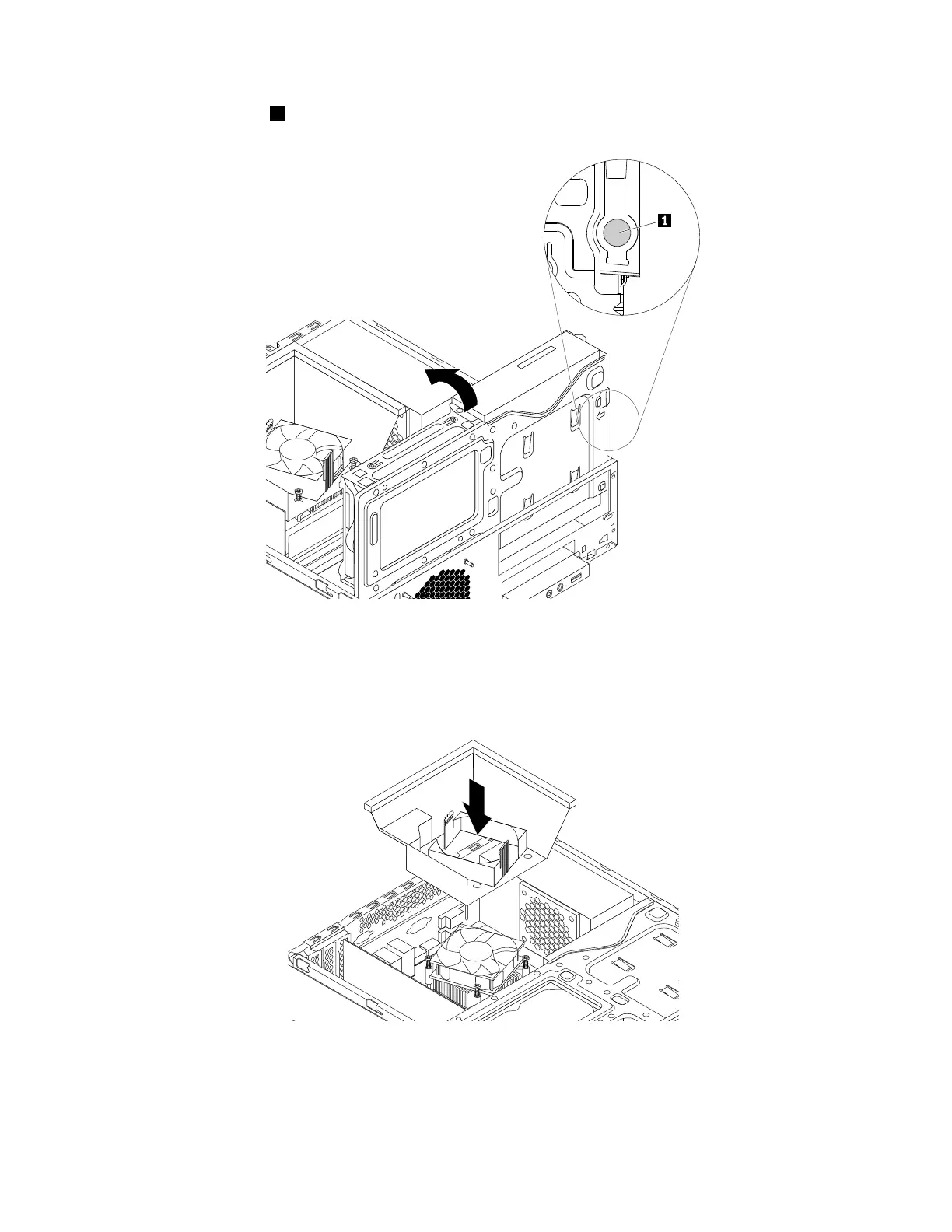
12.Pressthereleasetab1asshownandpivotthedrivebayassemblydownwarduntilitsnapsintoposition.
Figure95.Pivotingthedrivebayassemblydownward
13.Positiontheheatsinkfanductonthetopoftheheatsinkasshown.Then,presstheheatsinkfan
ductstraightdownuntilitsnapsintoposition.
Figure96.Installingtheheatsinkfanduct
Whattodonext:
•Toworkwithanotherpieceofhardware,gototheappropriatesection.
144ThinkStationP310HardwareMaintenanceManual













 To Next Page