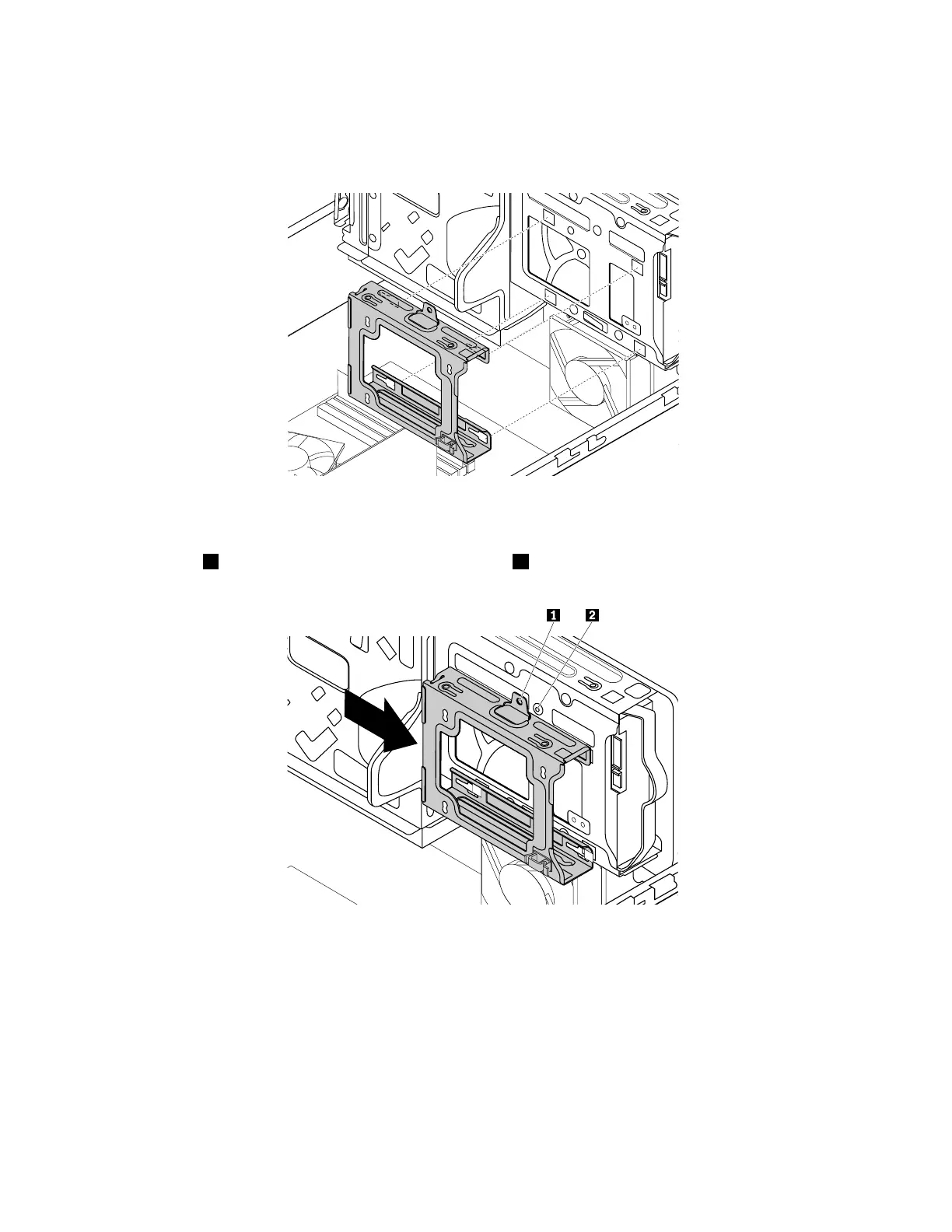
8.Alignthefourholesinthesecondaryhard-disk-drivecagewiththecorrespondingfourtabsonthe
bottomofthebayasshown.Then,positionthecageontothebottomoftheprimaryhard-disk-drive
baysothatthetabsonthebaypassthroughtheholesinthecage.
Figure110.Positioningthecageontothebottomoftheprimaryhard-disk-drivebay
9.Slidethesecondaryhard-disk-drivecagetotheleftofthechassisuntilitsnapsintopositionandthe
screwhole1inthecageisalignedwiththescrewhole2inthebay.
Figure111.Installingthesecondaryhard-disk-drivecage
154ThinkStationP310HardwareMaintenanceManual













 To Next Page