S
ECURITY
6-69
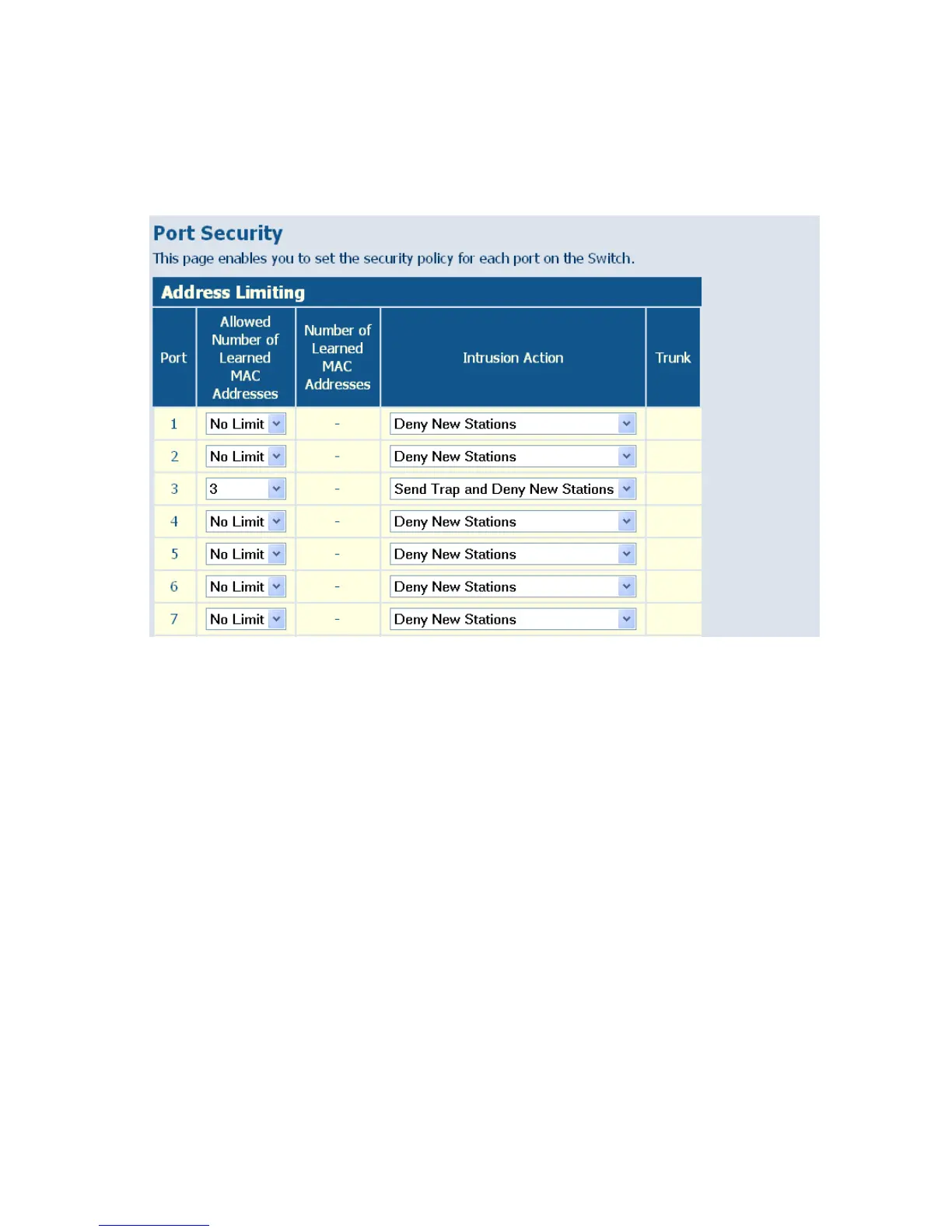
Web – Click Security, Port Security. Set the number of allowed MAC
addresses and the response to a detected intrusion, then click APPLY.
Figure 6-35 Port Security
Management Access Filter
This page enables you to set up a management access filter on the switch.
With the Management Access Filter Configuration table, you can create a
list of up to 8 IP addresses or IP address groups that are allowed
management access to the switch through the web interface or SNMP. The
management interfaces are open to all IP addresses by default. Once you
add an entry to a filter list, access to that interface is restricted to the
specified addresses. If anyone tries to access a management interface on
the switch from an invalid address, the switch will reject the connection.
Note: Invalid frames will not be able to access management interface, but
normal forwarding is not impacted.















 To Next Page