I
NSTALLING
AN
SFP T
RANSCEIVER
3-7
Installing an SFP Transceiver
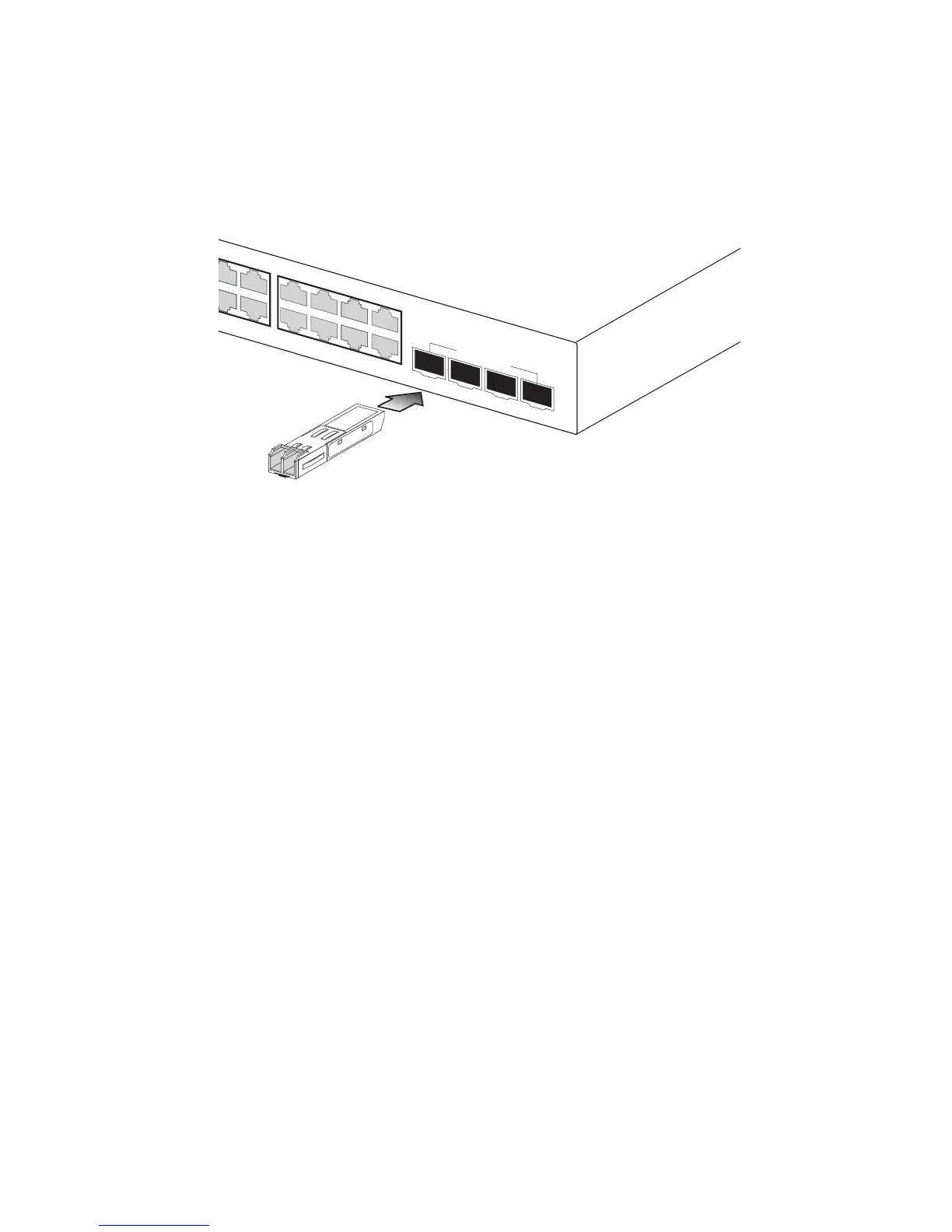
Figure 3-5 Inserting an SFP Transceiver into a Slot
The switch supports the following optional transceivers:
• 1000BASE-SX (SGVT-0300)
• 1000BASE-LX (SGVT-0301
• 1000BASE-ZX (SGVT-0302)
To install an SFP transceiver, do the following:
1. Consider network and cabling requirements to select an appropriate
transceiver type. Refer to “Connectivity Rules” on page 4-6.
2. Insert the transceiver with the optical connector facing outward and
the slot connector facing down. Note that SFP transceivers are keyed
so they can only be installed in one orientation.
3. Slide the transceiver into the slot until it clicks into place.
Note: SFP transceivers are hot-swappable. The switch does not need to
be powered off before installing or removing a transceiver.
However, always first disconnect the network cable before
removing a transceiver.
Note: SFP transceivers are not provided in the switch package.















 To Next Page