C
ONFIGURING
THE
S
WITCH
6-4
Configuration Options
Configurable parameters have a dialog box or a drop-down list. Once a
configuration change has been made on a page, be sure to click on the
Apply button to confirm the new setting. The following table summarizes
the web page configuration buttons.
Notes: 1. To ensure proper screen refresh, be sure that Internet Explorer 5.x is
configured as follows: Under the menu “Tools / Internet Options /
General / Temporary Internet Files / Settings,” the setting for item
“Check for newer versions of stored pages” should be “Every visit to
the page.”
2. When using Internet Explorer 5.0, you may have to manually refresh
the screen after making configuration changes by pressing the
browser’s refresh button.
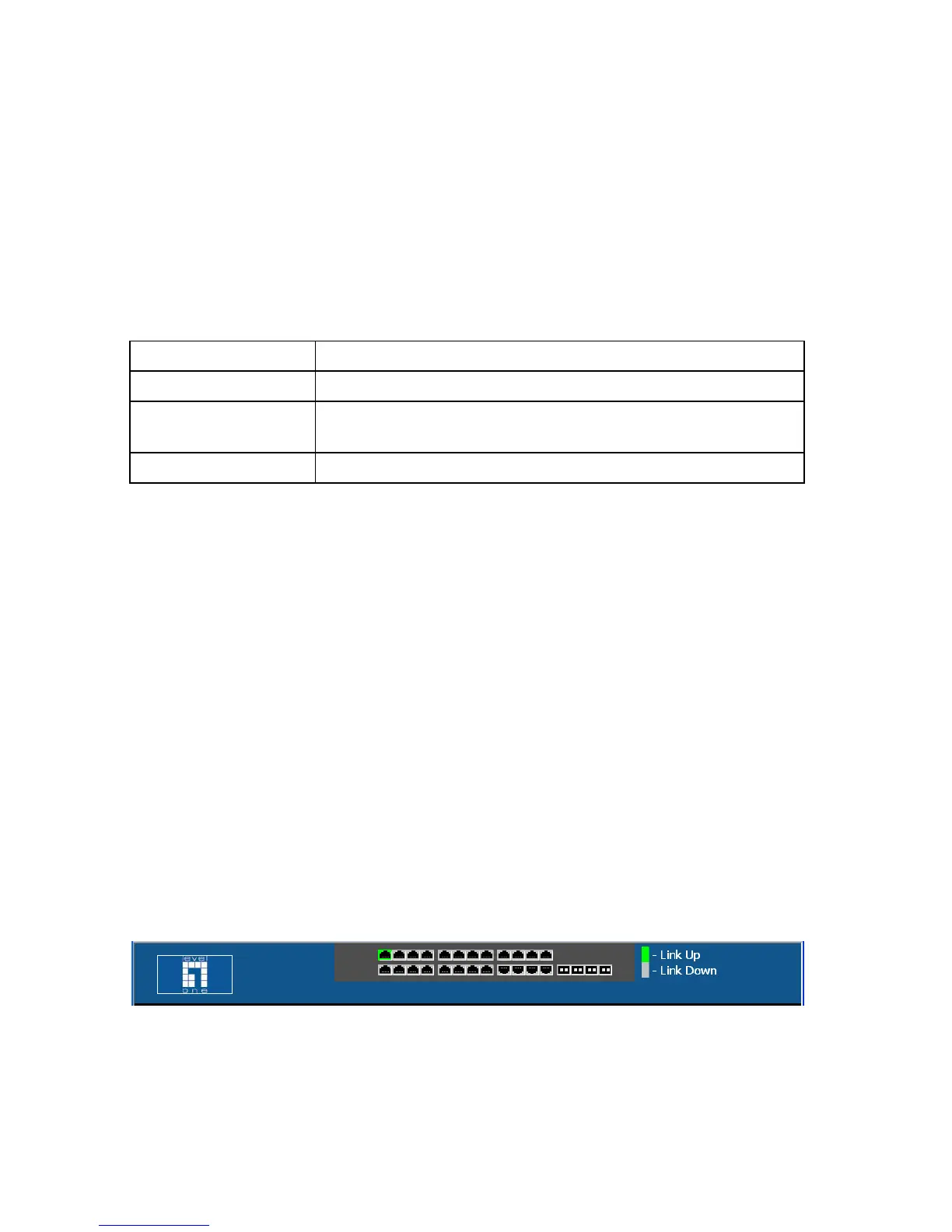
Panel Display
The web agent displays an image of the switch’s ports. The switch ports
display green when they have a valid link to another device. To show the
port number, place mouse pointer onto the intended port.
Figure 6-2 Panel Display
Configuration Options
Button Action
Apply Sets specified values to the system.
Cancel Cancels specified values and restores current values prior to
pressing Apply.
Help Links directly to web help.














 To Next Page