C
ONFIGURING
THE
S
WITCH
6-34
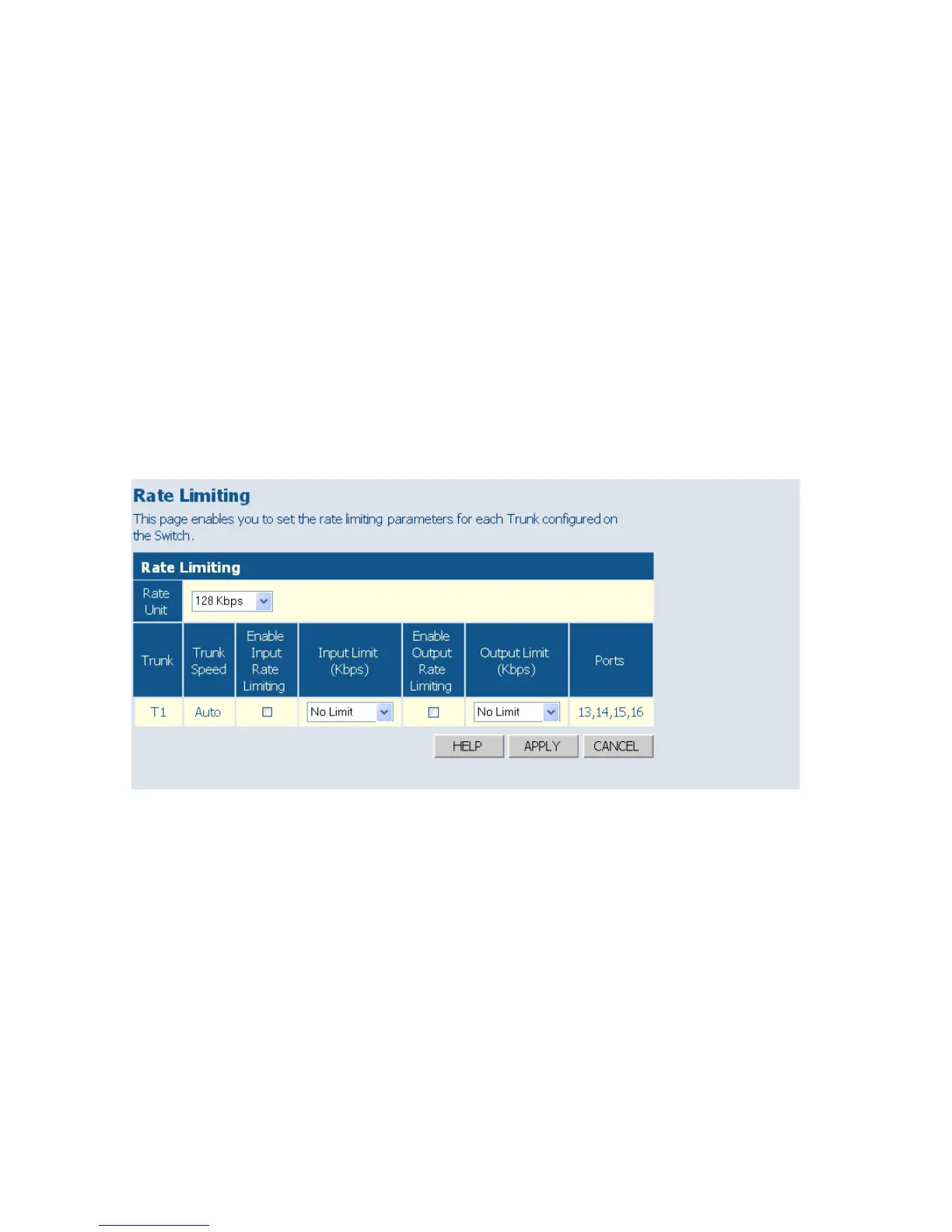
• Trunk – Indicates trunk identifier.
• Trunk Speed – Indicates the trunk speed.
• Enable Input/Output Rate Limiting - Mark the box to enable Input/
Output Rate Limiting.
• Input/Output Limit – Sets the threshold for trunk bandwidth
measured in number of frames per second. When this limit is exceeded,
packets are dropped, until the rate falls back beneath the configured
limit. (Options: 1k - 32768k, in steps of 2
n
)
• Ports – Indicates which ports belong to the trunk.
Web – Click TRUNKS, Rate Limiting.
Figure 6-21 Trunk Rate Limiting















 To Next Page