C
ONFIGURING
THE
S
WITCH
6-22
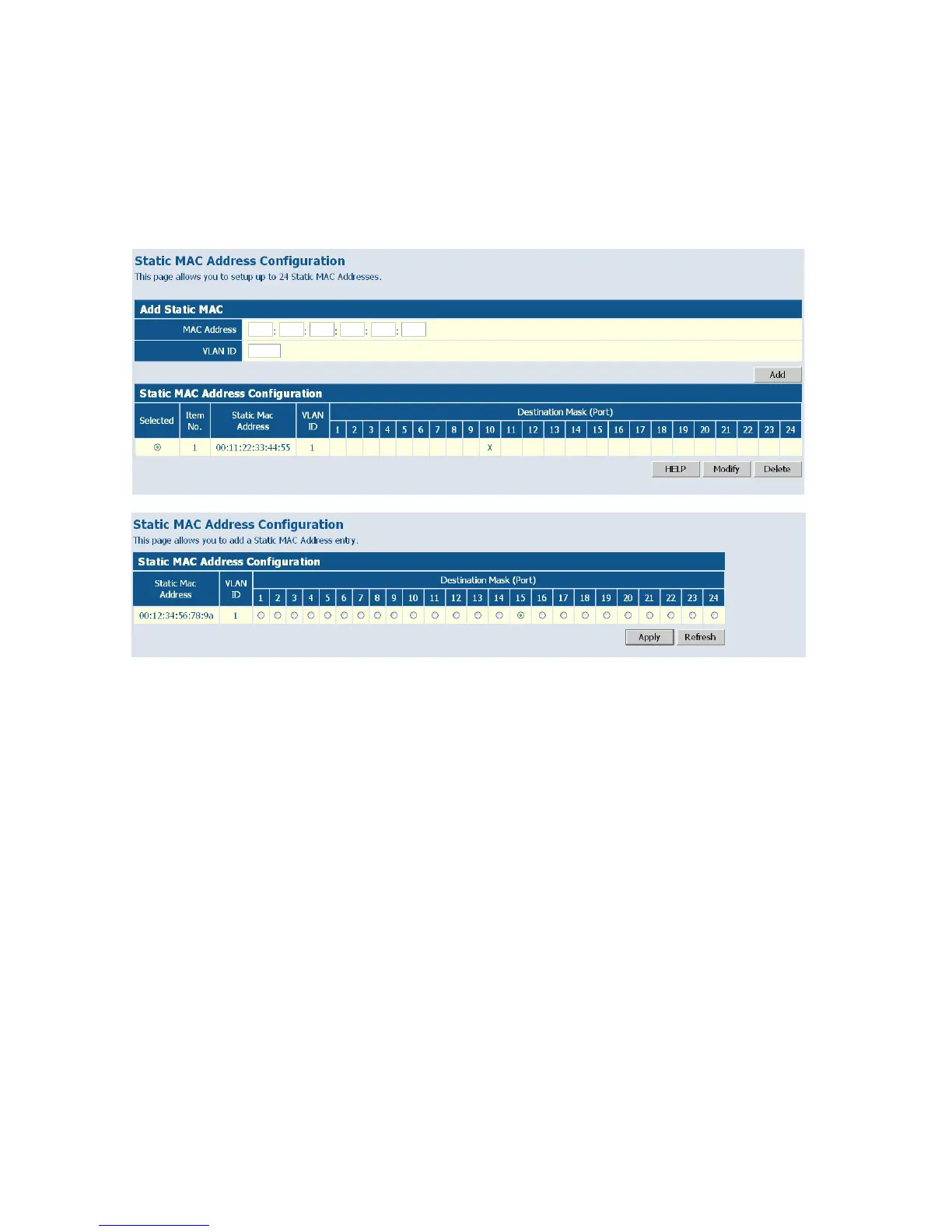
Web – Click System, Static MAC. Enter the MAC address, VLAN ID, and
click ADD to add a new static MAC address. Then mark the port to which
this MAC address is bound, and click Apply.
Figure 6-12 Static MAC Address Configuration
Counter Configuration
This page allows specific statistics to be selected for monitoring. It is
possible to monitor up to five transmit counters and five receive counters,
as well as 1 transmit byte counter and receive byte counter.
Please also note the following restrictions.
• Received Unicast Packets can be enabled after Received Multicast
Packets and Received Broadcast Packets are enabled.
• Received Multicast Packets and Received Broadcast Packets can be
disabled after Received Unicast Packets is disabled.
• The above 2 rules are also applied to Transmitted Multicast Packets,
Transmitted Unicast Packets and Transmitted Broadcast Packets.
Web – Click SYSTEM, Counter Config.















 To Next Page